Image properties in documentation

RDM is great for keeping basic documentation on connections / devices.
Formatting with Markdown is OK (for me), except for images.
I can't find how to manipulate image size in the documentation tab.
When adding an image it's resized to a very small image.
Resolution is to low to read the info.
Are there any options to adjust resizing by RDM?
All Comments (6)
Hi,
I've looked into your issue and it seems there's a css rule preventing images from being large.
I tweaked the rule so that images won't be resized anymore but it'll only be available in the next release.
Once this fix is available you will be able to customize the image size using the <img> tag like so : <img width="1000" src="image:947a50ac-5229-49d1-8953-95baf54a0847">
We are also looking into using a markdown plugin to resize images without using the html tag.
Best regards
Mathieu Morrissette
Hi Mathieu, thanks for the quick response
We're using the server based version. I think you're mentioning the web based version.
In the server version there's no img tag or a src tag.
Just an example.
Quick screenshot to document firewall rules in corelation with a specific device is added to the documentation.
After adding via the image menu, I see this link in de documentation.
**Firewall**

Where should I place the "width" property?
Hi,
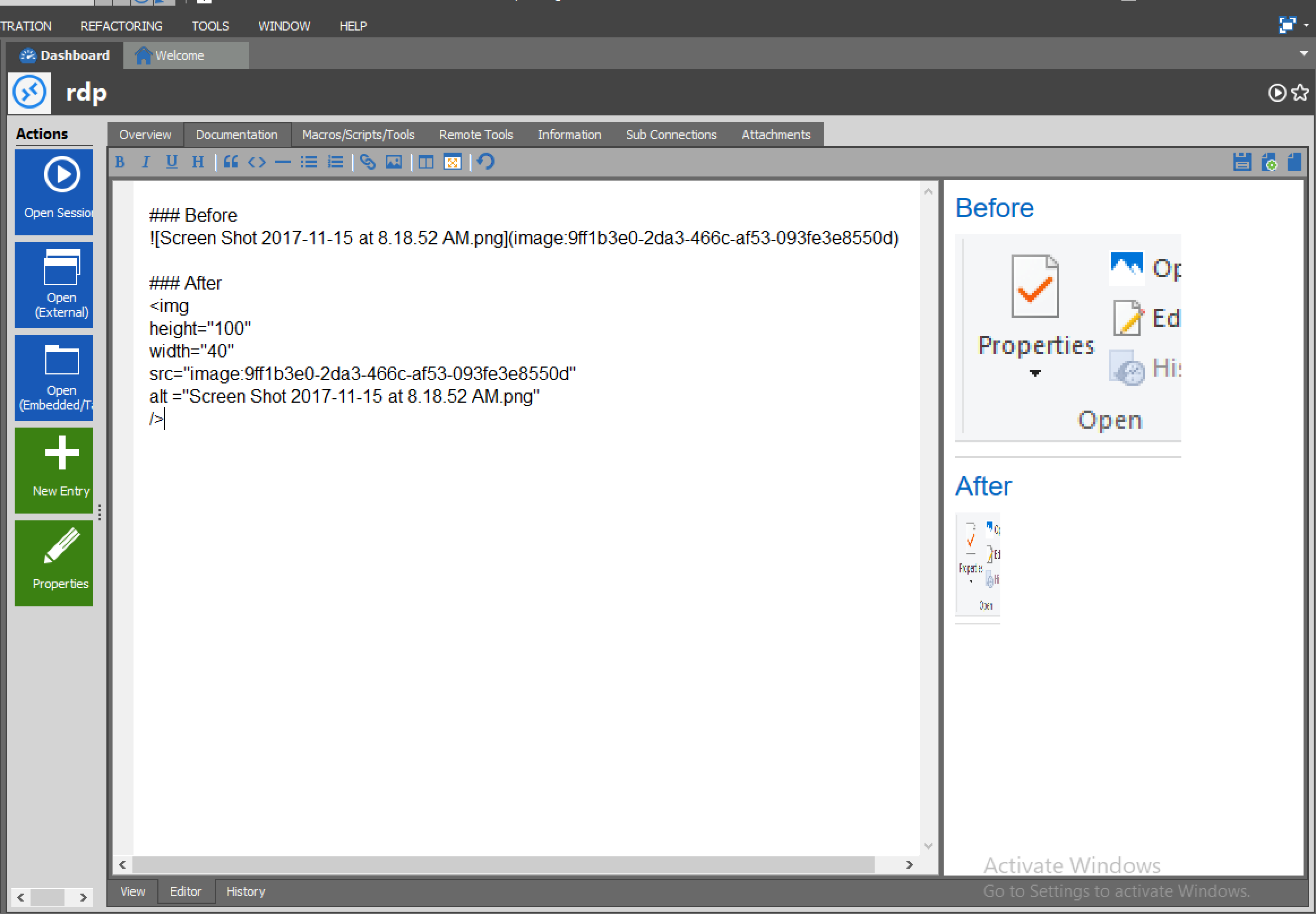
I'm using the Windows version. It is possible to use HTML tags in the documentation.
Here's a screenshot :
Best regards
Mathieu Morrissette
Screen Shot 2017-11-15 at 8.21.59 AM.png
Hi,
Got it working.
Thanx for the help.
Really appreciate the quick response!
I see that max image size is limited somewhere around 470px width
Guess I'll have to wait for the new version to get bigger images :)
Some nice to have's (no need to reply)
- download images from the Documentation tab (windows client)
- "e-mail manual" option beside the print option
Hi,
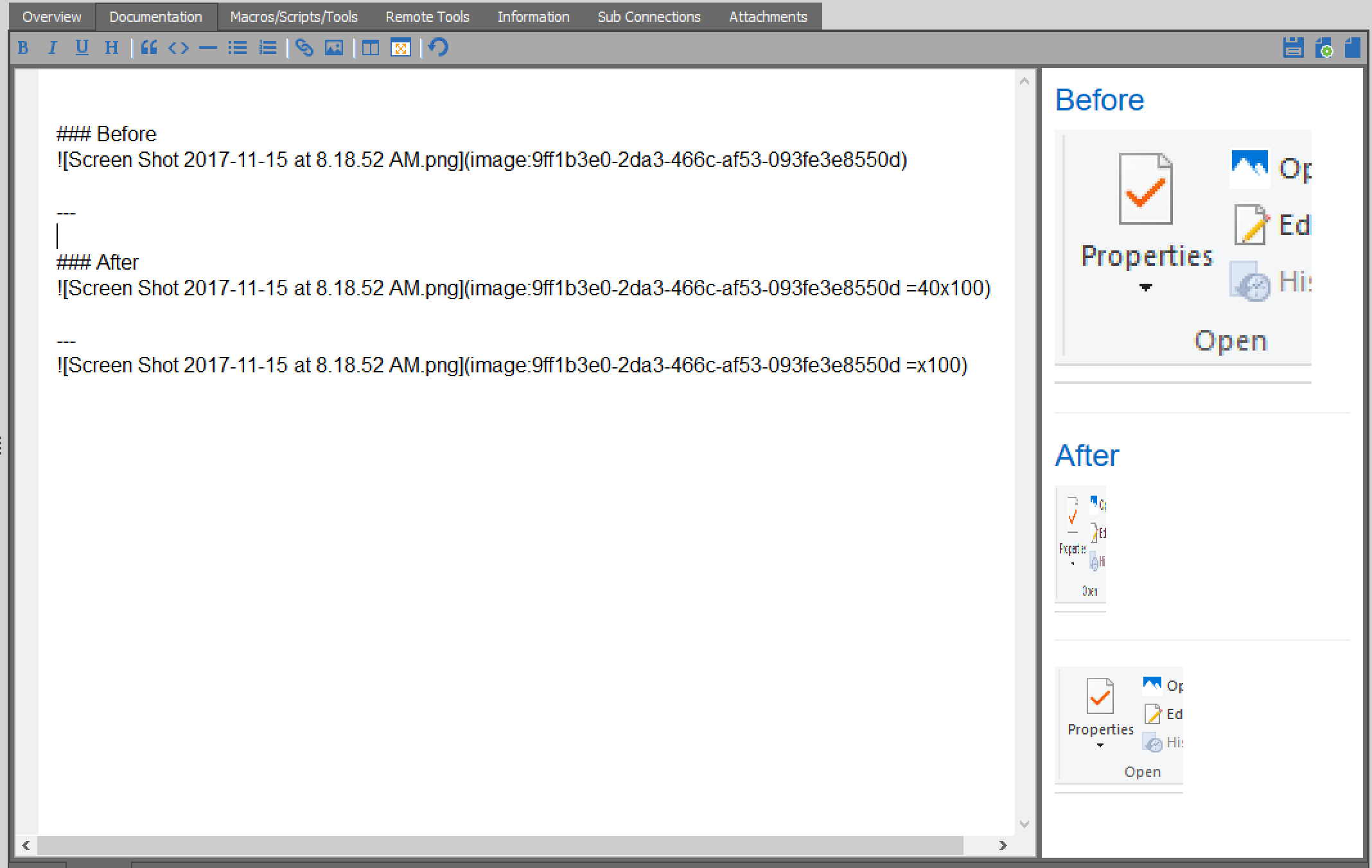
I added your feature requests to my todo. Also, I've found a markdown plugin to resize images directly without using any html.
It will look like this :
Best regards
Mathieu Morrissette
Screen Shot 2017-11-15 at 2.55.29 PM.png
Thanx!
Allready waiting for next release :)