VMware vSphere 6.5 HTML5 client "auto submit" doesn't work

As stated in the topic, the Autologin feature doesn't work with the new HTML5 (yay, no more Flash!) vSphere Client.
The username/password fields are filled correctly, but the submit button stays disabled and cannot be triggered/clicked. Hence, "auto submit" won't work
Even though the fields are filled, in order to enable the Login (Submit) button, one has to at least once activate/focus the username field and then leave (lose focus) this field again with at least one alphanumeric character entered, or cycle through them with the tab key.
So for the RDM prefilled username password field, this means, clicking in the username field and then click somewhere outside. Alternatively, press the "Tab" key once, which results in activating/focusing the username field and the submit button gets enabled.
As I noticed that behavior with some other websites as well, maybe it's a good idea to not find a specific (scripted?) solution to this vSpehere HTML5 issue exclusively but a more common approach/option for RDM.
Basically it would mean activating/focusing all fields where RDM inserts values into once prior to firing the submit action.
-------------------
Remote Desktop Manager Enterprise Edition 12.6.6.0 64 Bit - Data Source: SQL Server
Running on Windows Server 2012R2 VMs with Remote Desktop Services feature, serving as common work environment for 30 Windows Server administrators
All Comments (4)
Hello,
We would like to have a big view of the problem, I presently don't have a vSphere Client with 6.5. I'm looking to build that server to be able to see the problem and think about the best solutions.
Best regards,
David Grandolfo
Hi David,
thanks for looking into it (as soon as you have built your vSphere 6.5 Environment)
-------------------
Remote Desktop Manager Enterprise Edition 12.6.6.0 64 Bit - Data Source: SQL Server
Running on Windows Server 2012R2 VMs with Remote Desktop Services feature, serving as common work environment for 30 Windows Server administrators
By the way, a similar issue exists with the login form for Microsoft resources, like the Office365 cloud and other Microsoft services.
https://login.microsoftonline.com
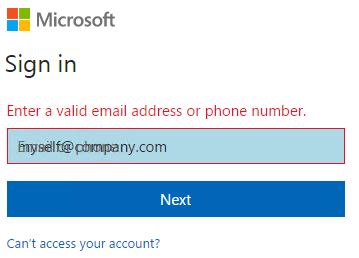
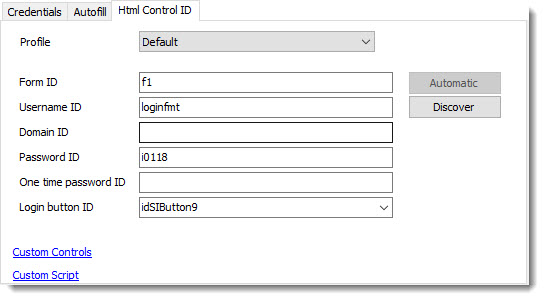
The necessary field "loginfmt" in form "f1" is filled correctly by RDM but auto- and even manual submit doesn't work and the error message "Enter a valid email address or phone number." is displayed. The placeholder text "Email or phone" is overlayed with the RDM supplied value for the username. I guess because the field never received a formal focus when the username got entered, the website assumes no value has ever been entered.
Ultimately, one has to manually modify (add a blank and delete it again) the RDM supplied username in order for the website to recognize a value has been supplied. Especially as overlayed text is displayed, most of my users are confused and fall back to the complete manual way, entering their user name by themselves.
-------------------
Remote Desktop Manager Enterprise Edition 12.6.6.0 64 Bit - Data Source: SQL Server
Running on Windows Server 2012R2 VMs with Remote Desktop Services feature, serving as common work environment for 30 Windows Server administrators
mslogin.JPG
Hi,
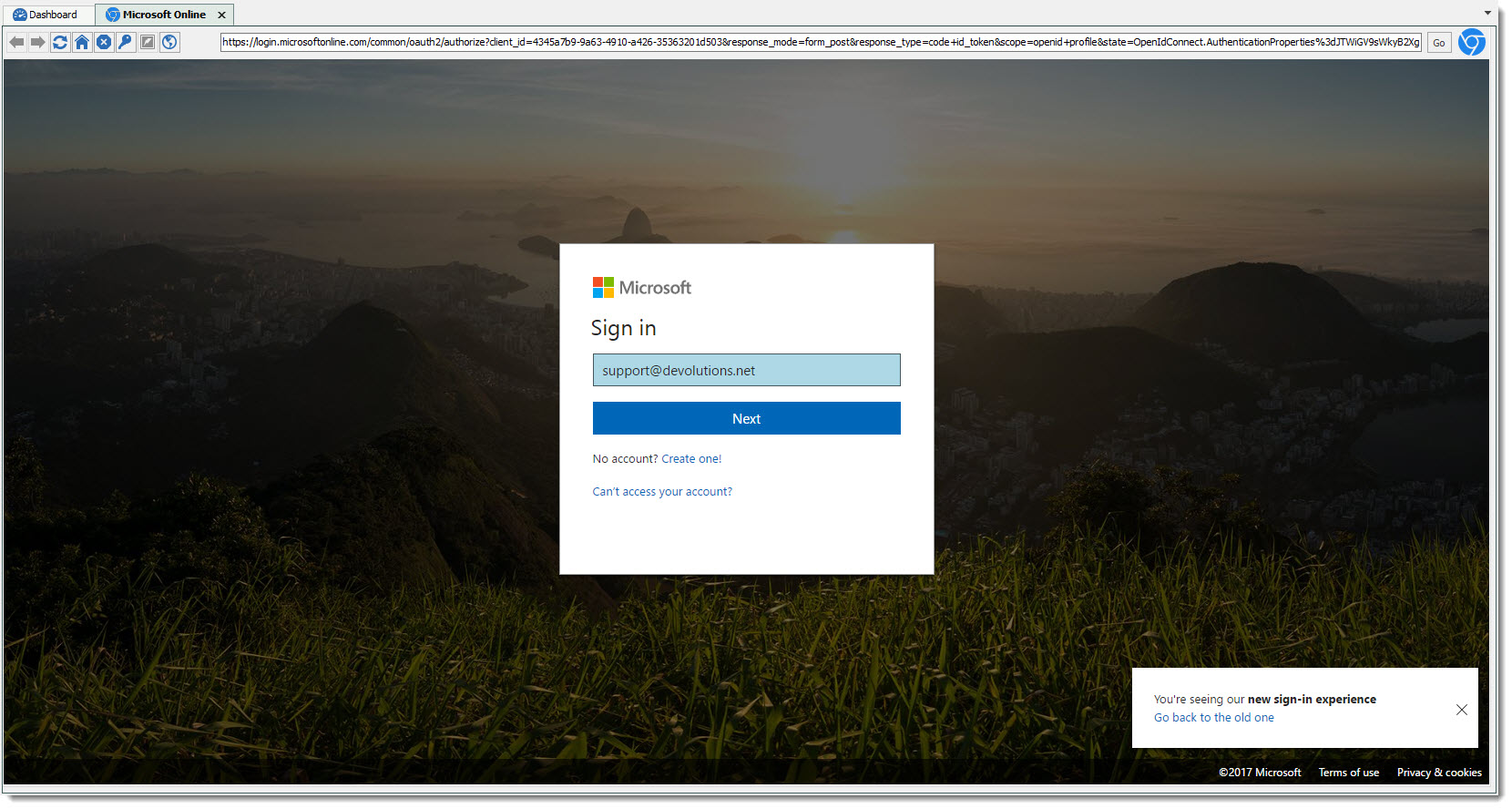
Thanks for the field name, RDM wasn't able to discover it. I tested with RDM 13.0.4 and with the Web Browser -- Google Chrome entry and I don't have this problem. Could you test it with the newest version please.
Please note, prior to update RDM 13.0.4 will require a Database update so every user will need to update their RDM.
David Grandolfo
Microsoft_website.jpg
Control_id_Microsoft.jpg