RDM built-in SSH -- prompt for hostname

Hi,
I have the challenge to access all our Linux Servers through "Jumpservers / SSH Gateways".
Due to the amount of servers and change rate it is not possible to setup a new connection entry for every server.
Therefore I have build a template for quickconnect which allows me to enter the servername I want to reach, this works fine, but have some trade offs.
E.g. all Tabs are labeled with "Quickconnect -- <servername>", if you have different Gateway servers you must always choose the right template
Therefore I would appreciate if I could do the same with a connection entry. Is much easier to directly pick the correct entry.
Every time I click on it, it should prompt for the hostname I want to connect to.
Do you consider to implement such a feature?
Regards
sol
All Comments (5)
Hello,
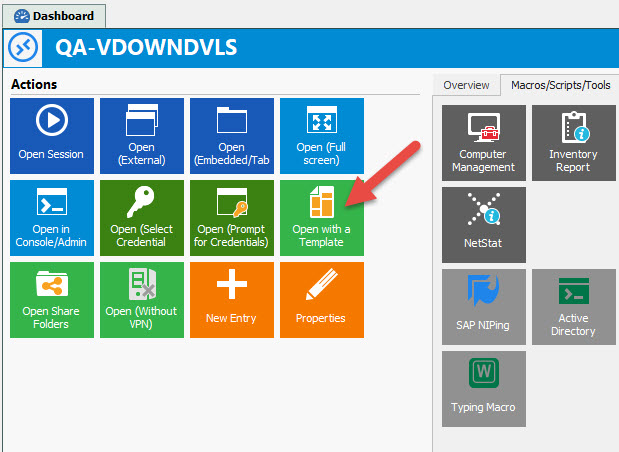
If you select an entry in the Navigation Pane, in the Dashboard, you will see a button called Open with a template.
Is this what you are looking for?
Best regards,
Jeff Dagenais
2017-09-27_08-08-46.jpg
Hi,
not exactly.
I want to open a entry directly from the Navigation pane.
The entry contains the right Jumpserver / Username etc.
The only missing parameter is the servername or IP I want to connect to.
I hope my questions is a bit clearer now. :-)
Regards
sol
RDM-prompt-hostname-wish.png
Hello,
Since the hostname is required, it will not be possible for you to create your session without a hostname.
Let me check with our engineering department what can be done.
Best regards,
Jeff Dagenais
I have an idea, I will see what we can do.
Regards
David Hervieux
Hello,
For the next beta version and for RDM 13 we'll have a change made to the alternate host which should help your use case.
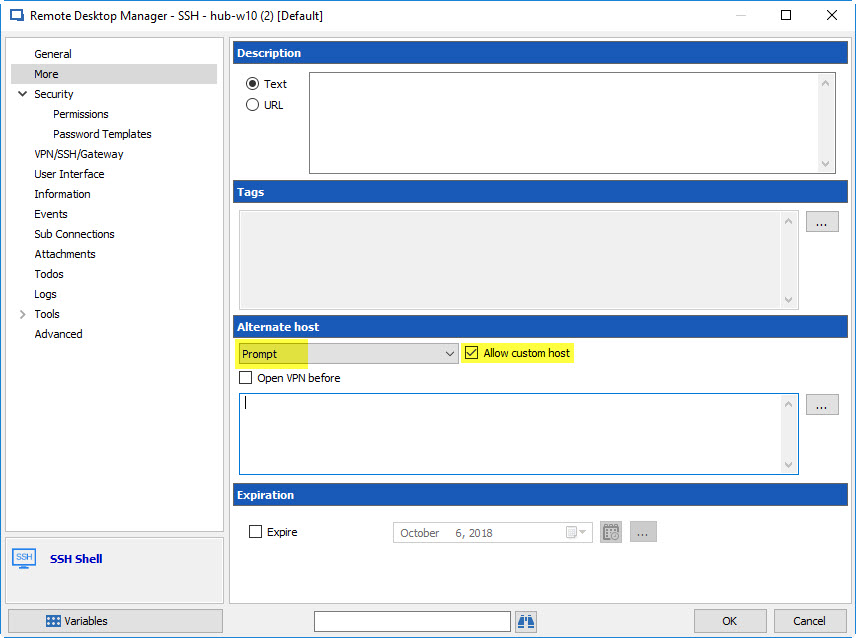
If you go in your entry in the "More" tab, the alternate host section when used in "prompt" mode will have an option to allow for a custom host:
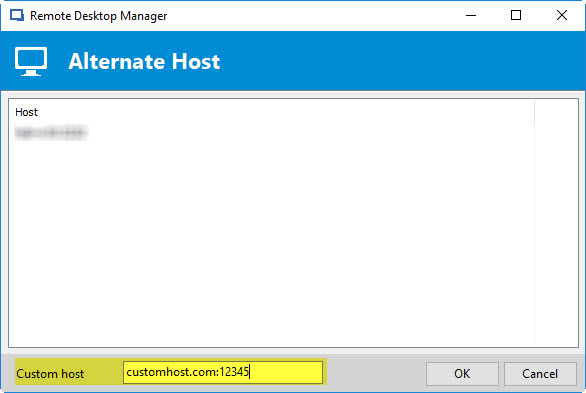
When you have these options on, you'll be prompted on opening the connection:
So you'll be able to enter a custom host (or use the one from the entry / alternate host list by selecting it in the list).
Regards,
Hubert Mireault
2017-10-06 8-32-30 AM.jpg
2017-10-06 8-23-14 AM.jpg