SCP with SSH Private keys

In our company we are using RDM for over the last year and we are trying to expand ourconnection list with SCP connections.
Right now we have a bunch of linux servers and are using our private ssh key to connect to them (through SSH). This works as expected. However, when we try to add a SCP subconnection, change the user specific settings to our individual SSH key, then we get the following error message:
Error: Unable to establish the connection. Please make sure your connection settings are valid.
When use the root credentials, everything works as expected.
I'm wondering why we can't use the SSH private key for our SCP connection. Also I'm wondering if we could overrule the root privileges when we logon with the private key. (Now we need to sudo su , after logging in on our linux servers before we have admin privileges)
The goal is to be able to do filetransfers with the built-in SCP client from devolutions in combination with our own private key.
EDIT:
/var/log/secure on one of our servers where we try to connect to says that devolutions breaks the connection
2017-09-18T11:39:51.131395+02:00 bruce sshd[30925]: Connection closed by 193.190.172.246 [preauth]
Best regards,
Stijn
All Comments (8)
Hello,
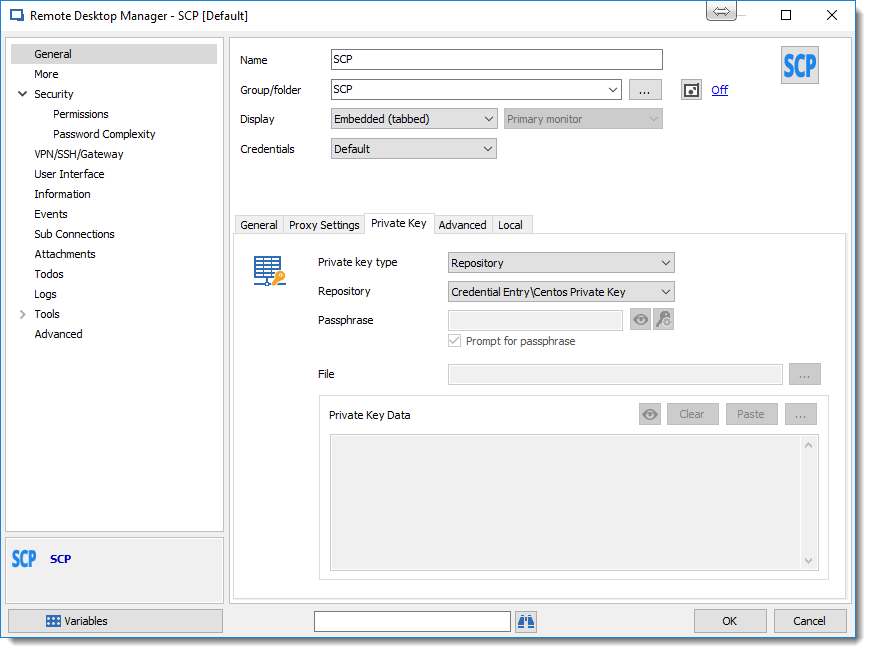
If I understand the need, you can create a Private Key in a separate entry and you can use the Private Key Type to Repository and point to it.
Like here:
But I'm not sure if what you want to tell me is that you want to change the settings of the entry with a User Specific Settings and set a private key that you have in your private Vault?
Best regards,
David Grandolfo
SCP_PrivateKey.png
No this is not what I meant.
We are able to configure the SCP connection entry but when we try to connect to the server we get the error message:
Error: Unable to establish the connection. Please make sure your connection settings are valid.
- SCP connections with a private key are not working while SSH connection with private key do work.
- SCP connections with root credentials are working as well as SSH connections with root connections.
In the screenshot below you'll see a debug from /var/log/secure output
- On the left side you can see a SCP connection with private key
- On the right you can see a SCP connection with root credentials
(both coming from devolutions RDM)
SSH with private key from devolutions
Hi,
Thanks for these logs, we aren't able to test SCP or SSH with private key, I don't have a server with this. But I will transfer your logs to the engineering department and if we aren't able to see the problem we will create the server to test it.
Best regards,
David Grandolfo
Hi,
One of our engineer had a setup to test it internally and good news, we support it. But now we need to find where is the problem you had. It's look like the private key is cut before or after the send information to the server, perhaps the Passphrase or something else.
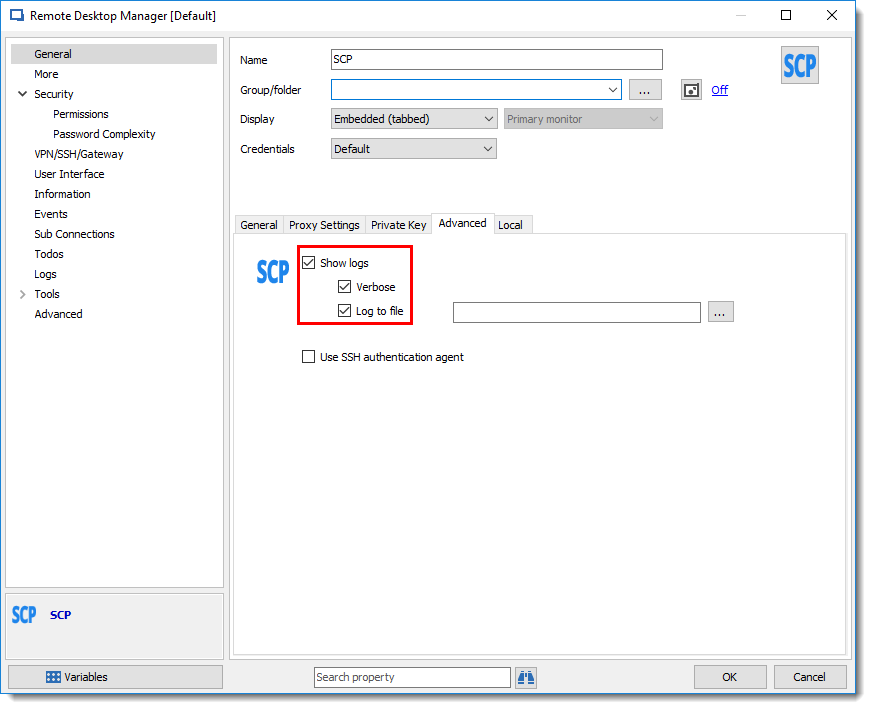
The way to test it is to go in your SCP session, under the Advanced tab you have the possibility to active the Show Logs and please check the Verbose and Log to file. After, could you send us the Log file via email at support@devolutions.net please.
Best regards,
David Grandolfo
SCP_Verbose.png
I can only check the VERBOSE checkbox, I don't see the log the file option. However when I check it, and connect to a session I get a verbose log window with the following output:
LOG_TYPE_VERBOSE: Starting SSH negociation
LOG_TYPE_VERBOSE: socket_callback_connected: Socket connection callback: 1 (0)
LOG_TYPE_VERBOSE: ssh_client_connection_callback: SSH server banner: SSH-2.0-OpenSSH_5.3
LOG_TYPE_VERBOSE: ssh_analyze_banner: Analyzing banner: SSH-2.0-OpenSSH_5.3
LOG_TYPE_VERBOSE: ssh_analyze_banner: We are talking to an OpenSSH client version: 5.3 (50300)
LOG_TYPE_VERBOSE: Server authenticated
LOG_TYPE_VERBOSE: Opening a key for the server
LOG_TYPE_VERBOSE: the key is passphrase protected
LOG_TYPE_VERBOSE: Unable to open the provided key for the server: LOG_TYPE_VERBOSE: LOG_TYPE_VERBOSE: Disconnecting from SCP
It seems like you are correct and that it's related to the passphrase nevertheless the passphrase is saved in my private credential store.
Br,
Stijn
Hello,
What version of RDM are you using?
Are you starting RDM with specific options ? (32-64 bits run as administrator or standard)
Regards,
David Grandolfo
Version 12.6.8.0
.net runtime: v4.0.30319
.net version: Version 4.6 or later
32-bit
Checked the 64-bit version as well, only see verbose in the SCP settings.
Hi,
We tried to reproduce the error but we were able. Could you record a video with the specific error that you have and in this video, could you show us the configuration/properties of the session and the credential entry in link with it?
You can send us the video at support@devolutions.net and just inform us on the forum when the video is sent.
Best regards,
David Grandolfo