Problem with SSH connections

Whenever I try to add a new SSH connection (Using Builtin SSH, Putty or Rebex) I always get a error message sayting that "Hostname cannot be empty" even though I have entered a IP adress in the hostname field.
The entries that are subconnections to something else works fine. On Putty connections the Putty connect dialog box popups up with empty hostname field & forces me to enter its IP or FQDN.
Running 12.6.2 & its been like this for a while, havent had time to try different scenarios. Running on W10.
/Kaj
All Comments (11)
Hello,
The putty entry required to have the session configured in putty too. Could you try to configure the session on a SSH Shell entry.
Best regards,
David Grandolfo
Thats new behavior? Hasnt been needed before ... I know that you can, for putty, select .1 Session 2. Embedded session and 3. Use these settings. When selecting use these settings you can specify a host and I enter a IP in there .... With 'session' samething you can specify Host and I enter a IP there and it still doesnt work.
When switching to SSH Shell (RebEx) I get a dialog box stating that "Unable to connect. Verify your settings. Hostname cannot be empty. Parameter name: serverName"
When doing a SSH shell connection typ I get dialog box stating "The host name is required!"
It feels that it stopped working around when this was introduced ....
https://forum.devolutions.net/topic27832-hostname-field.aspx
Since the above talks about hostname, perhaps there was a mixup somewhere or just a coincidence?
/Kaj
Thanks for the information, I would like to reproduce the error on our side. Could you please record a little video with the Record option include in RDM (under Help tab) of what you are trying to perform, with Putty, SSH Rebex and SSH Shell, please.
You can send us the video at support@devolutions.net
Best regards,
David Grandolfo
Video recorded and Sent.
/Kaj
Hi,
I received the video but I don't see the pop-up windows of RDM. Do you have any external software to record the problem?
Best regards,
David Grandolfo
Hi,
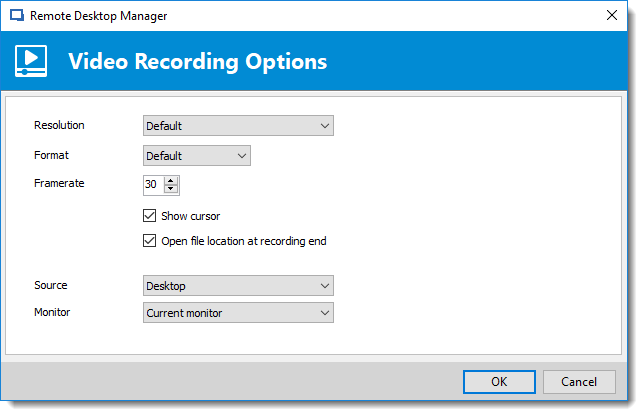
Or as an additional information that my colleague tel me, you can record with RDM and the Record option by using the present configuration.
Regards,
David Grandolfo
Record.png
Upgraded earlier this afternoon to yesterdays beta and now it works again :-)
Good news,
Thanks for letting us know.
David Grandolfo
Today I noticed that with the beta 13.0.3 & 13.0.4 it doesn't work again - but this time with sub connections that previously worked fine.
Hi,
We haven't been able to reproduce the issue. Could you recorded a video with an external application of by using the method above?
Please send the video at support@devolutions.net.
Best regards,
David Grandolfo