GoDaddy Template

I've entered in the appropriate info, but the data doesn't appear on the webpage. I've tweaked it a number of different ways and looked through the GoDaddy source html... can't seem to make it work. Anyone else having this issue?
Thanks!
Brian
All Comments (6)
Hi,
I have verified and it complicated. Have you tried to change the url to the one when you click and there is no username/password?
David Hervieux
I think I understand what you mean. I did try to change the URL to plain http://www.godaddy.com with the credentials, but that did not work either.
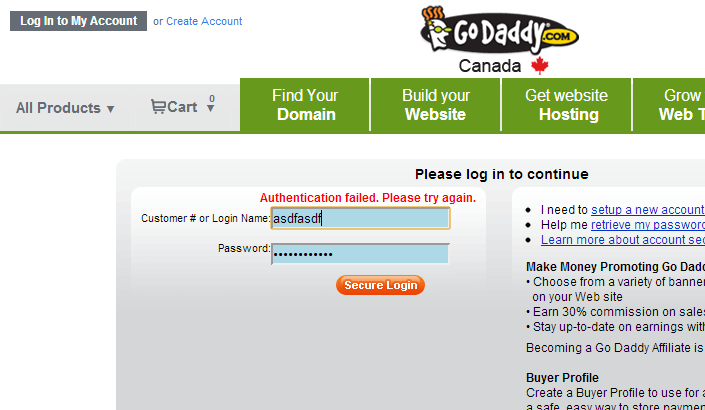
When I fail to login, godaddy redirect me to a page like this
https://idp.godaddy.com/login.aspx
I think that this page could work
David Hervieux
I see where you're going with that... but I get an error message:
We apologize for this inconvenience, but an error has been detected.
The details of the error have been recorded. We will investigate the matter and take appropriate action. If you need immediate assistance, please contact our customer support department.
Thank You.
----------------------------------------------------------------------------------------------------
I tried finding another page to login, but nothing worked.
Brian
edited by bkrontz on 4/12/2013
I was able to get it working but it's not a single click solution and for the moment only works with the browser extensions (Chrome, Firefox or IE).
Here it is:
- Set the Url of your GoDaddy Web entr to "https://idp.godaddy.com/"
- Navigate to http://www.godaddy.com/
- Click "Log In to My Account"
- Click login (do not enter any information)
- You will be redirected to something like this https://idp.godaddy.com/login.aspx?isc=bb2016gd90&ci=9106&spkey=GDSWNET.CA-M1102&target=http%3A%2F%2Fca.godaddy.com%2F
- credentials should be automatically entered by RDM/PVM
- you should now be logged on
Stéfane Lavergne
GoDaddy.PNG
Thank you for working on this puzzle with me, lol. I tried that and it works, but not before I get a RDM error:
Data source type: SQLServer
Culture: en-US
OS: Windows 8 64-bit
Running since: 1 hour 26 min 8 sec
Memory usage: 20 MB
UnauthorizedAccessException - Access is denied. (Exception from HRESULT: 0x80070005 (E_ACCESSDENIED))
at System.Windows.Forms.UnsafeNativeMethods.IHTMLWindow2.GetDocument()
at System.Windows.Forms.HtmlWindow.get_Document()
at Devolutions.RemoteDesktopManager.Frames.Embedded.FreEmbeddedWebBrowser.ClickElement(HtmlDocument htmlDocument, String controlId, String formId)
at Devolutions.RemoteDesktopManager.Frames.Embedded.FreEmbeddedWebBrowser.FillAutoLogin(WebBrowser webBrowser, IWebConnection connection, Boolean alreadySubmited, Boolean& submited)
at Devolutions.RemoteDesktopManager.Frames.Embedded.FreEmbeddedInternetExplorerBrowserPage.FillAutoLogin(Boolean alreadySubmitedValue, Boolean& submited)
at Devolutions.RemoteDesktopManager.Frames.Embedded.FreEmbeddedInternetExplorerBrowserPage.webBrowserTimer_Tick(Object sender, EventArgs e)
at System.Windows.Forms.Timer.OnTick(EventArgs e)
at System.Windows.Forms.Timer.TimerNativeWindow.WndProc(Message& m)
at System.Windows.Forms.NativeWindow.Callback(IntPtr hWnd, Int32 msg, IntPtr wparam, IntPtr lparam)
To get around this pop-up application error, what I found is that if I set the URL to https://idp.godaddy.com/login.aspx and then click on Log In, even though GoDaddy initially reports an issue with the page, everything works as expected. Buggers everywhere, but as long as I don't have to remember my crazy user number, I'm happy!
Thanks Stéfane!!!
B