Edit multiple Sub Connections

Hello,
i need to disable local hard drive mapping for 159 Sub Connections.
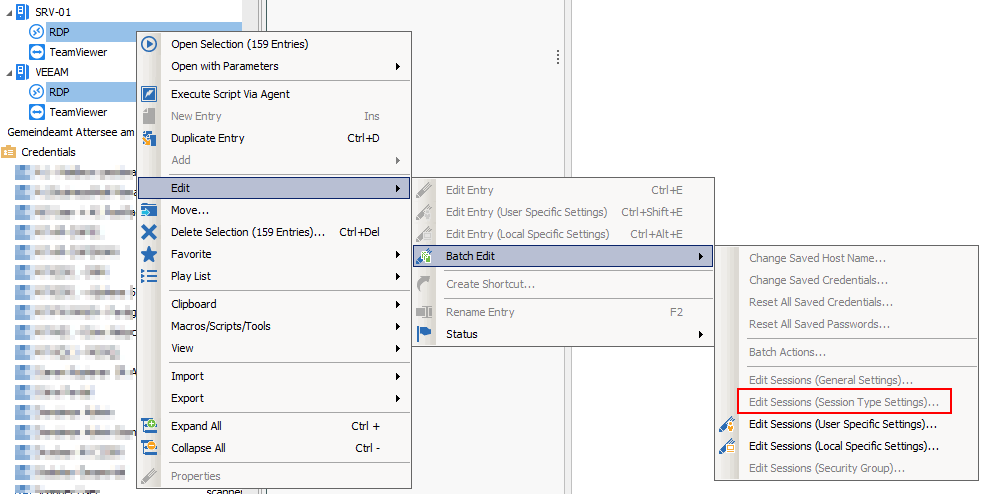
Currently Edit Session Type Settings with Batch Edit is greyd out for Sub Connections:
Any idea how to quickly edit all 159 Entries?
I am using (current) RDM 12.6.2.0.
Regards,
Thomas Kritzinger
2017-08-02 12_57_23.png
All Comments (1)
Hello,
You can use PowerShell to disable the hard drive mapping for these 159 subconnections.
Here is an example you can use :$sessions = Get-RDMSessionforeach ($sess in $sessions){ if ($sess.SubConnections.Count -gt 0) { foreach ($sub in $sess.SubConnections) { if ($sub.ConnectionType -eq "RDPConfigured") { $sub.UsesHardDrives = $false } } Set-RDMSession $sess -Refresh }}
Best regards,
Érica Poirier