SSH port forward or tunnel for multiple connections

Hello I was looking for a way to dynamically create port forwards so that way I can have just one entry that services multiple connections without having to statically assign local ports, remote ports, and remote ip in the ssh port forward or tunnel entry. Is there some sort of variable i can use to pull it from the sessions. I am using version 12.6.1.0
All Comments (5)
Hello,
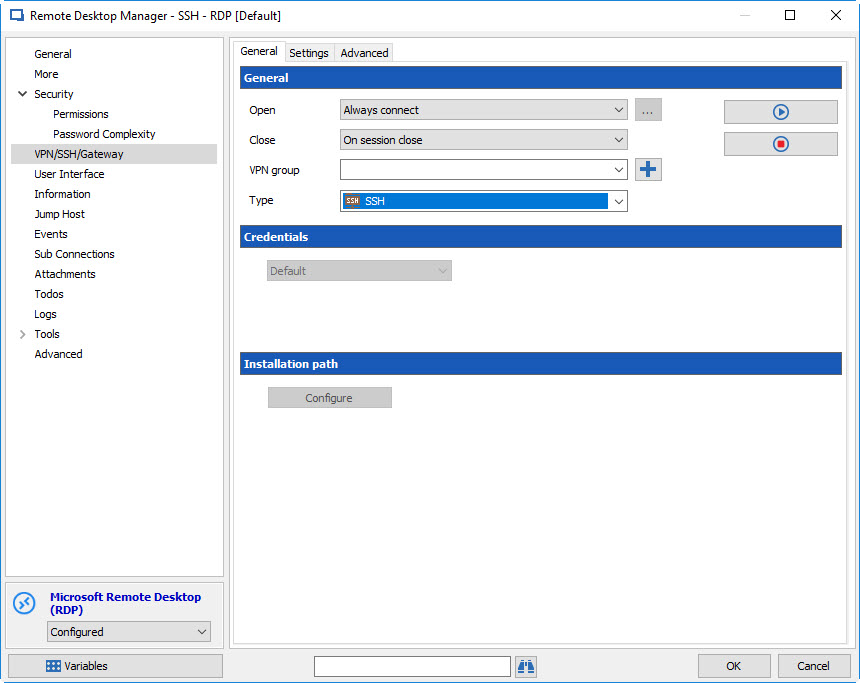
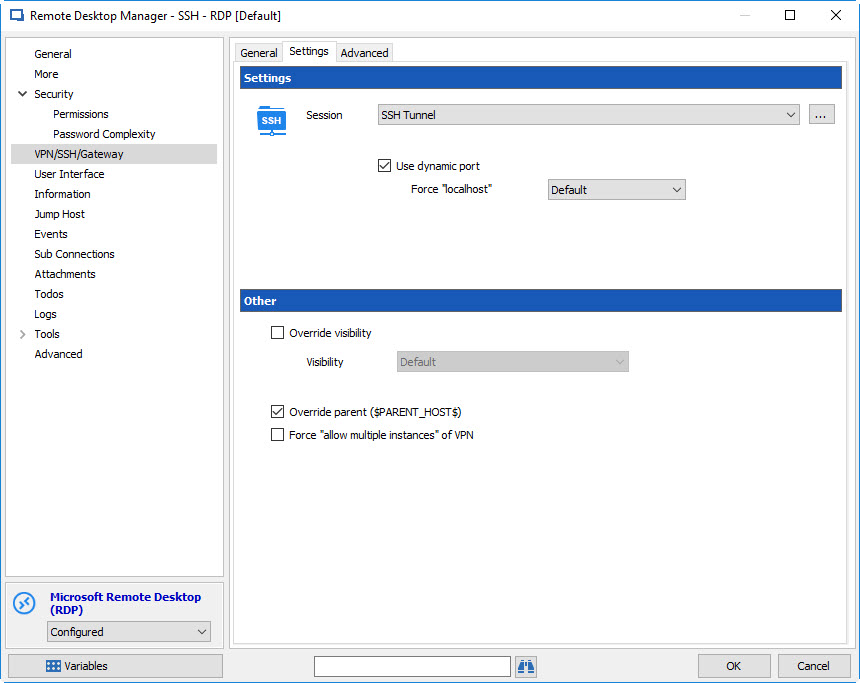
If you go in any of the entries that requires the tunnel, you can go in the "VPN/SSH/Gateway" tab to select the "existing SSH" option. Then, in the settings tab, you simply need to choose your entry and check "use dynamic port". This will make it so the opened tunnel will use a randomly generated port that will then be used for your entry. You might need to check the "force allow multiple instances of VPN" box if you wish to use multiple of these entries at once.
If you have any other question, we'd be happy to answer.
Regards,
Hubert Mireault
2017-08-01 3-22-48 PM.jpg
2017-08-01 3-22-21 PM.jpg
Is there a way to specify it pull the remote host and port from the session
You could use a variable in the "remote host" field of the tunnel. If you use something like $CUSTOM_FIELD1$ you could set the custom field #1 in your RDP (for example) entry and it will take that value instead of the host. You could also use something like $COMPANY_NAME$ if your entries are located in "company" type groups, and it would take its name.
We don't have a better way to do this at the current moment.
Regards,
Hubert Mireault
This is mainly for web connection so maybe a socks proxy would be better.
If you want to establish a socks proxy, you can make your SSH Tunnel entry use the "dynamic" mode rather than local or remote, which will create a dynamic proxy. You can then use it in your web entries if the proxy is supported. From what I recall we support it with firefox and embedded chrome.
Regards,
Hubert Mireault