12.5.12.0 - Serial Port Entry
Hello,
we figured out that in the beta
a Serial Port Entry can`t be duplicated
a Serial Port Entry can`t be added with the Option New Entry

File -> Options -> Types -> Availabilty -> Session looks fine

Best Regards,
Min
All Comments (5)

Hello,
We where unable to reproduce this issue using the latest beta (12.5.12.0) could you please give us some more details about what's happening on your side ?
Best regards,
Zacharia Ellaham
Hello,
thats interesting - we started some tests and it looks like that our problem is datasource related. The issue appears on a on-premise SQL Server datasource - if we export the serial port entry, create a new datasource (xml for example), import the serial port entry, the duplication for the session works - also it is available in the New Entry Menu..
If we switch back to the SQL datasource the mentioned behaviour occurs..
Thanks!
Regards,
Min
Hello,
That is indeed very strange I created a serial port entry in a SQL Datasource without any issue.
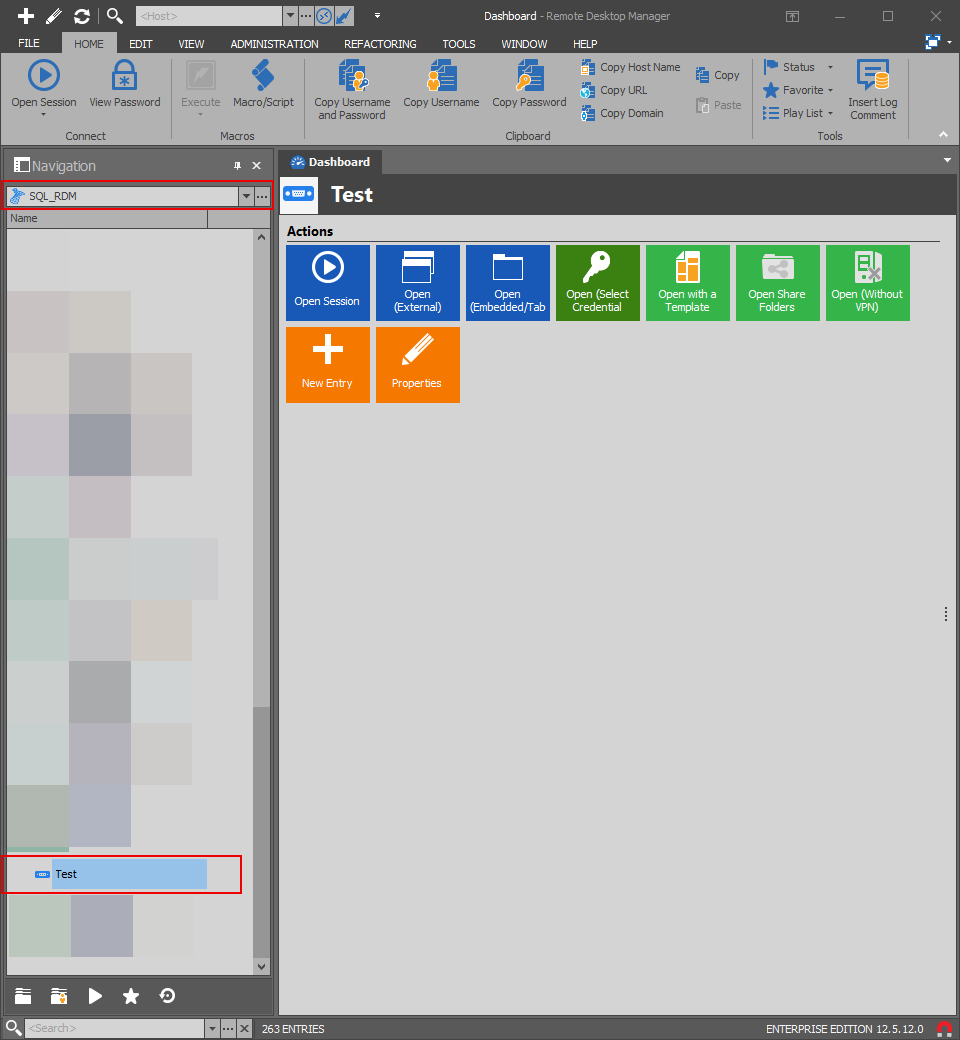
Could you see in your Datasource settings if serial port is unchecked.
Administration -> Data Source Settings -> Types -> Availability
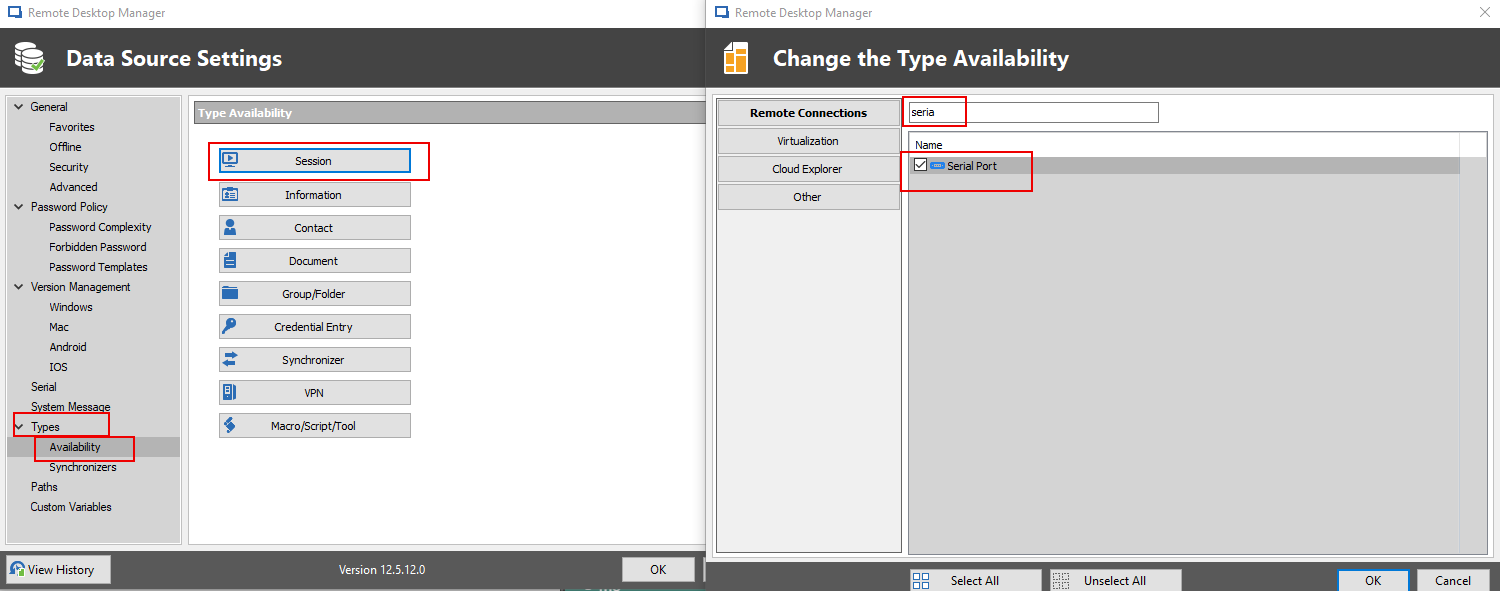
Best regards,
Zacharia Ellaham
Hi Zacharia!
Thanks - you putted us in the right direction - after some investigation we are able to resolve this behaviour - I don`t know why but now the entry is back and could be duplicated..
Here the steps that we have taken:
checked your suggestion in Administration -> Data Source Settings -> Types -> Availability -> and the Serial Port Entry was checked
restarted RDM, CTRL + F5 and tested the duplication on a existing entry again -> doesnt work
back to Administration -> Data Source Settings -> Types -> Availability -> and UNCHECKED Serial Port Entry
tested the duplication again -> doesnt work (same behaviour as before)
back to Administration -> Data Source Settings -> Types -> Availability -> CHECKED Serial Port Entry again
tested the duplication -> and now (I said it before - i don`t know why) it works!
New Entry -> Serial Port is now available
restarted RDM, CTRL + F5 and tested again to create a new entry and the duplication - both works now perfectly again!
Don`t now why but it is solved.. :cool:
Thanks!
Best Regards,
Min
Hello,
Thank you for your feedback we are glad that you could fix the issue.
Best regards !
Zacharia Ellaham