How to deny save passwords on RDP

Hello.
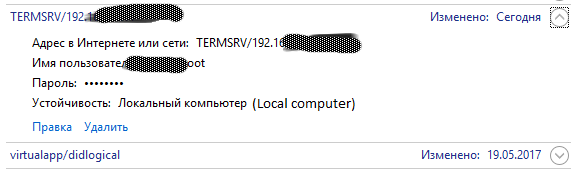
If i use rdp connection with "Credentials" = embedded. And use KeePass for link accont+password, i automatically connection to server w/o input login, password, but all login and password save and storage on local comuter on Windows Credantial. How to pass save data to windows credation?
Losing all meaning in use RDM + KeePass. I want conntect to RDP server and use linked login and password over KeePass without any save to system.
How to implement it correctly?
I use GPO for don't save rdp client passwords, but dont work.
All Comments (11)
Hello,
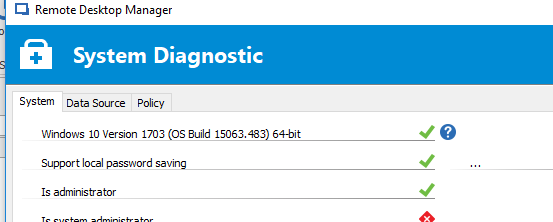
We do respect the RDP GPO, I would look on your local system to see if it is properly propagated. In our File - Diagnostic form, you can see what we have identified as the setting for "Support local password saving".
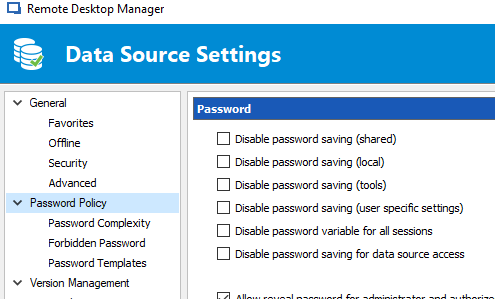
In the mean time, we have our own setting, but only for Advanced data sources (SQL Server, MySQL, DODB Pro, etc)
You have many options depending on what you need to achieve.
Best regards,
Maurice
2017-07-19_08-51-25.png
2017-07-19_08-48-57.png
Maurice Cote
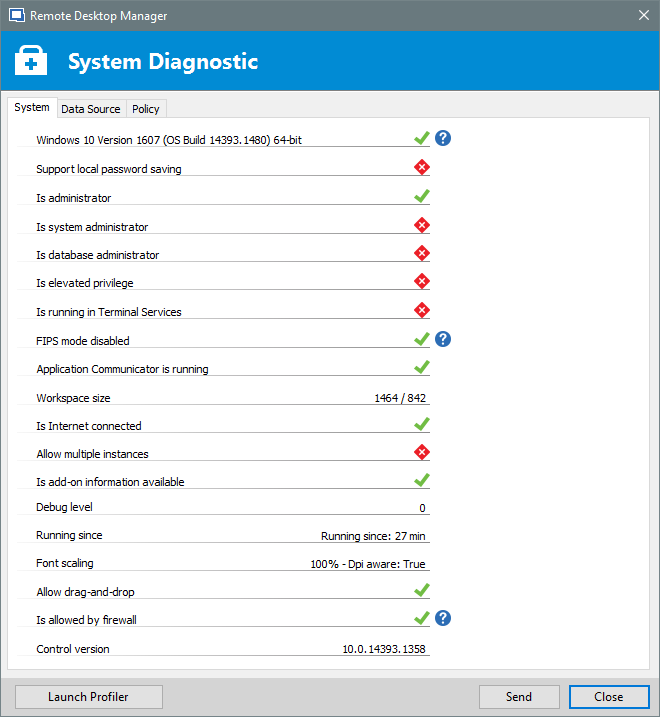
Yes, i want click RDP connection to server, write password to keepass and connect to server without input windows login and password, and without save any information to windows cretantial.
Is this possible?
rdm_diag.png
Hello,
Yes it is possible.
I see two topics in this thread:
I will not respond to both topics in a same reply, it will confuse matters. Please allow me a moment to post responses.
Best regards,
Maurice
Hello,
For keepass integration, I've just checked and we will be uploading a new video to our Youtube channels in just a few hours. I will send the link as soon as possible.
Best regards,
Maurice
Hello,
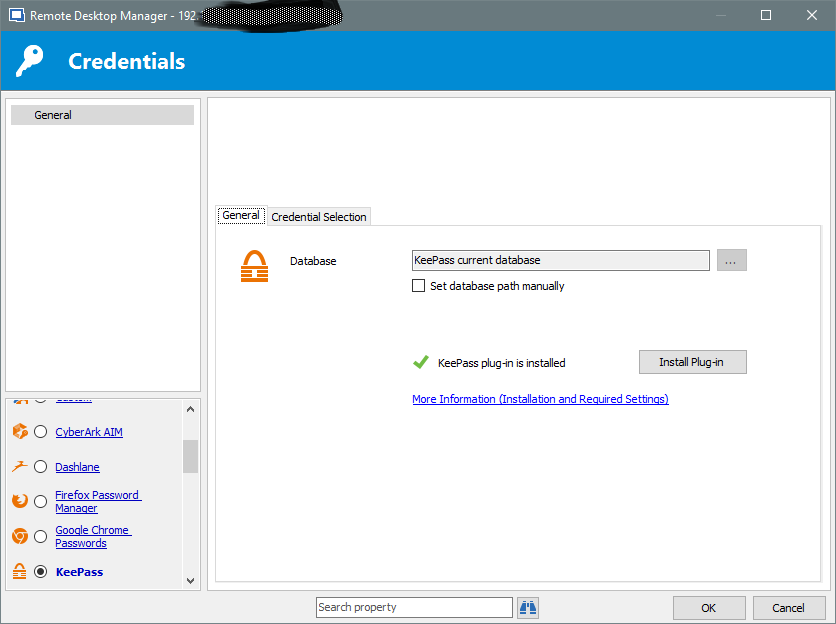
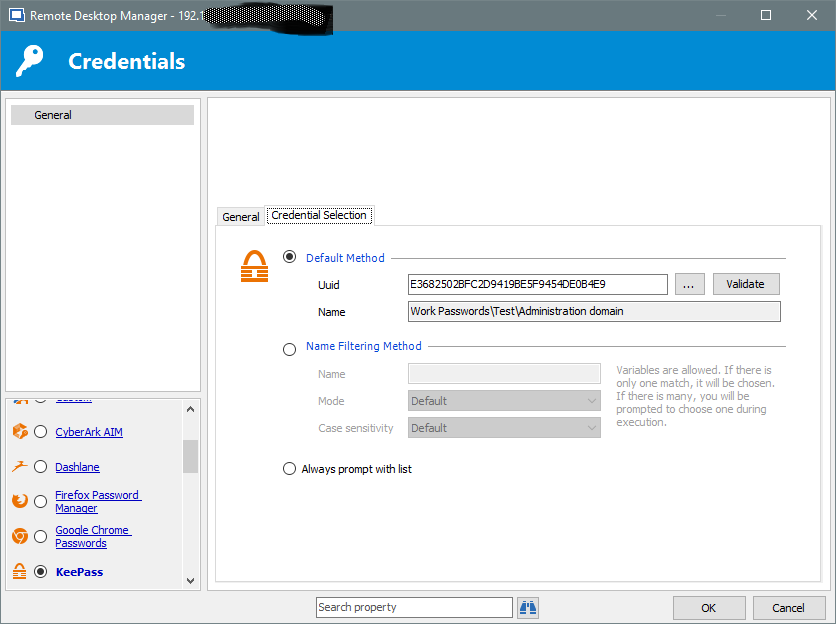
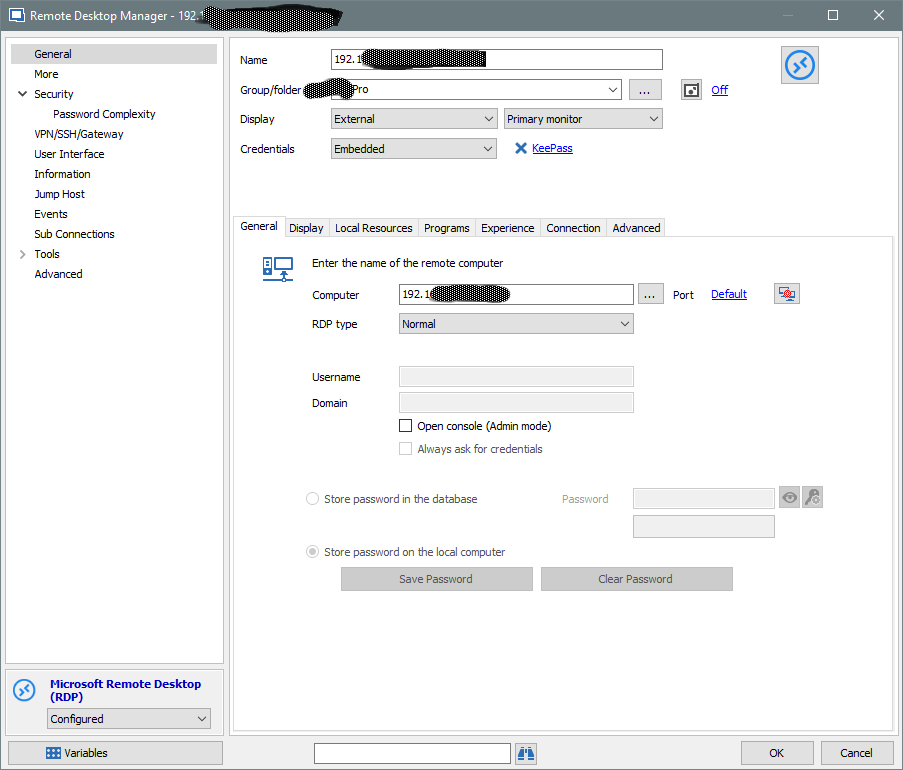
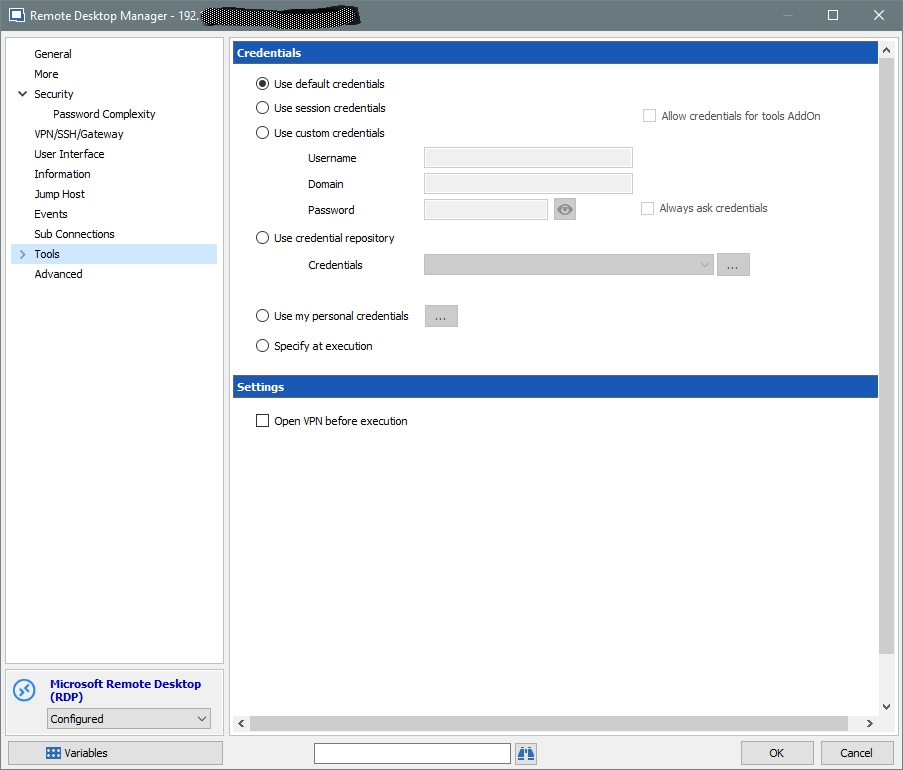
Regarding the saving of passwords, could you send us a screenshot of the edition form of a RDP session? The controls for local password saving should be greyed out.
Best regards,
Maurice
Please at look
(RDM 12.5.4.0 64-bit; KeePass 2.35; RDM KeePass Plugin 2.1.2.0)
Something else?
rdm_06.png
rdm_05.png
rdm_04.png
rdm_03.png
rdm_02.png
rdm_01.png
Hello,
I think I understand, please allow me some time to gather some info.
Best regards,
Maurice
Hello,
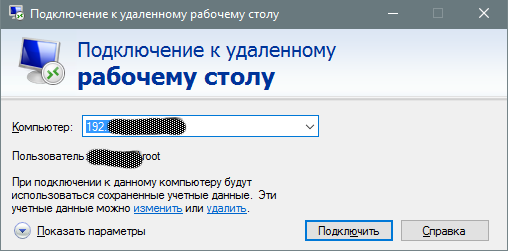
For External RDP sessions, the ONLY way to transmit credentials automatically is by going through the Windows Credential Manager.
We have mechanisms in place to delete the credential after a certain time, also whenever we a restarted after a crash. We also add a comment indicating that it was RDM that created the entry.
Best regards,
Maurice
1) Version - 12.5.4.0 64-bit
2) Yes, i manual delete data from Windows Credential, and after connect to RDP again i see entry my data in Windows Credential.
3) What you mean? In RDP settings - Display -> Embedded (tabbed), Unlocked? If i set settings to Embedded (tabbed) or Unlocked, yes, no any1 date save in sotrage Windows Credantial. Data save only if Display = External. We can fix this problem to work with External and don't storage in Windows Credential?
Or maybe you post "mechanisms in place to delete the credential after a certain time"?
Hello,
The only solution I can think of is to DISABLE automatic submission of credentials for sessions of the EXTERNAL display mode. That would have a major impact and I need to discuss this with the CEO. Maybe we could add an option/policy so we do not impact everyone.
Best regards,
Maurice
Thank you for your time. I continue use KeePass Credantial for other sessions, and default credantial for RDP sessions.
May be to late, in future there will be an opportunity.