How to get offline mode to work

I have the Mac client of RDM (v4.3.0.0). I would like it to cache my sessions, etc., so that when I can't connect to the central Azure DB, I can still use RDM. I believe I have everything set up correctly, but when I can't connect to the DB, it just takes forever, then shows me nothing.
In the settings for the Datasource, I have the following relevant settings:
Ping online method: Port scan
Auto go offline: checked
Offline mode: read-only
Prompt for offline mode at startup: NOT checked
Caching mode: intelligent
(The cache always appears to be empty, however, when I go to Manage Cache/Analyze.)
Is there something I'm missing?
Thanks,
Karl
All Comments (4)
Hi,
This should work. But you're not the first to report issues with the Offline Mode.
I'll try to reproduce your issue.
In the mean time, RDM version 4.4.0.0 should be out by now. There was a couple of fixes for the offline mode, but I can't guarantee this will fix your issue. Could you try it?
Best regards
Xavier Fortin
Hi again,
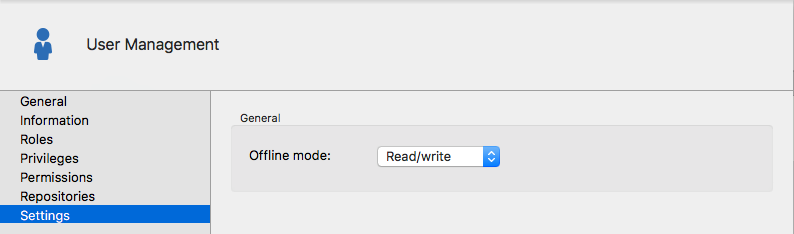
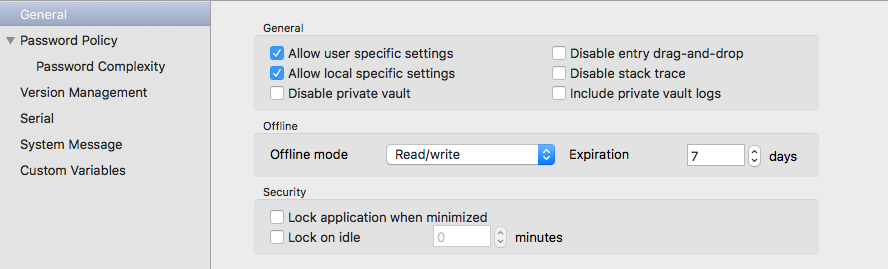
One other thing. Did you enable offline mode for the user you're connecting with and in the Data Source settings?
User offline mode setting:
Data Source Settings:
Best regards,
Xavier Fortin
DataSourceSettingsOfflineMode.png
UserOfflineMode.png
Thanks, Xavier.
I've verified that my User account has offline enabled (read-only). I'm checking with the admin to see if the data source has it enabled as well, and will let you know. I upgraded to 4.4.0.0 as well.
I went to the File menu and selected the option to Go Offline. All the sessions disappeared. I did File | My Data Source Information, and there is a red "X" next to Allow offline mode, so I assume that means the data source needs to be enabled for offline mode.
However, I now have a problem: I can't get out of offline mode!!! On the File menu, there is no longer any "go offline" or "go online" option! I've tried exiting and restarting RDM, but it seems to be stuck in offline mode, so now I don't have ANY access to my sessions. How do I go back to online mode???
Thanks,
Karl
If you have access to your data source server, doing a force refresh (⌘⇧R) should resolve this issue.
Best regards,
Xavier Fortin