Sync with AD using different credentials imports resources from wrong AD
Sync with AD using different credentials imports resources from wrong AD

I have set up some sync tasks that sync RDP sessions for servers with different Active Directories.
All of them work fine, except one. For this one I have to use different credentials in order to access this AD.
The required credentials are selected in the sync session settings and clicking on "Preview" after a few seconds a dialog box pops up, displaying the correct list of servers from that AD.
But when I actually execute the sync (Open Session), the servers imported are not from the desired AD but from the AD of the user which I use to run RDM.
So what's the difference between the preview and the actual sync?
-------------------
Remote Desktop Manager Enterprise Edition 12.6.6.0 64 Bit - Data Source: SQL Server
Running on Windows Server 2012R2 VMs with Remote Desktop Services feature, serving as common work environment for 30 Windows Server administrators
All Comments (15)
Hello,
What version of RDM are you running?
Could you post some print sreens of the properties of your AD Sync session please.
Best regards,
Jeff Dagenais
Currently 12.5.8.0 but this issue has been with me since version 11 already. I just didn't have time to dig any deeper yet and the domain wasn't that important until recently.
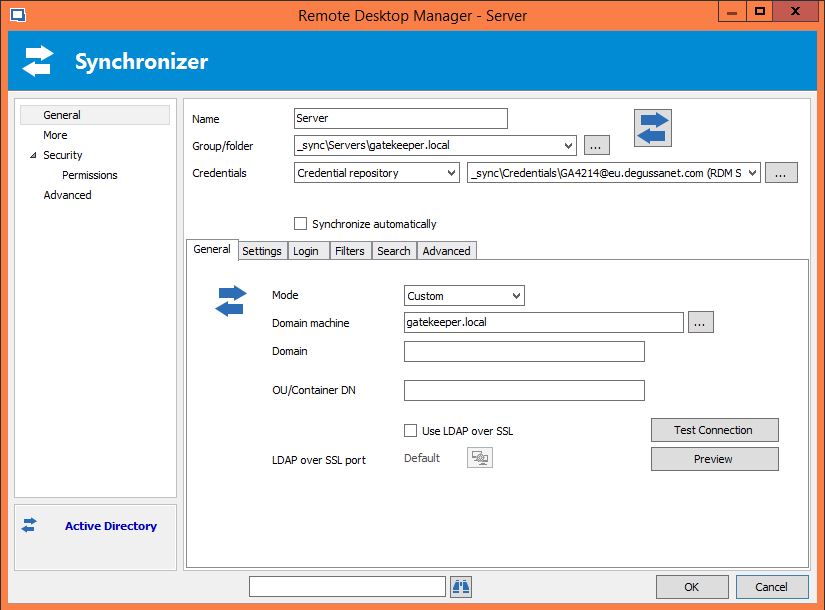
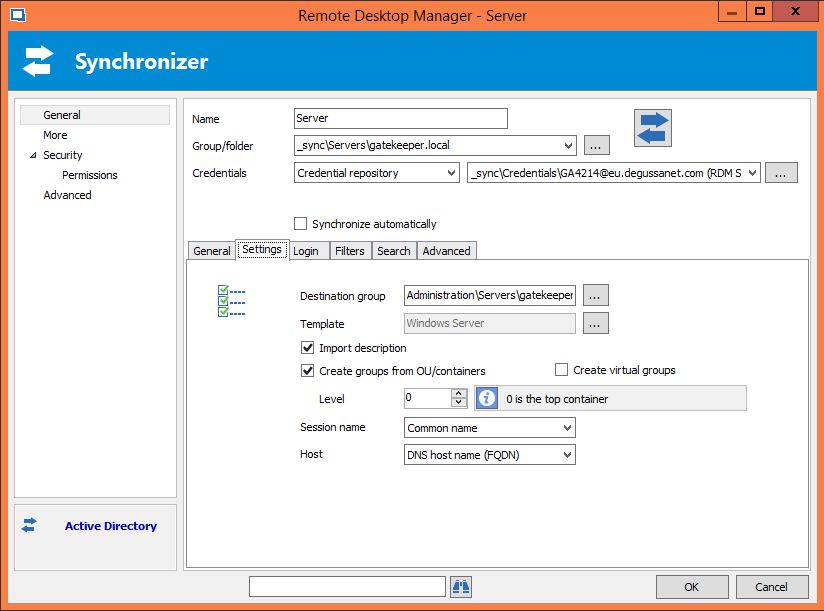
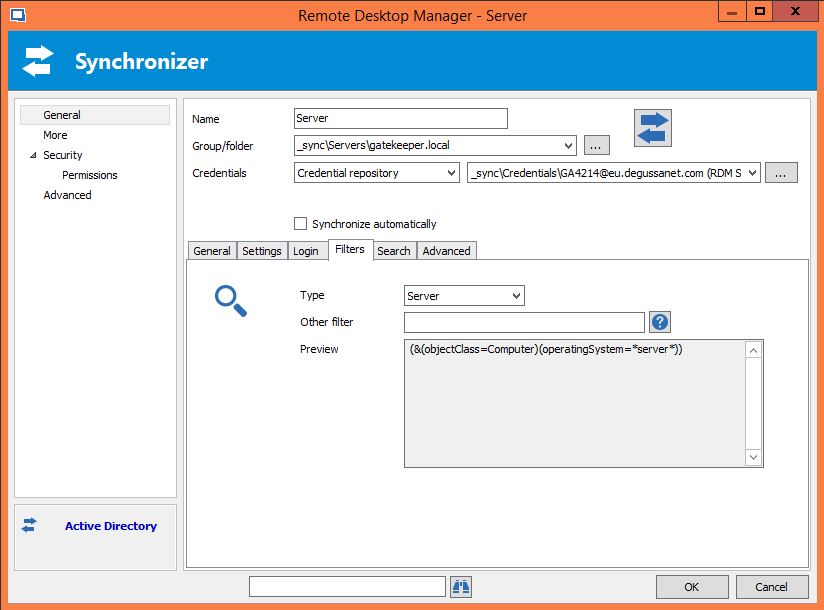
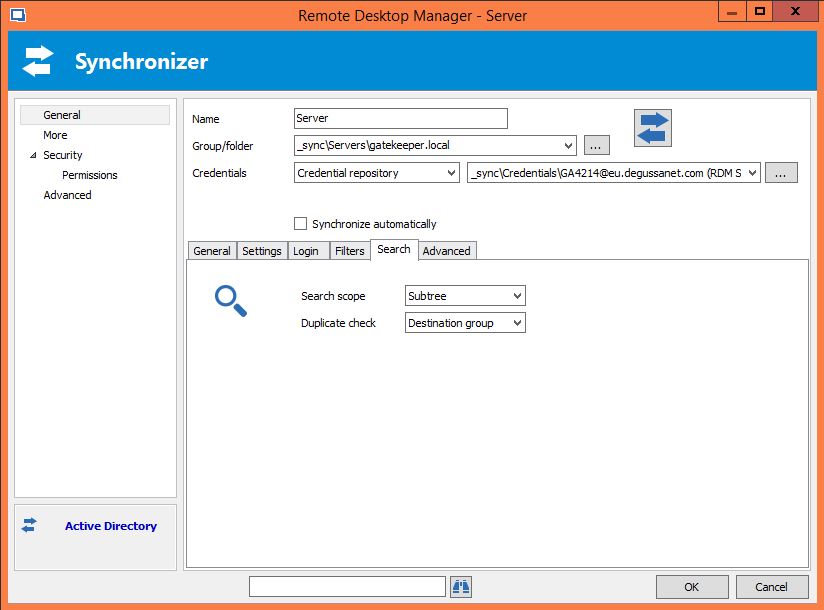
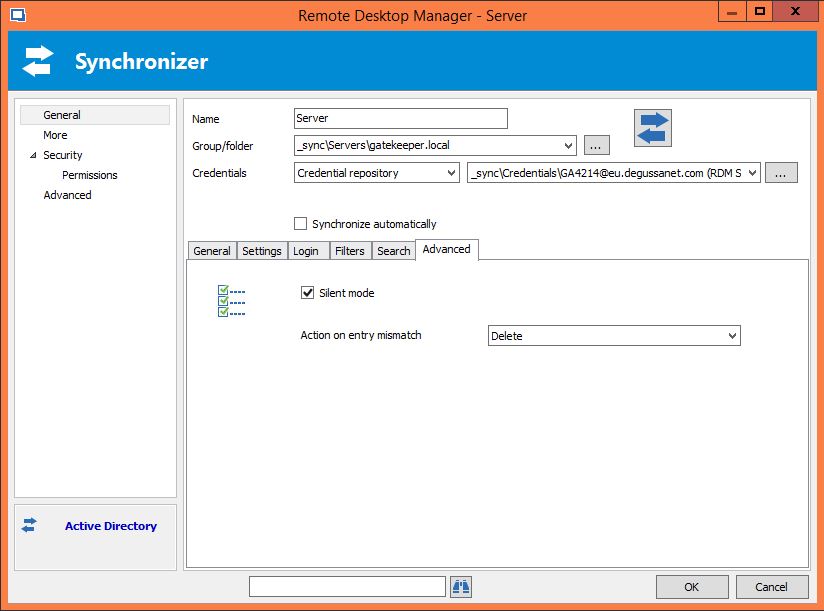
Please find the settings for the sync session in the screenshots below. Note that the linked credential has the rights to access the domain in question even though the user name might indicate otherwise. Like I stated, the Preview works, the actual sync pulls the wrong domain (from the user running RDM)
-------------------
Remote Desktop Manager Enterprise Edition 12.6.6.0 64 Bit - Data Source: SQL Server
Running on Windows Server 2012R2 VMs with Remote Desktop Services feature, serving as common work environment for 30 Windows Server administrators
5.JPG
4.JPG
3.JPG
2.JPG
1.JPG
Hello,
Is this domain yours or it's a domain from one of your customer?
Do you have something relevant in Help -> View Application Log?
Best regards,
Jeff Dagenais
It is one of the domains within the company I'm working at. We do not have external customers.
This is the line that occurs in the Application Log when I launch the sync:
The "Test Connection" button gives a success message though and like I said, the preview button comes up with a correct list of servers from that domain.
Which tells me that the credentials are okay, the AD can be accessed and the correct data can be queried.
But the actual sync seems to do things either differently or there is a nasty bug ;)
-------------------
Remote Desktop Manager Enterprise Edition 12.6.6.0 64 Bit - Data Source: SQL Server
Running on Windows Server 2012R2 VMs with Remote Desktop Services feature, serving as common work environment for 30 Windows Server administrators
Hello,
I would like you to try something if possible.
Could you enter the credentials to use directly in the Login tab instead of using the Credential Repository.
Let me know how that works.
Best regards,
Jeff Dagenais
Hi Jeff,
I tried as you suggested and I can confirm that this works!
At least I am able to sync with the domain now this way until you have that "session credentials bug" fixed :)
Thanks!
-------------------
Remote Desktop Manager Enterprise Edition 12.6.6.0 64 Bit - Data Source: SQL Server
Running on Windows Server 2012R2 VMs with Remote Desktop Services feature, serving as common work environment for 30 Windows Server administrators
Hello,
Thank you very much for that information. I have advised our engineering department regarding this.
Quick question: Does your username and/or password contain any special character like $ as example?
Best regards,
Jeff Dagenais
Hi Jeff,
in this case no - username and password consist of upper/lower case characters and numbers only. The password is 20 characters long though.
-------------------
Remote Desktop Manager Enterprise Edition 12.6.6.0 64 Bit - Data Source: SQL Server
Running on Windows Server 2012R2 VMs with Remote Desktop Services feature, serving as common work environment for 30 Windows Server administrators
Hello Holger,
I think I've identified the issue but I would like you to confirm if the following succeeds. If you link a credential entry like you were at first and in the AD sync entry in the advanced tab you set "domain\username" for the username format, does it now work?
I think in the preview we automatically force the format of the username like that, but not when linked to the credential, which is odd.
Regards,
Hubert Mireault
Hi Hubert,
yes confirmed, when setting the username format to "domain\username" in advanced session settings, it works. Good finding!
I'll configure my sync sessions accordingly until you release a fixed version. Thanks a lot.
-------------------
Remote Desktop Manager Enterprise Edition 12.6.6.0 64 Bit - Data Source: SQL Server
Running on Windows Server 2012R2 VMs with Remote Desktop Services feature, serving as common work environment for 30 Windows Server administrators
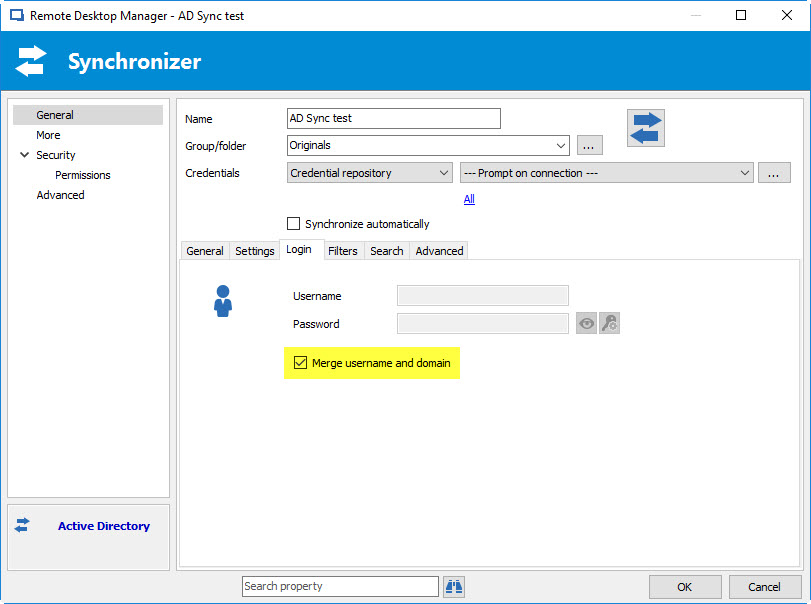
That's great, thank you for letting us know :) We'll have the new option up by next beta version. It will be in the login tab:
By default, the option will be turned off, so you'll have to enable it on your entry. You'll also have to make sure the username format is back to the default.
The "preview" button's behavior will also be based on this setting rather than automatically doing it, which was misleading.
Regards,
Hubert Mireault
2017-07-06 7-26-04 AM.jpg
Hi Hubert,
thanks for that fix. Though I don't really understand why we would need an option for that instead of always combining username and domain? Would it ever work without combining it?
One more thing. Currently if the logon to a domain for a sync fails for whatever reason, the domain of the user who is running RDM currently gets queried and all objects from that domain are imported, which is definitely never the desired action.
Instead I would suggest to stop the sync and add a meaningful entry to the sync session log, like "Failed to authenticate, sync aborted"
-------------------
Remote Desktop Manager Enterprise Edition 12.6.6.0 64 Bit - Data Source: SQL Server
Running on Windows Server 2012R2 VMs with Remote Desktop Services feature, serving as common work environment for 30 Windows Server administrators
Hello Holger,
We usually try not to create any breaking changes when modifying that sort of setting and we wanted to make sure it behaved as it did previously in RDM. For example, if other people already worked around this behavior by using the "username format" method, it would then break for them in the RDM update. This is why we haven't enabled it by default.
For the synchronizer, we haven't been able to reproduce the issue but we'll take a look at what might cause this.
Regards,
Hubert Mireault
Definitely a valid reason ;)
As for the synchronizing issue, it's at least reproducible in our environment for any AD sync session I have. If I can supply you with any debug information, I'd be happy to.
-------------------
Remote Desktop Manager Enterprise Edition 12.6.6.0 64 Bit - Data Source: SQL Server
Running on Windows Server 2012R2 VMs with Remote Desktop Services feature, serving as common work environment for 30 Windows Server administrators
Hello,
I wasn't able to reproduce the issue but there is debug information you can enable. You have to go in Help > Profiler and in the Debug Only tab you need to input debug level 8193 (which is "debug" and "active directory" checked). Then, keeping that window opened, you can run the synchronizer and it will output logs to that window. The logs this outputs when the synchronizer fails (but still syncs the entries) might be helpful to pinpoint the issue. You can send them to me in a private message.
Regards,
Hubert Mireault