Minor issue with "HPE System Management Homepage" website sessions
Minor issue with "HPE System Management Homepage" website sessions

I'm facing a minor isue when opening website sessions to the "HPE System Management Homepage". This is a system status homepage provided on all our physical HPE servers running Windows Server OS and can be viewed by accessing https://<servername>:2381
So here are the issues:
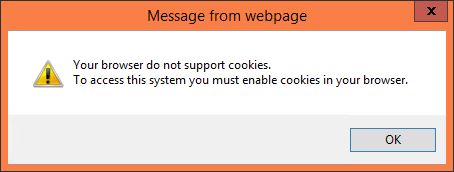
The website complains that the web browser doesn't accept cookies. However, after confirming the message box, the website works without problems
The message box appears in the embedded versions of Chrome and Internet Explorer. Firefox freezes completely though.
The message box appears a second time after logging in succeeded, but the website works.
In external browser windows, this box doesn't come up.
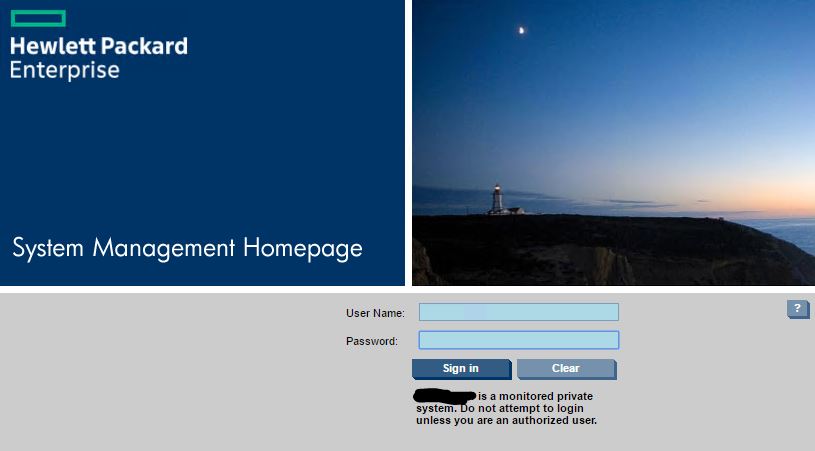
-------------------
Remote Desktop Manager Enterprise Edition 12.6.6.0 64 Bit - Data Source: SQL Server
Running on Windows Server 2012R2 VMs with Remote Desktop Services feature, serving as common work environment for 30 Windows Server administrators
2.JPG
1.JPG
All Comments (7)
Hello,
I would need to verify with our engineering departement if something can be done regarding this messsage.
Let me verify and get back to you.
Best regards,
Jeff Dagenais
Hello,
Did that pop up start happening with a recent version of RDM or has it always happened ever since you tried to open this website?
I have a feeling we might not be able to do anything to fix this since the browsers already do have cookies enabled, it seems to be a problem with the site itself not being able to recognize that.
Regards,
Hubert Mireault
Hi Hubert,
I just recently picked up the integration of the HPE SMH websites into RDM, so unfortunately I cannot say anything about its behavior in previous RDM versions.
I'm just wondering why this doesn't happen with an external Chrome session?
-------------------
Remote Desktop Manager Enterprise Edition 12.6.6.0 64 Bit - Data Source: SQL Server
Running on Windows Server 2012R2 VMs with Remote Desktop Services feature, serving as common work environment for 30 Windows Server administrators
This seems to be the relevant JavaScript part of the website, maybe you can make something out of it?
document.cookie = "__verify=1"
var supportsCookies = document.cookie.length >= 1 &&
document.cookie.indexOf("__verify=1") !== -1;
var thePast = new Date(1976, 8, 16);
document.cookie = "__verify=1;expires=" + thePast.toUTCString();
if(!supportsCookies)
alert("Your browser do not support cookies.\nTo access this system you must enable cookies in your browser.");
I've also added the website's sourcecode to this message
-------------------
Remote Desktop Manager Enterprise Edition 12.6.6.0 64 Bit - Data Source: SQL Server
Running on Windows Server 2012R2 VMs with Remote Desktop Services feature, serving as common work environment for 30 Windows Server administrators
HPESMH.html
@Holger
Just for your information, in embedded mode, we use a third party libraries for the integration of FireFox and Google Chrome. It's not the external window that is resized to fit in the tab. This explain why it's working fine in external mode.
Best regards,
Jeff Dagenais
Holger,
To add to what Jeff said, embedded Chrome unfortunately doesn't have any particular options for cookies. They're enabled and we can't disable them. I suspect that since our third party is based on Chrome's codebase rather than being Chrome itself, the javascript might fail to get the cookies properly which makes the pop up open.
Regards,
Hubert Mireault
Thank you for the info. I was aware of the fact that you're using a third party library for your embedded views. I just had some hopes you might figure out what in that JavaScript code might fail regarding the cookie support determination in your embedded Chrome version.
It's a minor issue, so if there's no solution for that, we'll have to live with it and put in two extra clicks.
-------------------
Remote Desktop Manager Enterprise Edition 12.6.6.0 64 Bit - Data Source: SQL Server
Running on Windows Server 2012R2 VMs with Remote Desktop Services feature, serving as common work environment for 30 Windows Server administrators