Sessions not showing up once upgrading to 12.5.0.0

I saw this in one of the beta versions but then it went away in a more recent beta. With 12.5.0.0 (production) when I open new RDP sessions the session screen is blank. The sessions are there, because eventually I can get them to sort of show up by enabling the Grouped Tab Bar (I normally disable this), then clicking the All tab (not the customer-specific tab).
Then I can turn off Grouped Tab Bar and the sessions stay visible, but only until I go and open a new session. Then they are all hidden again.
BTW would be REALLY nice to be able to copy and paste images right into the forum here, or at least have an upload option... currently I have to get screenshot, paste into OneNote, save as file, upload to some public location, and post a link here... that's a huge stumbling block that probably stops a lot of folks from providing much better, richer forum posts.
Tried to show a screenshot of what the session window looks like when I have sessions connected now, but it appears that doesn't show up here:
Here's the direct link to the screenshot: http://pasteboard.co/Ff7UzVc7.png
All Comments (6)
Hi,
I would like to emulate your problem, but it misses me some information as the theme and the configuration of your RDP entry. Could you do a little video of your problem with all the step as a show in your last post and send us the video at support@devolutions.net, please.
Also for the image you could use this icon  and insert the image in the text by clicking here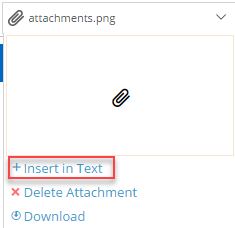
Best regards,
David Grandolfo
insert.png
attachments.png
OK, sent video.
Hello,
Thank you for your email!
We will investigate.
Best regards,
Mark Beausejour
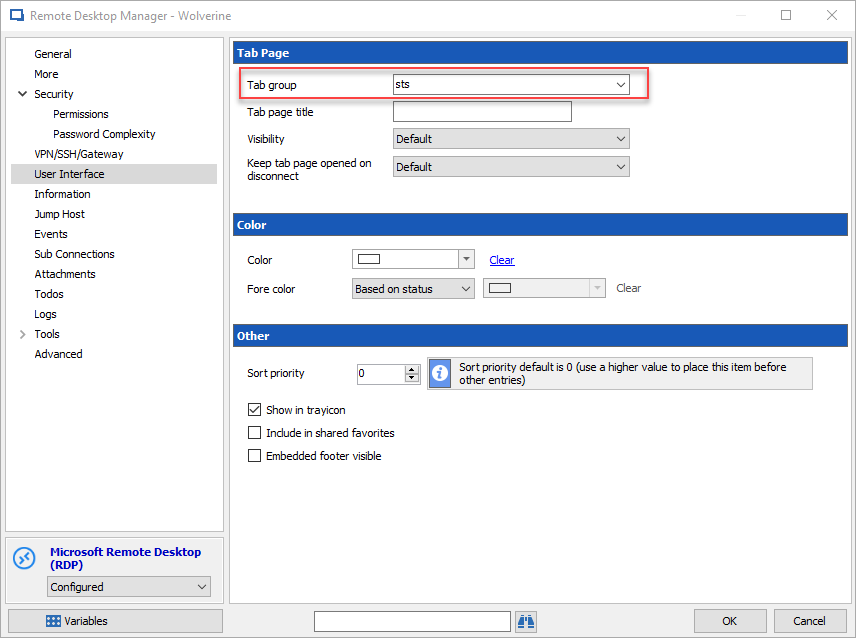
Thanks for fixing this folks! Solution was to remove the \ character we had in a session's settings, User Interface, Tab group (i.e. \customername). Not sure why there was a backslash in any of them but whenever we created new customers we replicated that format.
Thanks for adding additional information.
Here is the place to remove the back-slash before the text.
David Grandolfo
tabgroup.png
So thankful for Batch Edit options... this took a bit of time but would have been crazy without the ability to batch edit.