Keyboard input qwerty/azerty issue

Hi,
I just downloaded Remote Desktop Manager to make a test in our enterprise.
We're currently facing an issue with the keyboard input.
My physical one is in qwerty mode, but many of our customer asked to install their servers in french with the azerty layout.
It mean that when I'm connect to a azerty server I have to deal to write in azerty mode on a qwerty keyboard and it's really not convenient (rdp connections).
Did I miss an option or a plugin to deal with it?
Thanks!
All Comments (8)
Hi,
Do you have the same problem with MSTSC from windows ?
Best regards,
David Grandolfo
Hi,
I just tried and yes it's also the case with MSTSC.
Thanks,
Hi Arnaud,
Thanks for this test. If you have this problem with MSTSC, this means it's a Windows application issues.
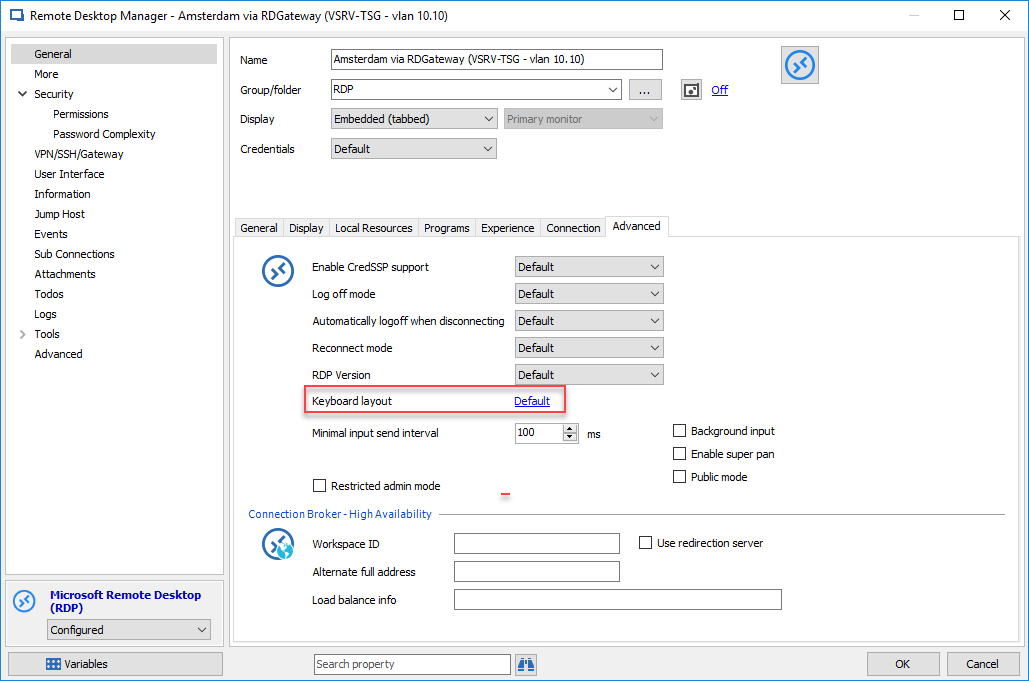
We cannot repair a Microsoft problem but we perhaps have a way to counter it. You need to create 2 entries in RDM. The first one by default and another one with the Keyboard Layout modify with the QWERTY keyboard.
Best regards,
David Grandolfo
Keyboard_Layout.png
When I choose english US international it set "Afar".
The first keyboard in the list in fact.. So I tried with another qwerty based but it doesn't work.
I didn't get the point for creating two entries? So I duplicated one and put qwerty to test, and I also tried to create a new entry from the beggining with the parameters of of the entrie and it's the same.
I thought first it was because we imported the datas from RDCman, because I created two new entries for some 2008R2 servers and I don't have the issue.
Maybe it's a problem after 2008R2? Because the defect server are on 2012..
Edit: I found a 2012 fr when my qwerty is working.
I looked with our engineering department and the problem will be solved in our next version.
They confirm that the problem is only the display so if you select the English US keyboard (yes it showed "Afar") but it should be a qwerty keyboard.
Could you test it please?
Best regards,
David Grandolfo
Hello again,
As I said it doesn't work... Some servers are ok even without changing the layout, but for the servers with this issue it doesn't change anything.
Regards,
Thanks for your test,
I am afraid to tell you that the problem is Microsoft's problem. You could probably look on Microsoft's web sites.
Thanks,
David Grandolfo
Well, thank you for your support.. I will create some keyboard hardware profile to switch between letters a-q z-w etc.
Have a good day!