[SOLVED] Missing navigation pane

Hi,
Not sure what I've done, but I can't get my navigation pane back. It is simply not displayed. I've tried restarting RDM and my PC, no luck.
Any idea?
All Comments (14)
Hello,
Please go in Window and click on Reset Layout to bring it back.
Best regards,
Marc Beauséjour
Hi Mark,
It works, thanks! You're so quick! :) :)
Hi Mark, I tried your suggestion and issue remains, is there any other fix for this? Thank you.
@gonzalo01,
What version of RDM are you running?
Coul you post a screenshot of the exact issue that you have please?
Best regards,
Jeff Dagenais
In my situation, downloading the latest copy and having it run the repair fixed it. I just thought I'd post this in case someone else has this issue. I tried resetting the layout as mentioned above but that did not fix it for me.
Hello,
I have the same issue :
- Navigation Pane is missing
- Reset Layout don't fix
- Repair don't fix
- Remove / Install don't fix
Here is a video capture of the screen, the expected behavior is to have th navigation pane :)
Thanks in advance !
2022-12-19_15-30-27.mp4
Hello,
Would it be possible for you to try the following steps and see if it works for you?
1- Close RDM
2- Go into your %localappdata% - Devolutions folder
3- Delete the .lyt files
4- Delete the .ext file
5- Start RDM
Best regards,
James Lafleur
Hello
Thanks !!!
It works, I've deleted *.lyt and *.ext, and started RDM, now I see the navigation pane.
Regards,
Simon
Hello Simon,
That's great news! Do not hesitate to contact us again if you require further assistance.
Best regards,
James Lafleur
It works, thank you.
I need a little bit of help expanding my entries. I was playing around with the settings and realized I hid or closed my entry list. Now trying to get the list back. Note: "RDM Server" does not expand. 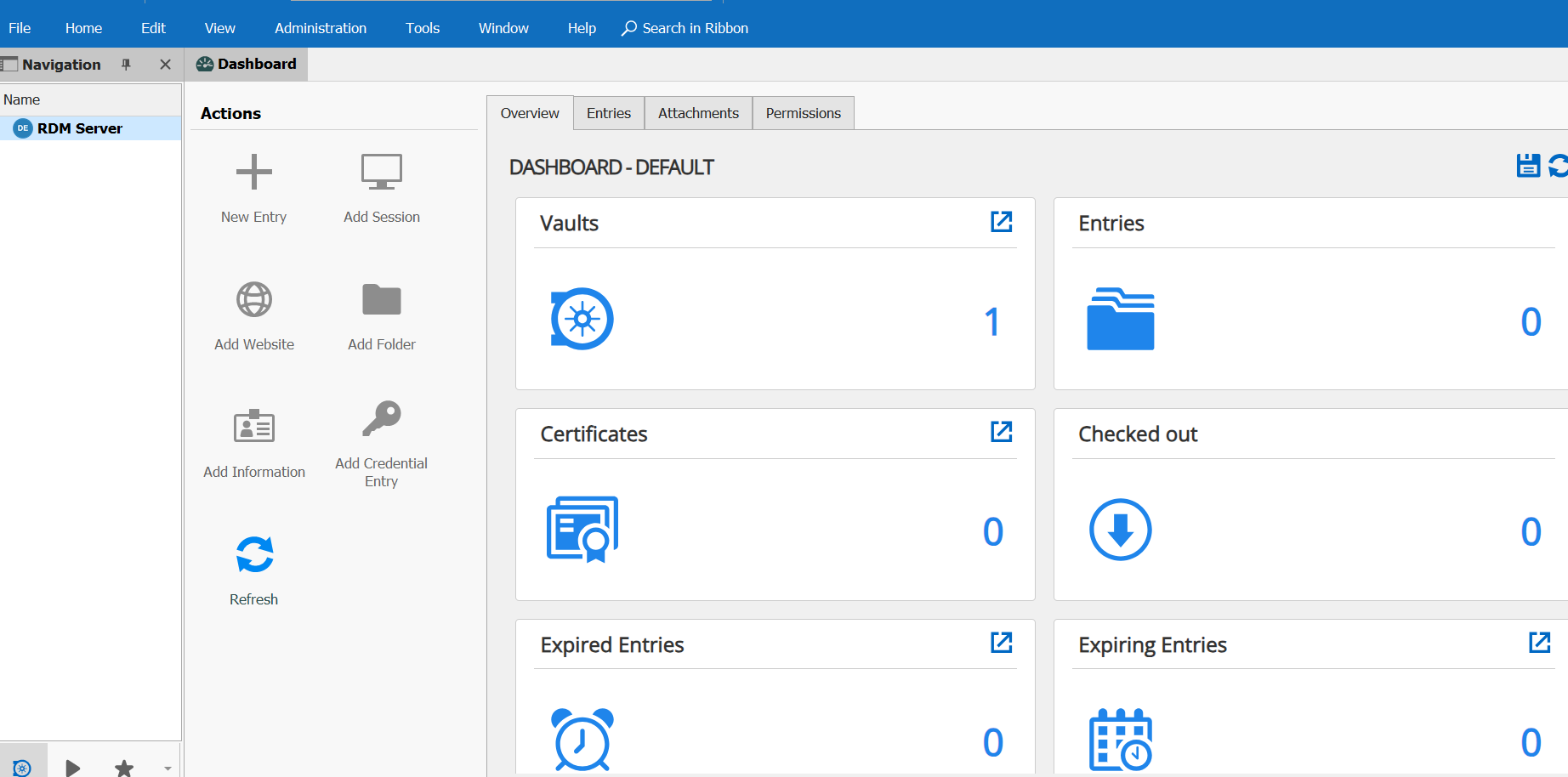
3f86f9f0-c6c0-4b0d-988f-1ed6e14a1eed.png
this might not be any issue with my versions or anything else. It could be just some window that I closed. Now I can not find it anywhere. I am new to RDM
@mdtanim1997,
I suspect something with your local cache.
Could you try to perform a CTRL + F5 to refresh the entire local cache of RDM.
Best regards,
Jeff Dagenais
@mdtanim1997,
I suspect something with your local cache.
Could you try to perform a CTRL + F5 to refresh the entire local cache of RDM.
Best regards,
Thanks Jeff, That fixed the issue.