Using Kitty as default SSH Client

Disabled
Hello,
I'm running RDM Free, version 2.5.1.0.
I want to use Kitty instead of Putty for SSH sessions.
How do I make it the default? How do I tell RDM Free where the Kitty application is loaded?
Thanks
All Comments (9)
Hello,
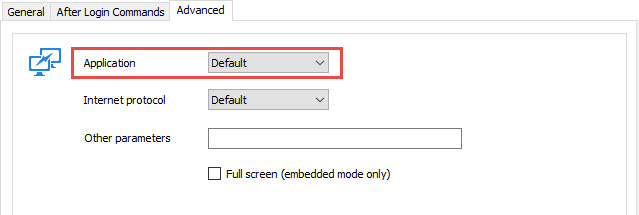
Firstly, in your sessions, select Default in the Application field in the Advanced tab.
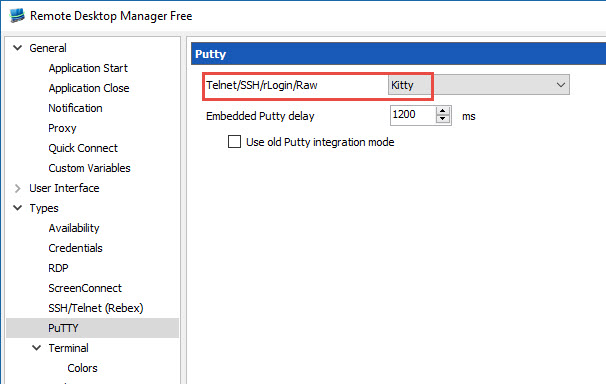
Secondly, go in File -> Options -> Types -> Putty and select Kitty in the dropdown menu.
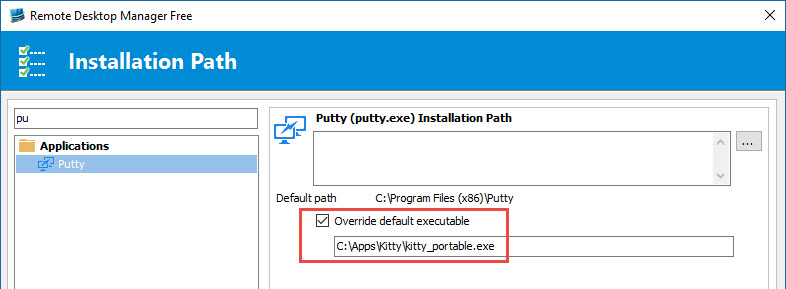
In conclusion, In File -> Options -> Path, search for Putty and override the executable path
Best regards,
Jeff Dagenais