Sophos UTM Firewall Management Interface via IE or Firefox

Hello,
I cannot get the Sophos UTM Firewall Management Interface to open and log me in.
The problem is I think the certificate prompt, which happens because the connections is over HTTPS, and we of course don't buy certificate for a management console...
This can be either:
Ignored in IE or
Added as exception in Firefox.
My main problem is the entry of credentials, which sorry to say, ain't working at all. I can't get it to work neither in IE or Firefox, trying already different settings. Would I also need a password safe for this to work, because if I use an RDM extension in Firefox, the credentials are not recognized.
Maybe there is some experience on this matter or any kind of help?
Thank you.
All Comments (2)
Hello,
The only embedded browser that ignore the certificate errors is Google Chrome.
Have you tried Google Chrome embedded?
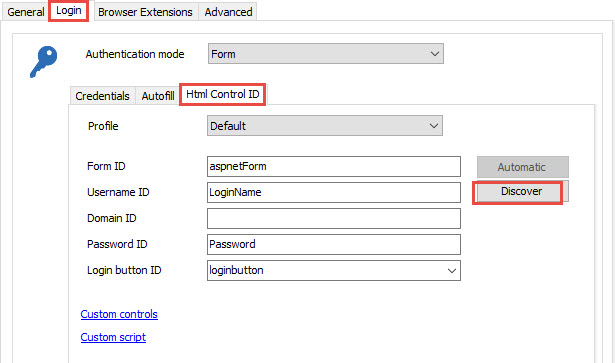
In your web browser entry, in the HTML Control ID tab, have you pressed the Discover button?
FYI - The browser extension is used when you launch your session in external mode to be able to send the credentials to the website.
The browser extension also need to be installed on your computer
http://remotedesktopmanager.com/Home/BrowserExtensions
Best regards,
Jeff Dagenais
2016-11-10_09-40-46.jpg
Thank you, with discover it worked out!