Can't connect to Azure SQL Database

I'm pretty sure that the connection information is correct as well as the UserId and Password, because RDM was able to query the database name, but then I got an error message saying: Unable to connect to the database! Invalid object name, 'Connections'.

https://www.dropbox.com/s/03g7gwlg3ekjkds/2016-08-06_3-35-46.png?dl=0
Robin
PS: I still can't get an image to be part of a message. I guess a link will work.
All Comments (14)
Hello,
Is this a new database?
If yes and that the database has not been created from RDM, could you try to go in the Upgrade tab of your data source and click on Update Database.
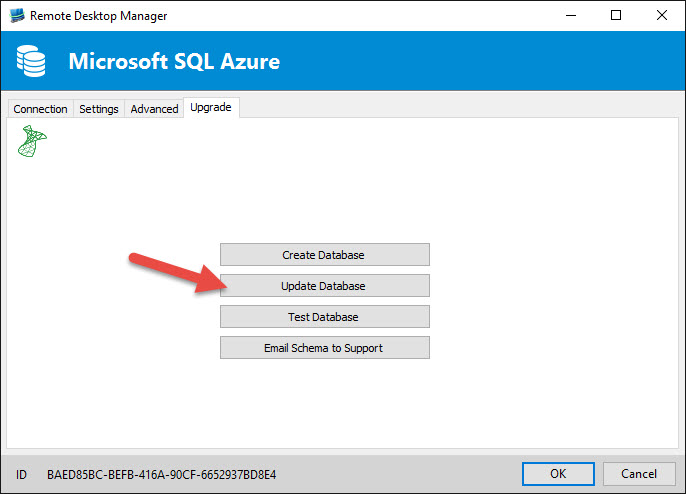
Please note that you need to use a username who has enough permission to update the database.
Best regards,
Jeff Dagenais
I just created the Azure SQL database and can connect to it in Visual Studio, so I believe the on DBO user has full access. The Create Database and Update Database buttons are both greyed out (i.e. disabled). Any other suggestions?