Current Entry Variable not passing in HTTP session

Hi
I usually try and avoid using domain names in RDP sessions and instead use "$NAME$.$DOMAIN$" while using the Credential Repositoy.
That way, I just type the domain name into the specific credentials being used from the repository
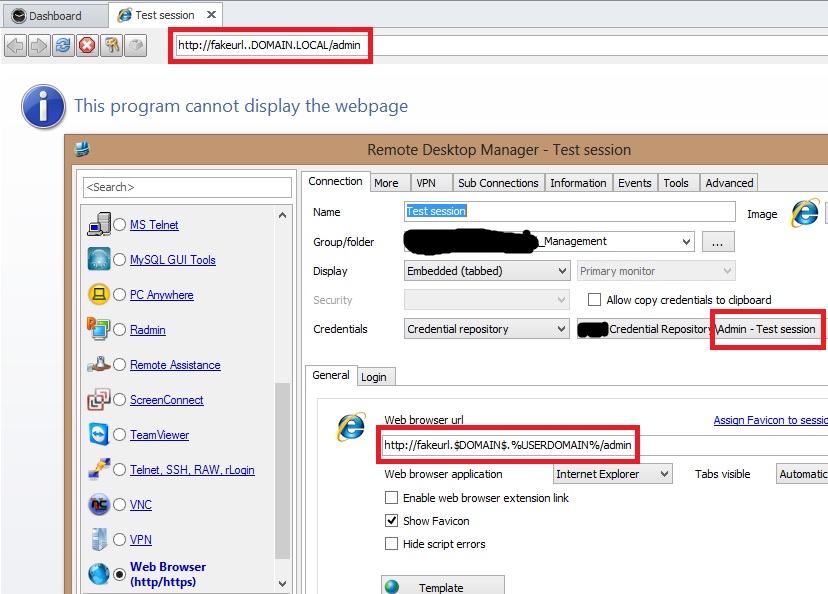
I was trying to use this same approach towards Web Browser sessions. But this seems not to function properly. Let me demonstrate:
Notice the domain name: "test.domain.local"
As you can see in the picture above, the Enviroment Variable(%USERDOMAIN%) passes without issue but the Current Entry Variable($DOMAIN$) doesn't pass. This is the variable I would like to use from the Domain field in my credentials.
This works fine if I set up a RDP session but not in a Web Browser(http/https) sessions.
I'm assuming this is just an oversight :)
Could this please be implemented/restored ASAP.
Thank you
edited by Brandur on 2/15/2013
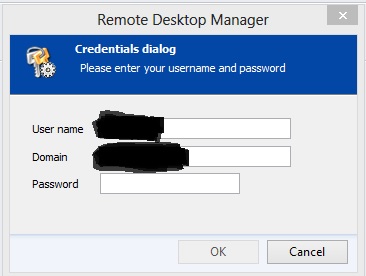
//Brandur
Credentials.jpg
Web_Session.jpg
All Comments (11)
Excellent bug report. This is now fixed in my internal build.
Thank you
David Hervieux
Fantastic.
Thank you and have a great weekend ;)
//Brandur
Hi again David
I'm trying with Beta version 8.0.25.0 right now and it's working with Web Browser sessions :)
But if I try and setup a SSH Shell sub-connection session the same way, I receive the same error as I did before with the Web Browser session.
By the way, if I setup the sub-connection sessions the way I do. I always receive the following error. "The Web browser url is not valid, do you want to continue?"
I just press yes, because it works with Web Browser sessions but not SSH Shell, but I receive the error ether way!
edited by Brandur on 2/19/2013
//Brandur
Hi,
It's the same problem. Since SSH does not support domain, the configuration does not handle it by default. I have fixed this issue internally.
David Hervieux
Another related one :)
I have a RDP session Name=SERVERNAME, connects to "$NAME$.$DOMAIN$" and I use Credential repository which contains domain name.
Connecting works fine, but if I try to use "Ping" tool from Macro/Scripts/Tools, it does not resolve/use the $DOMAIN$ variable.
Address just contains: "SERVERNAME." and the output reads "DNS Error, unable to resolve the host name".
//Brandur
Hi,
this is because the ping does not resolve the credentials by default. I will verify what I can do. I don't wan't to resolve complex credential like those saved externally but I could at less resolve the easy one.
David Hervieux
Hi,
This build has a fix for that:
http://download.devolutions.net/Devolutions.RemoteDesktopManager.Bin.8.1.4.0.zip
David Hervieux
Thank you very much David. It works great.
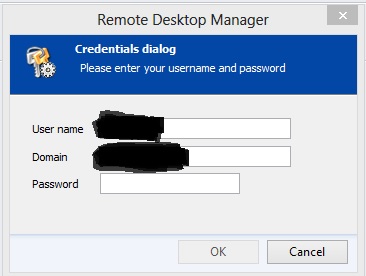
But why does it ask me for credentials when I use the Ping utility?
I can understand it when I for example use "System Information", because I start RDM with a user that does not have priv. to anything.
But even when I press "System Information" on a RDP connection and the Credentials dialog pop's up.
I input my password, but it does not use the provided credentials to get/connect the "System Information".
I just get a "ERROR: Access denied"
This happens to all the Macro/Script/Tools!
Any way to get all Macro/Scripts/Tools to actually use/respect the credentials provided with the Credentials repository?
edited by Brandur on 3/22/2013
//Brandur
Credentials.jpg
Hum this must be a configuration that I missed to test. What type of credentials does it use? It must have a select or prompt for credentials somewhere. It should resolve the domain only if it a basic credentials.
David Hervieux
Do you think you could send me an export of the session (wihtout the password) to support at devolutions.net?
David Hervieux
Just sent an e-mail with attachment.
Please let me know if you need anything else or want me to test something.
Thank you.
//Brandur