Enable web browser extension link

Hi,
for web browser connections some settings are getting lost if working on Devolutions Online Drive.
I experienced that following settings are getting lost:
- Enable web browser extension link
- Ignore certificate errors
The issue occurs if the offline cache is cleared, or sometimes, if the connection get lost, and a kind of re-sync is done.
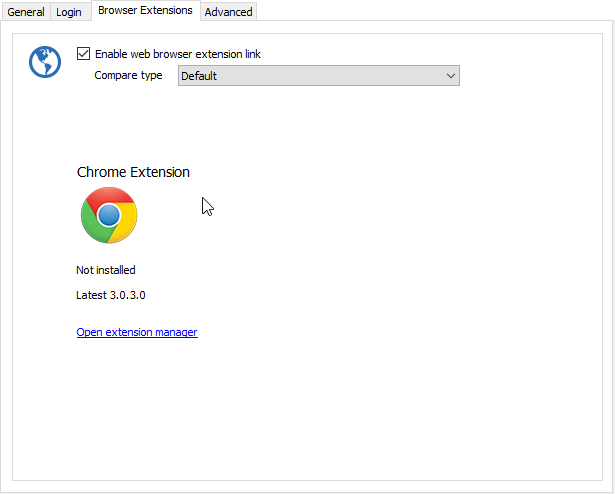
browserext.png
All Comments (5)
Do you mean that the auto fill does not work by connection get lost?
Regards
David Hervieux
No, if the Database connection is getting lost, or the cache of the db connection is cleared.
Hello,
Does the Allow offline mode is checked in the Advanced tab of your data source configuration (File -> Data Sources)?
Best regards,
Jeff Dagenais
Hi,
yes, its checked.
Hello,
Could you please try RDM version 11.6.1.0? We've made some fixes to the offline-mode;
http://remotedesktopmanager.com/Home/Download
If there is anything else we can help you with, please let us know.
Best regards,
Marc Beauséjour