Autohide Ribbon issue

Hi,
I have version 11.5.8.0 and for some reason I now have my ribbon menu on autohide.
The first of the pictures shows the 3 dots for the menu. The issue with this is if I happen to move the mouse too far up the screen by mistake then the menu comes down causing my RDP session to resize.
The 2nd picture shows the collapse button overlayed by the button to select a tab therefore I cannot collapse the menu this way. I have to select an area of the application that is not in the menu. If I select the machine on the left in the tree view then it asks me if I am sure I want to move the machine. To where? I was just selecting it to get rid of the menu.
Is there a way to switch autohide off and just have it gone? Before, if I wanted the menu back then I would click the icon in the top left corner and select "Top Pane".
Also my quick connect bar is gone as a result of the menu autohide.
Still an awesome product by the way.
20160623_075844.jpg
20160623_075820.jpg
All Comments (1)
Hi,
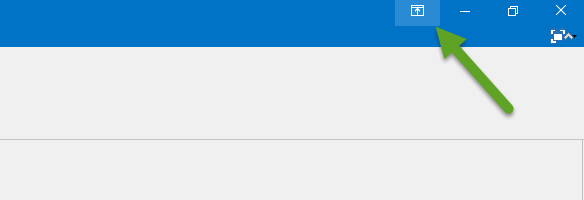
You can click again on the fullscreen button when you mouse over the 3 dots:
For your quick connect you can try the Reset Layout in the Windows ribbon
Regards
David Hervieux
Fullscreen.png