Cisco AnyConnect Hangs when using "Credential Repository" for credentials
Cisco AnyConnect Hangs when using "Credential Repository" for credentials

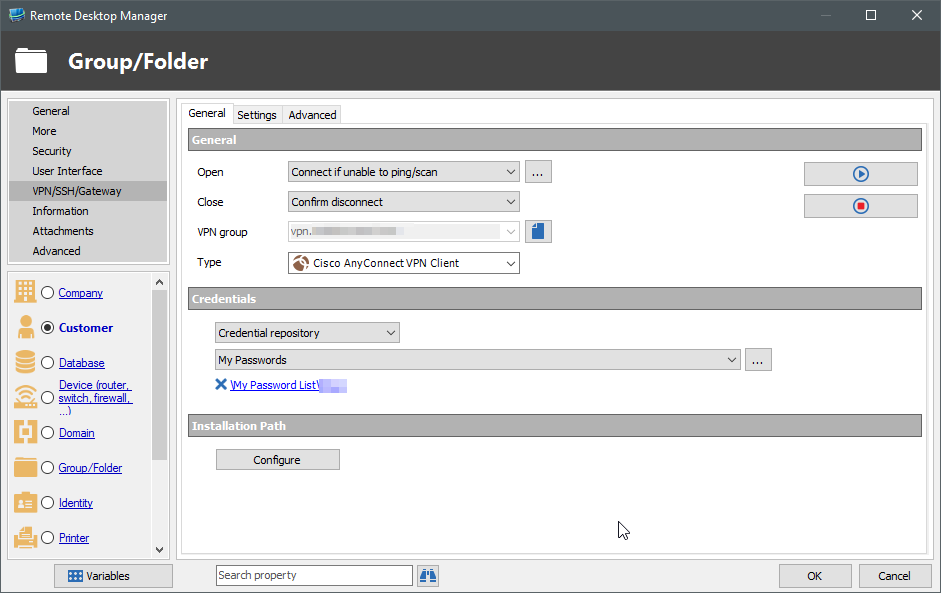
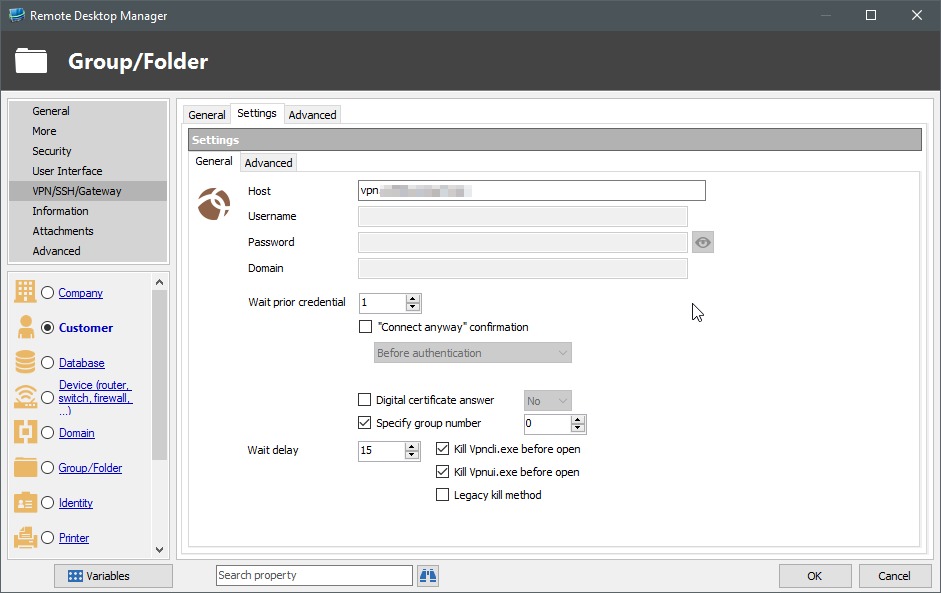
Attempting to setup multiple VPN connections using Cisco AnyConnect VPN and using saved credentials from my Credential Repository.
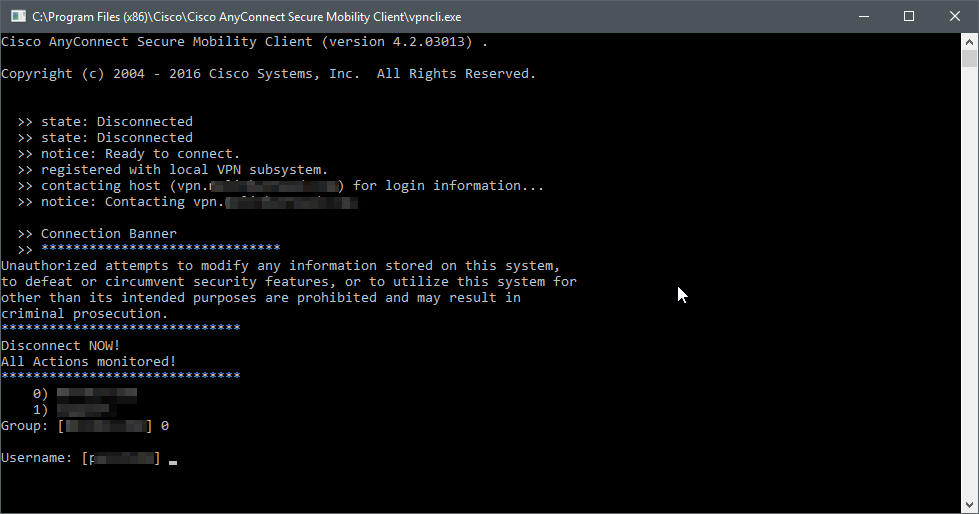
When initiating the connection, it successfully selects the desired "Group" but does nothing when prompted for the username and password.
If I set the credentials to "default" and manually type them in under the VPN settings it works fine.
Here are some screenshots of the current setup.
2016-05-12 09_35_44-C__Program Files (x86)_Cisco_Cisco AnyConnect Secure Mobility Client_vpncli.exe.png
2016-05-12 09_34_45-Remote Desktop Manager.png
2016-05-12 09_33_46-Remote Desktop Manager.png
All Comments (8)
Hello,
It's look like you are using an application like 1Password, LastPass or KeyPass to store your credentials. Does your credential entry is set to Always prompt with list?
If in your credential entry you specify the credential to use, is it working?
Best regards,
Jeff Dagenais
Hello,
Yes, that is correct. The credentials are stored in PasswordState.
The credential is set to "Always Prompt". (I tried deselecting this and it still led to the same issue)
If I manually specify the credentials to use it does work. (Under VPN/SSH/Gateway > Settings > General)
Hello,
Could you try the same setup has your first post, but in a RDP session as example instead of a group/folder.
I want to know if the issue is related to the folder or not.
Best regards,
Jeff Dagenais
Hello,
I tried the same setup on an RDP session entry with the same result.
Kyle
Hello,
One last thing, if you edit your PasswordState credential entry, uncheck Always prompt with list and select the appropriate credential to use, are you able to establish the VPN connection?
Best regards,
Jeff Dagenais
Hello,
I have already tried this and it yielded the same result...
Kyle
Hello Kyle,
I was able to reproduce your issue.
A ticket has been opened to our engineering department.
Best regards,
Jeff Dagenais
Hello,
The issue has been fixed internally. When using a credential mode different from "default" the credentials will be properly resolved. This will be in the next minor version.
Regards,
Hubert Mireault