Bomgar Site not Available - Can't set path

Trying to setup the Bomgar plugin but I am unable to choose a site or change the path to the executable.
I reviewed the documentation concerning this but the option is not present in the settings.
All Comments (13)
Hello,
As per the documentation (http://help.remotedesktopmanager.com/addons_bomgarrc.htm), each site need to contain the bomgar-rep.exe in there folder.
Here an example.
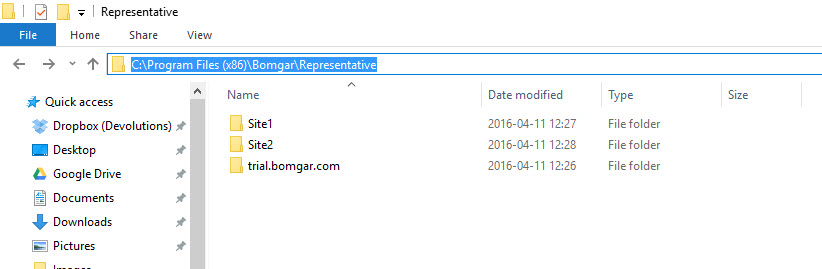
In C:\Program Files (x86)\Bomgar\Representative, I have created Site1 and Site2
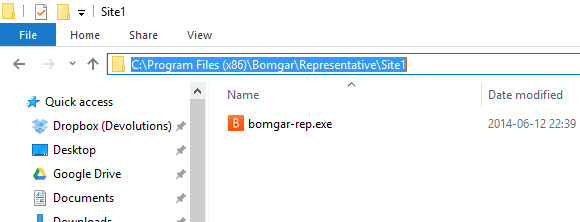
Each folder contain the bomgar-rep.exe
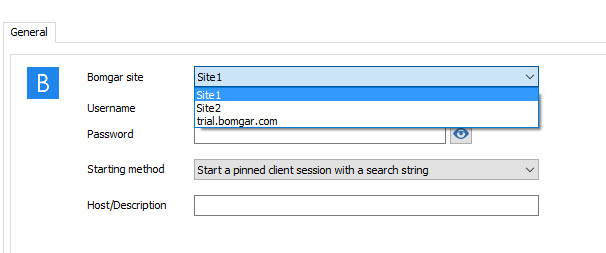
In RDM, the Bomgar site are now available in the drop down menu
Best regards,
Jeff Dagenais
2016-05-11_09-57-34.jpg
2016-05-11_09-54-56.jpg
2016-05-11_09-53-39.jpg
Does this support the 64-bit version of Bomgar?
Bomgar is installed in "C:\Program Files\Bomgar" not "C:\Program Files (x86)".
I copied the "Bomgar-rep.exe" file to the created folder "C:\Program Files (x86)\Bomgar\Representative\Site1" and it did show up in RDM but it throws an error. "...QtCore4.dll is missing"
Hello,
In RDM you can choose the install path of Bomgar. This is located in File > Options > Path > Configure installation path. You can then point to "C:\Program Files\Bomgar" instead of "C:\Program Files (x86)\Bomgar". Then, you can make the Representative\SiteX folders in there, and it should work better. This will hopefully get rid of the DLL missing error at the same time too, as well as having the sites appear in RDM's selection. Could you try this out?
Regards,
Hubert Mireault
This was what I mentioned in my original post...the option to change the path of the Bomgar installation is not present.
My bad, you're right. :) What version of RDM are you on, and what version of the Bomgar add-on do you have? You can find the info for the RDM version in the Help tab > About, in the top left corner. As for the bomgar version, in the same Window it should list the loaded addons and their version, which should include bomgar.
Regards,
Hubert Mireault
2016-05-11 10-50-52.jpg
No problem :-)
RDM Version: 11.1.0.0
Bomgar Add-On Version: 2.1.0.0
I think I found the issue. I attached a new version of the add-on to this post, could you try it out? You can install it by putting the DLL file in %LOCALAPPDATA%\devolutions\remotedesktopmanager
This should allow you to change the path, can you confirm?
Regards,
Hubert Mireault
BomgarConsole2.2.0.0.zip
We are making progress!
This allowed me to change the path of the install.
I still cannot add a site within RDM. I manually created the file structure you referenced but it still throws the missing DLL error.
I have attached a couple screenshots to show my setup.
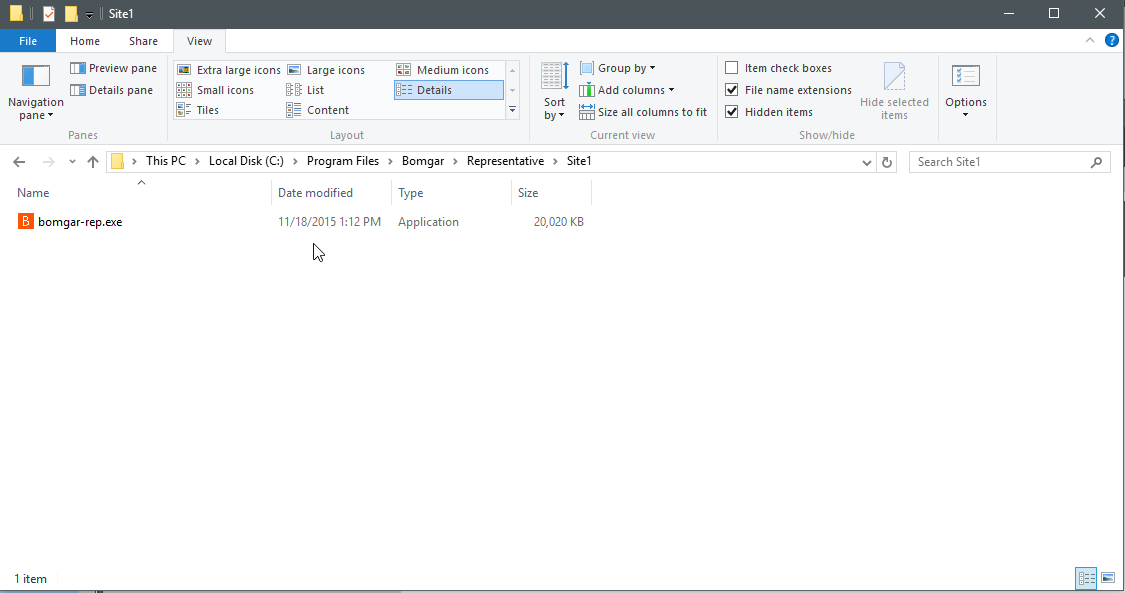
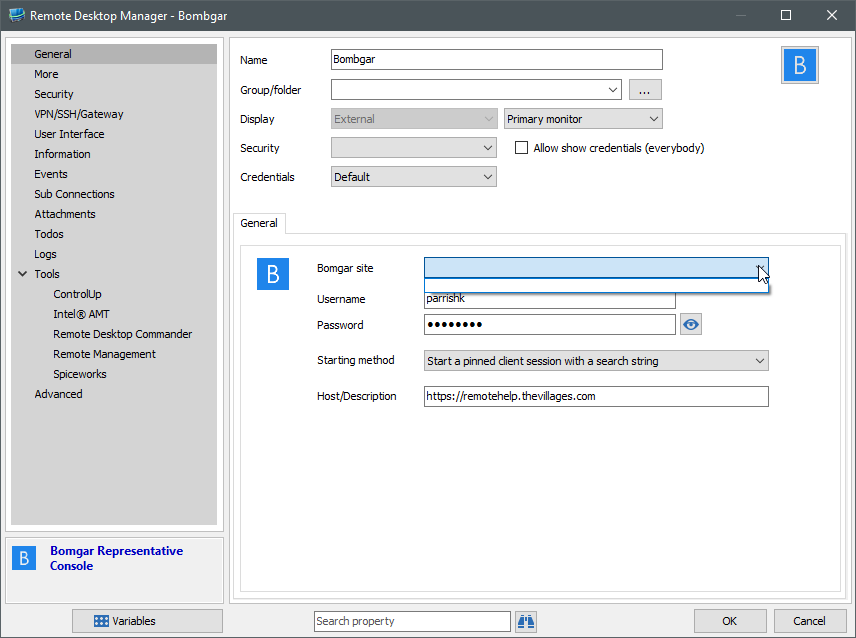
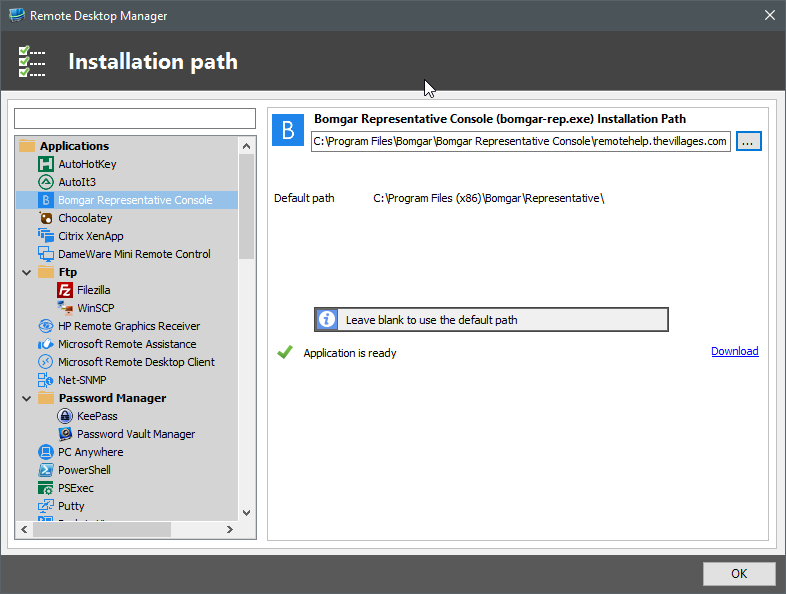
2016-05-11 11_28_41-Remote Desktop Manager.png
2016-05-11 11_29_10-Remote Desktop Manager - Bombgar.png
2016-05-11 11_29_59-Remote Desktop Manager [Dashboard] - Trial version expires in 28 day(s).png
In your last screenshot, I can see that this points to C:\Program Files\Bomgar\Bomgar Representative Console\remotehelp.thevillages.com
If remotehelp.thevillages.com is the site, then you would have to remove it from the path configuration, as it will then be listed in the Bomgar session itself with the dropdown menu.
I'm not sure what the issue is with the DLL, it seems to be something missing with bomgar. Maybe there are DLLs that need to also be copied in the site folders.
Regards,
Hubert Mireault
Okay, it looks like although the path is set correctly in the Configuration settings, the Add-On is still pulling the site settings from the Program Files (x86) directory.
I copied all files from the existing "C:\Program Files\Bomgar\Bomgar Representative Console\remotehelp.thevillages.com" to "C:\Program Files (x86)\Bomgar\Representative\Site1" and everything worked correctly.
Is this a bug?
Thanks
This is indeed a bug. I attached another version and tried it out with a fake executable. If I changed my path to C:\test and inside test are siteX folders with bomgar-rep.exe, the sites show up in the bomgar entry.
Hubert Mireault
BomgarConsole2.2.0.0[1].zip
This worked perfect!
Thank you very much for assisting me with this!
That's great :) We'll push this to our website as soon as possible so our other users can benefit from this too.
Regards,
Hubert Mireault