The application cannot be opened.

When attempting to launch RDM on the Mac the error: "The application Remote Desktop Manager can't be opened" appears and the application does not launch. It will launch fine from the installer however as well as if you open up the bundle and run the file inside. Double clicking the app itself however results in the error mentioned. Attached is a screenshot of the error. (This is with version 3.5.2.0) Any assistance would be appreciated!
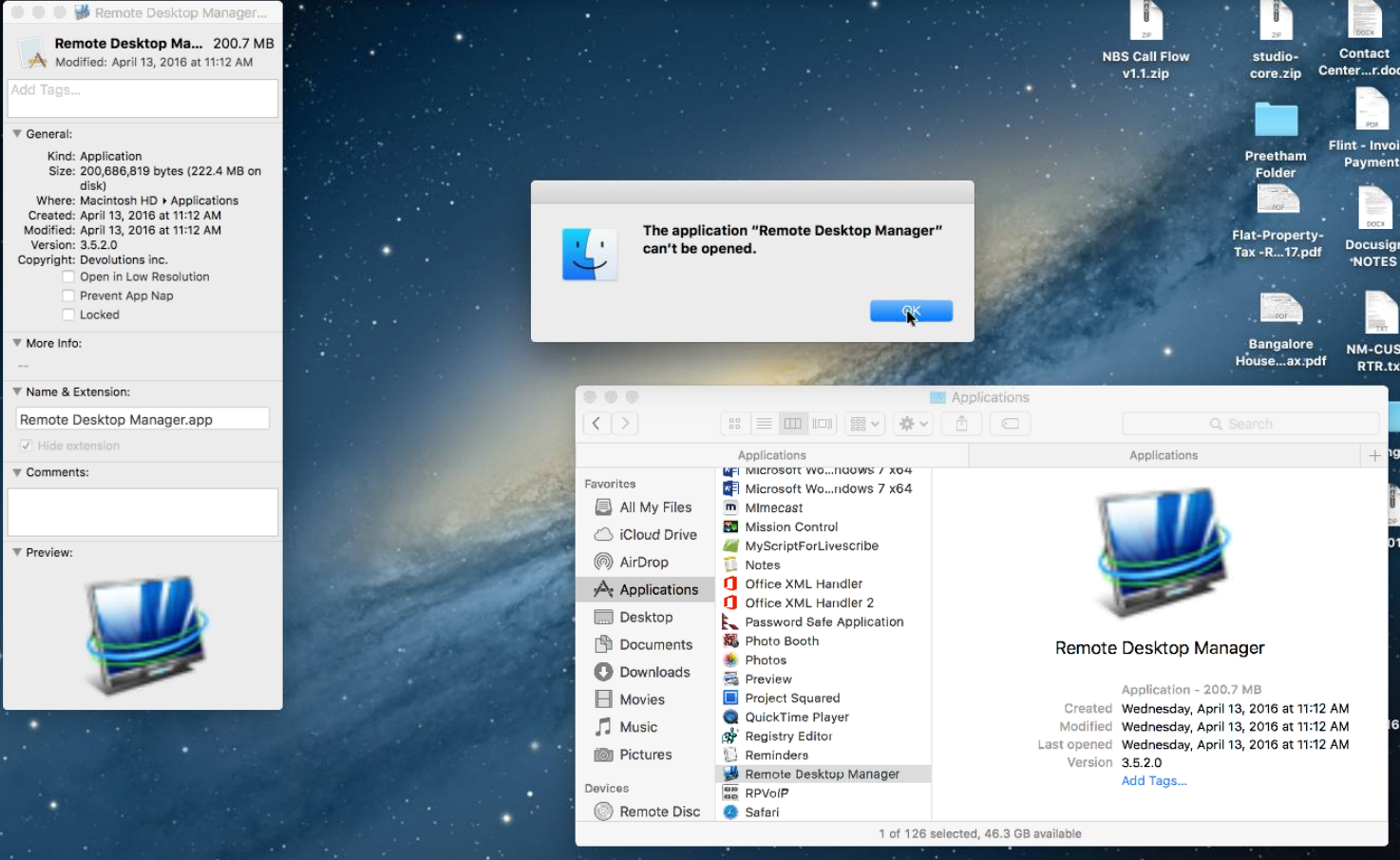
Mac RDM.PNG
All Comments (3)
Hi,
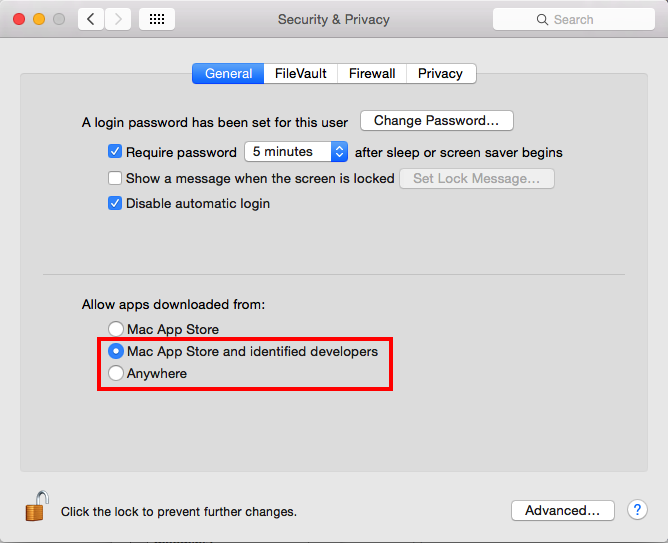
It's just a guess but could you check if you allow apps downloaded outside of the App Store. You can find this option in the System Preferences > Security & Privacy pane:
If it is already the case, could you try checking the permissions in your Applications folder. To do so, open a Terminal window, and enter the following commands:
ls -l /Applications
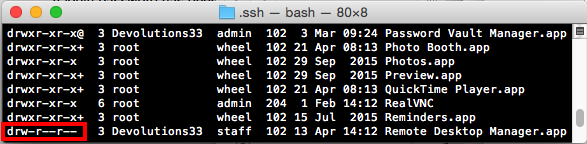
In the displayed list, find the the line ending with Remote Desktop Manager.app and tell me the code written at the beginning of this line:
If your code looks like this: drw-r--r--, you are missing the execute permission. You can add it with the following command chmod +x /Applications/Remote\ Desktop\ Manager.app
Best regards,
Xavier Fortin
ls -l.png
AllowApp.png
The security setting is set to: Mac App Store and identified developers. The permissions code is: drwxr-xr-x@
However mysteriously it started working with no change other than having rebooted over the weekend.
Well, good thing it works in the end.
Xavier Fortin