Remote WMI Broken by RDM?

I'm attempting to run a simple wmi query remotely through RDM. When I try to do so I receive an access denied message. I've verified that the firewall rules for remote management are enabled and working. Below are the steps I took to replicate the problem.
1. I am able to run the command successfully from Windows with RDM not running
2. I am able to run the command successfully from Windows with RDM running, as long as I haven't attempted to run the command from inside RDM
3. I attempt to run the command in RDM and I receive access denied message
4. I attempt to run the command in Windows again and it fails with access denied message
5. If I run the command from an elevated cmd line it is successful
7. I log out and back in and this process is repeatable
So for some reason wmi remote commands work until I attempt them from RDM, then they won't work unless from an elevated cmd prompt.
Here are some snips of the config in RDM. It's the exact same command used in the cmd line.
I'm running Windows 10 EDU x64 RDM 11.1.0.0, I just upgraded to this version, and can't remember which version I was on before, but it was at least 10.6 and I thought it was 11.0.16.0. The problem is also present on a Windows 7 ENT x64 PC here as well with the same version of RDM.
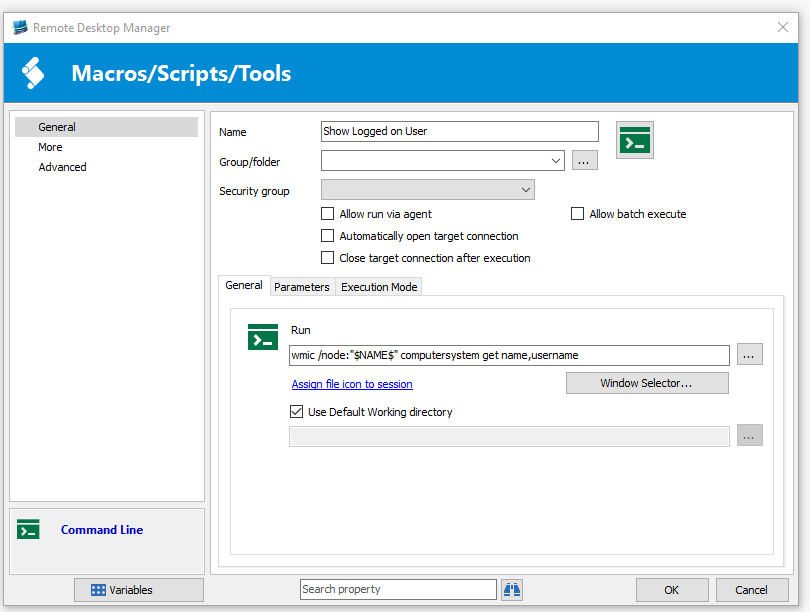
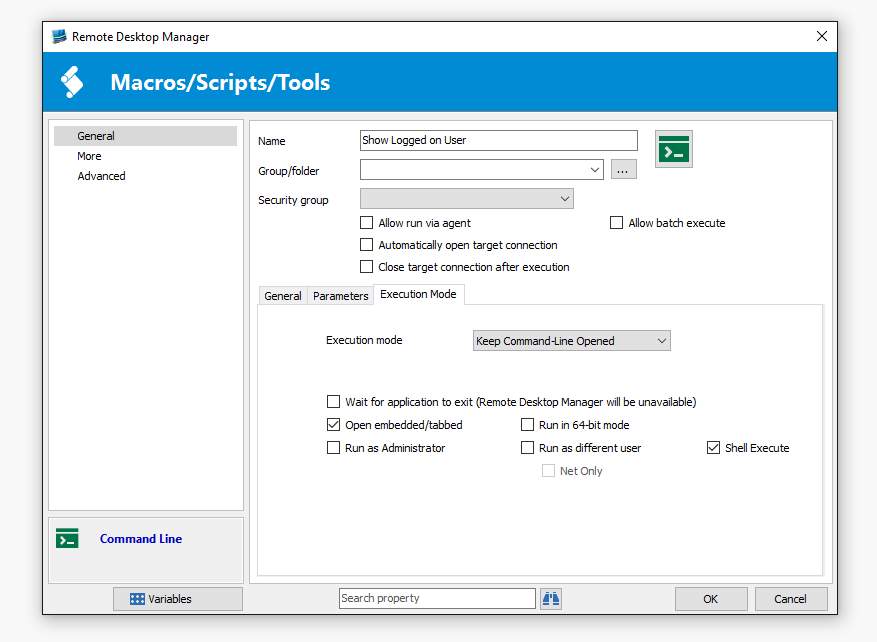
wmi2.PNG
wmi1.PNG
All Comments (3)
Hello,
Could you try to check the Run in 64-bit mode option in the Execution Mode tab.
Best regards,
Jeff Dagenais
I logged out and back in, verified wmi was working straight from the command prompt. Loaded RDM and set the cmd to run in 64-bit mode and sill received the access denied message.
I discovered my problem. And it's an issue of my own making. I set the tool password to the credential repository I had created for AMT so I could use the tool username and password variables in powershell scripts. This was causing all of the tools to run with those credentials and I didn't realize it at the time. I changed the tool password to default and it's now working properly. Thanks for your time.