SQL Server Datasource - Unable to save the user in the database
SQL Server Datasource - Unable to save the user in the database

Hello,
A few versions ago, our IT admin created the datasource and provided me with the RDM credentials.
Since then, I've been fidling a lot with Powershell to create our complete network structure.
So far, there were only 2 users found in the RDM settings:
- One user that is sysadmin on the database.
- My user which has the following attributes:
-- Authentication type: Domain
-- Login: MyDomain\MyLogin
-- Administrator
This was all created with a version lower or equal to v8.
We are now in v11
I'm now at the point where I create security groups, roles and users but... with my user (we check the "Integrated security (Active Directory)"), I can't add another user.
The error is:
Then:
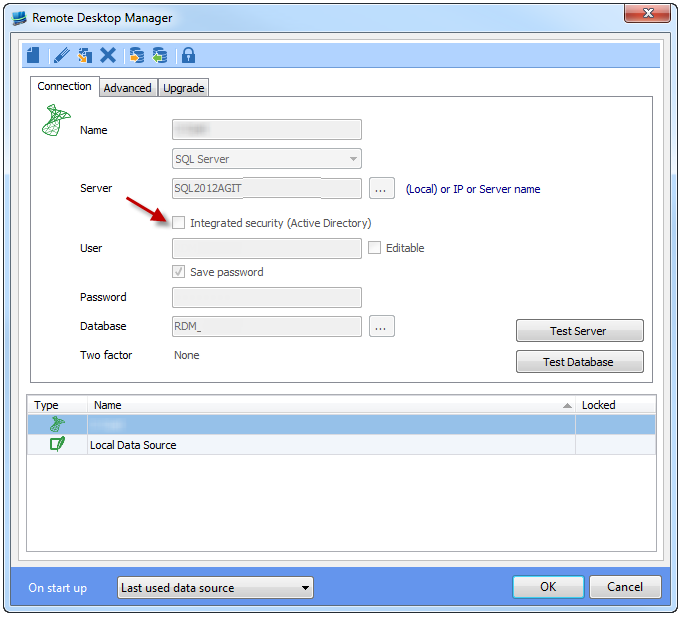
Our datasource has the following setting:
In v8, when creating user, we UNSELECTED the option highlighted in the following screenshot:
This way, we had our users authenticated in RDM using the AD but we did not have RDM create one SQL user per RDM user.
We think that this has been changed in RDM because:
- The "Create SQL Server Login and User" option is no more present in the User Creation interface.
- Because to be able to create a user, my user needs to be sysadmin on the database and a user is created in SQL for each user created in RDM.
- When I edit my own user, if I change NOTHING and click OK, RDM tells me "The selected authentication type is not support with this data source. Continue ?"
Can you shed some light on this issue ?
What changed between v8 and v11 in respect to SQL datasource and users ?
Minor Note (just to make your UI better): The message should be "The selected authentication type is not supported with this data source. Continue ?"
Best regards,
Pierre
All Comments (7)
Hi Pierre,
Good observations. So what is going on in v11?
Well with changes to the security sub-system, affected by DVLS (Devolutions Server) mostly, we needed to define an "authentication type" each user in the system. DVLS supports: Local (machine), Domain, Custom & SQL Server types were as SQL Server data source only supports SQL Server.
But why is this affecting you when you don't even use DVLS? Users defined as SQL Server authentication can connect using a SQL data source to a DVLS data source's database since they use the same back-end db structure.
In your case the system is "guessing" the type of Domain. Why? Because it has a "\" in it. Since this is a SQL data source, simply select SQL Server as the authentication type and all will be good. This will cause RDM to grant you all you need to then go ahead and create other users.
List of grants (for admins only):GRANT ALTER ANY USERGRANT ALTER ANY LOGINALTER ROLE [db_owner] ADD MEMBER
As for the "Create SQL Server Login and User" check box it was removed in v11 because it was causing most users issues since they wouldn't check it and then couldn't login to SQL. That being said, this is not practice with your scenario where you already assigned AD rights to the SQL Server. I will discus with David if we can bring back some form of the check box. Maybe something like: "Login already granted via AD, do not create SQL login & SQL user". We would still need to create the RDM user but not the SQL login & SQL user in this case.
The message typo, it is now fixed internally.
Best regards,
Stéfane Lavergne
Hello Stephane,
You got it. This is the way we understood it in the first place.
People can login into RDM using their AD credentials.
We created an RDMuser user that has all rights onto the database.
Back in version 8, my IT colleague created a user for me (being RDM admin) but unticked the "Create SQL Login and User".
That way, the connection string set by the RDM to connect to the database uses the RDMuser and we did not had to have one SQL user created/defined for every RDM user.
Looking forward to read your findings,
Pierre
I will see what I can do for the next beta release. I will keep you posted.
Best regards,
Stéfane Lavergne
Thanks.
Stefane,
My settings are like this:
If I understood well the following blog http://blog.devolutions.net/2015/11/why-can-my-colleagues-see-my-credentials.html, this is not a good practice.
Because of this, should I ask my IT to enable my user to create login/users in the SQL database ?
Best regards,
Pierre
Pierre,
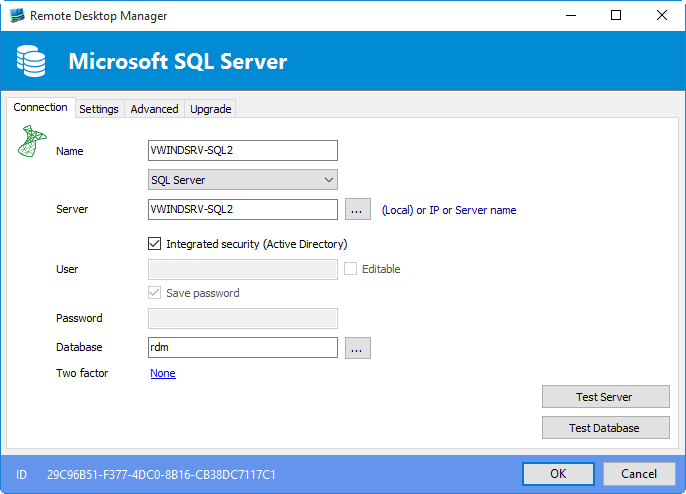
Looking at you screen shots, I'm guessing you've never connected using your other user (MyDomain\MyLogin). You must check "Integrated Security" if you want to connect to SQL server using AD credentials. You may not pass the username & password for domain accounts.
That being said, what you want to do is possible and does work. Keep in mind this is an advanced way to use RDM/SQL Server authentication. Example on how this might work.
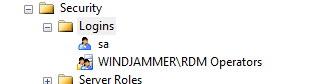
I create a SQL Login & User with a domain "group" (not user) and gave it read/write on the RDM database.USE [master]GOCREATE LOGIN [WINDJAMMER\RDM Operators] FROM WINDOWS WITH DEFAULT_DATABASE=[master]GOUSE [rdm]GOCREATE USER [WINDJAMMER\RDM Operators] FOR LOGIN [WINDJAMMER\RDM Operators]GOUSE [rdm]GOALTER USER [WINDJAMMER\RDM Operators] WITH DEFAULT_SCHEMA=[dbo]GOUSE [rdm]GOALTER ROLE [db_datareader] ADD MEMBER [WINDJAMMER\RDM Operators]GOUSE [rdm]GOALTER ROLE [db_datawriter] ADD MEMBER [WINDJAMMER\RDM Operators]GO
Result when connecting via SSMS
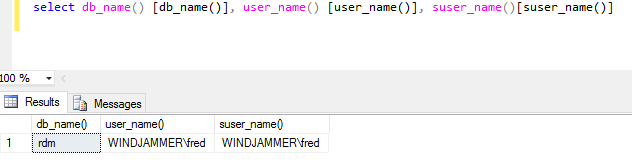
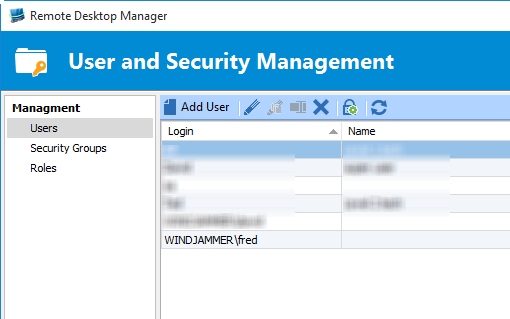
Now I created a new domain user WINDJAMMER\Fred and made him a member of WINDJAMMER\RDM Operators.
Since I'm connected with a different user on this Windows machine I used the /netonly trick to start RDM as WINDJAMMER\Fred
RDM start, I created a new SQL data source
I was able to open that data source, but since I have security groups the user saw nothing.
I opened a second RDM with my other account (admin) and opened the user management a saw that the user had been created
Why? Well SQL Server told RDM that the user had the right to connect so it created the user on your behalf.
I edited the user, set it's correct Authentication Mode and gave it access to the desired security groups.
So yes this is possible but an advanced way of configuring your RDM/SQL Server security.
The "new" check box would also help somewhat by making things clear that SQL Logins/Users are not to be handled by RDM.
Best regards,

Stéfane Lavergne
2-17-2016 10-53-36 AM.png
2-17-2016 10-47-04 AM.png
2-17-2016 10-44-48 AM.png
2-17-2016 10-43-49 AM.png
2-17-2016 10-41-54 AM.png
2-17-2016 10-35-16 AM.png
Hi Pierre,
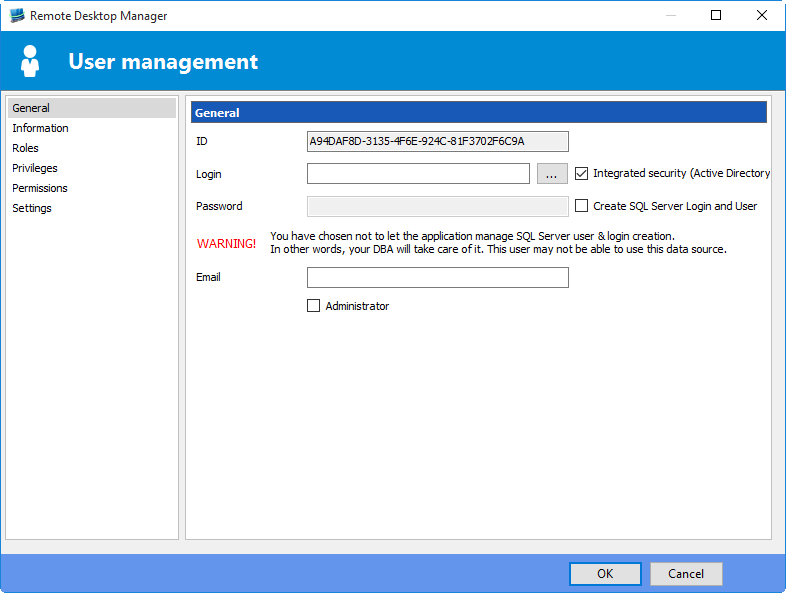
I've re-enabled the "Create SQL Server Login and User" check box.
When unchecked a warning is displayed (image below). Since very few user actually need to have it unchecked. People unchecked it by mistake and was causing support issues. The warning should resolve the issue.
This will be in the next beta (v11.1.8.0). I just missed the v11.1.7.0, it's built/released (auto-update not yet activated).
Best regards,
Stéfane Lavergne
3-2-2016 11-14-11 AM.png