New User VPN Setup Support

I am a new user and am looking for someone willing to support me in setting up a connection to my workplace's VPN. I had a connection working until Microsoft support screwed up my computer and forced me to do a factory reset, and now I can't remember how I set it up before. I am hoping someone is willing to tell me where to input, or provide screenshots, for a Microsoft VPN connection setup. It is a LT2P/IPSec connection that needs to allow unencrypted passwords (PAP) and uses a preshared key for authentication.
All Comments (4)
Hello Nick,
Unfortunately we can't really add if it's not related to Remote Desktop Manager. You could take a look on Spicework perhaps you will find help there.
https://community.spiceworks.com/
David Hervieux
Hi David,
Sorry if I wasn't clear. The setup help I need is within Remote Desktop Manager. I am trying to connect to a Microsoft RDP in the client, but need to connect to a VPN first. I had it setup to connect to the VPN before opening the RDP session and it worked great. I just can't get it to work again.
Thanks.
Nick
Hello,
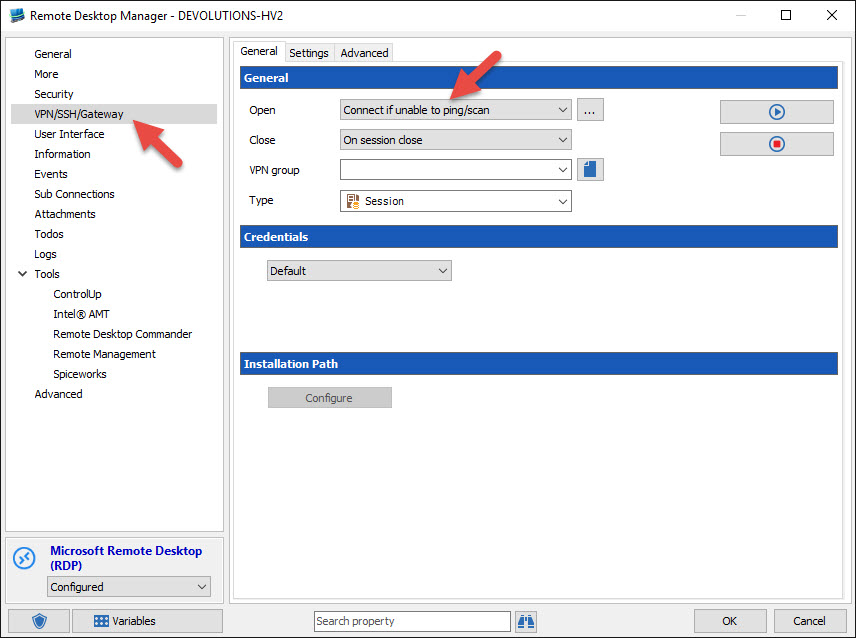
After that you have created your VPN session in RDM, you can configure your RDP session to use this VPN.
In the VPN section, we suggest to use the Connect if unable to ping option.
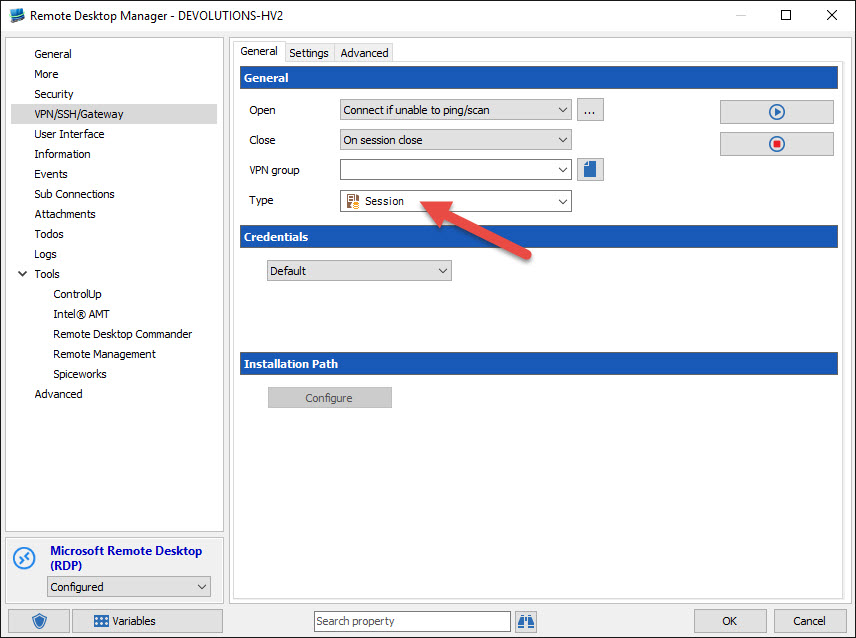
In the Type field, select Session
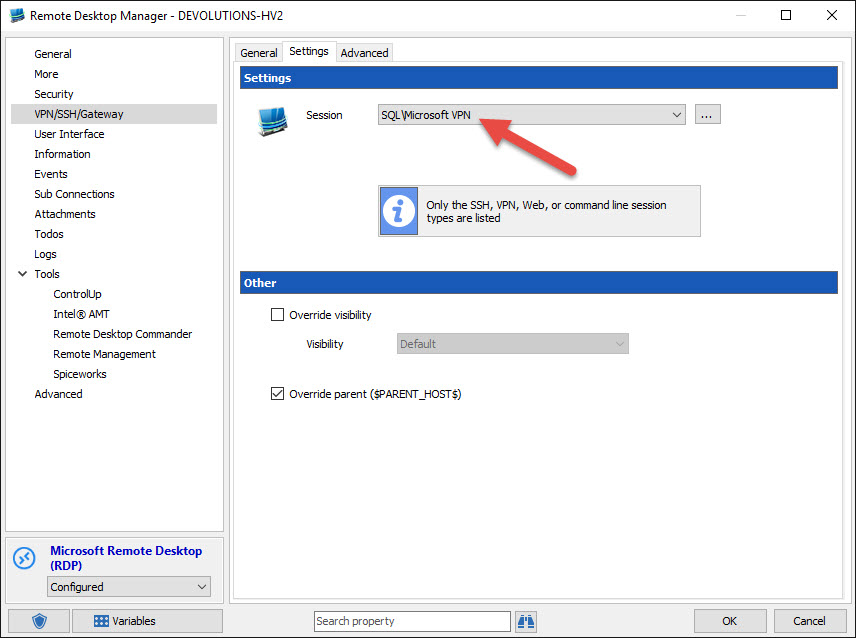
In the Settings tab, select the appropriate VPN session to use
Best regards,
Jeff Dagenais
2016-01-29_20-48-35.jpg
2016-01-29_20-41-19.jpg
2016-01-29_20-40-50.jpg
Thank you. That's what I needed. My connection works again.