Hyper-V console not working in all places

If I create a new 'Hyper-V console' type connection and enter the right credentials, I can connect to my Hyper-V servers so that's good.
Because we need to manage both the VM's on the Hyper-V server and the Hyper-V server itself (and dislike having to use multiple connections) I would like to utilize the 'Hyper-V Server' option on a 'Microsoft Remote Desktop' type connection. By setting the 'Is Hyper-V Server' flag enables three options:
1. the 'Hyper-V Console' option under tools
2. The Hyper-V button under 'Footer' on the View ribbon tab (the generic footer that switches with the selected connection on the Navigation pane)
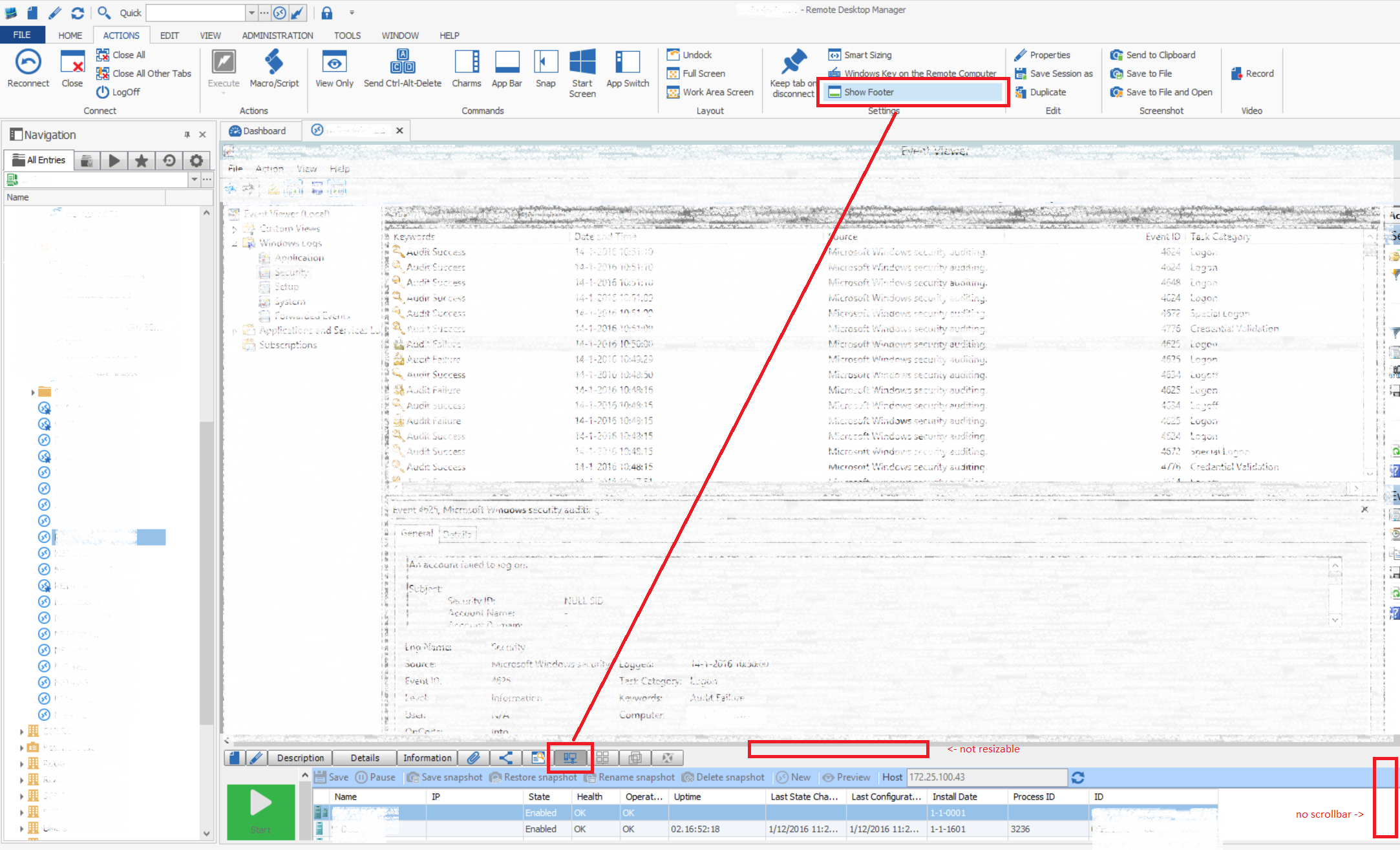
3. The Hyper-V button in the 'Show Footer' under Settings on the Actions tab (the footer that shows under the window of an opened connection)
These options don't work consistently:
I don't see any option to specify specific credentials for the 'Is Hyper-V server' settings and I can't think of a scenario where they should be different from the normal connection credentials anyway because it's the same OS you're connecting to (as opposed to something like iLO where a different set can be specified for good reason). I also can't think of a scenario where it would be beneficial to use your local windows account over the specified credentials either and inconsistency can't be a good thing either so I guess this is a bug where in (1) and (2) the right credentials aren't used.
Unfortunately the connection specific footer (3) can't be resized or scrolled so isn't usable either (otherwise at least that would have been a nice workaround).
Any further insight?
Screenshots:
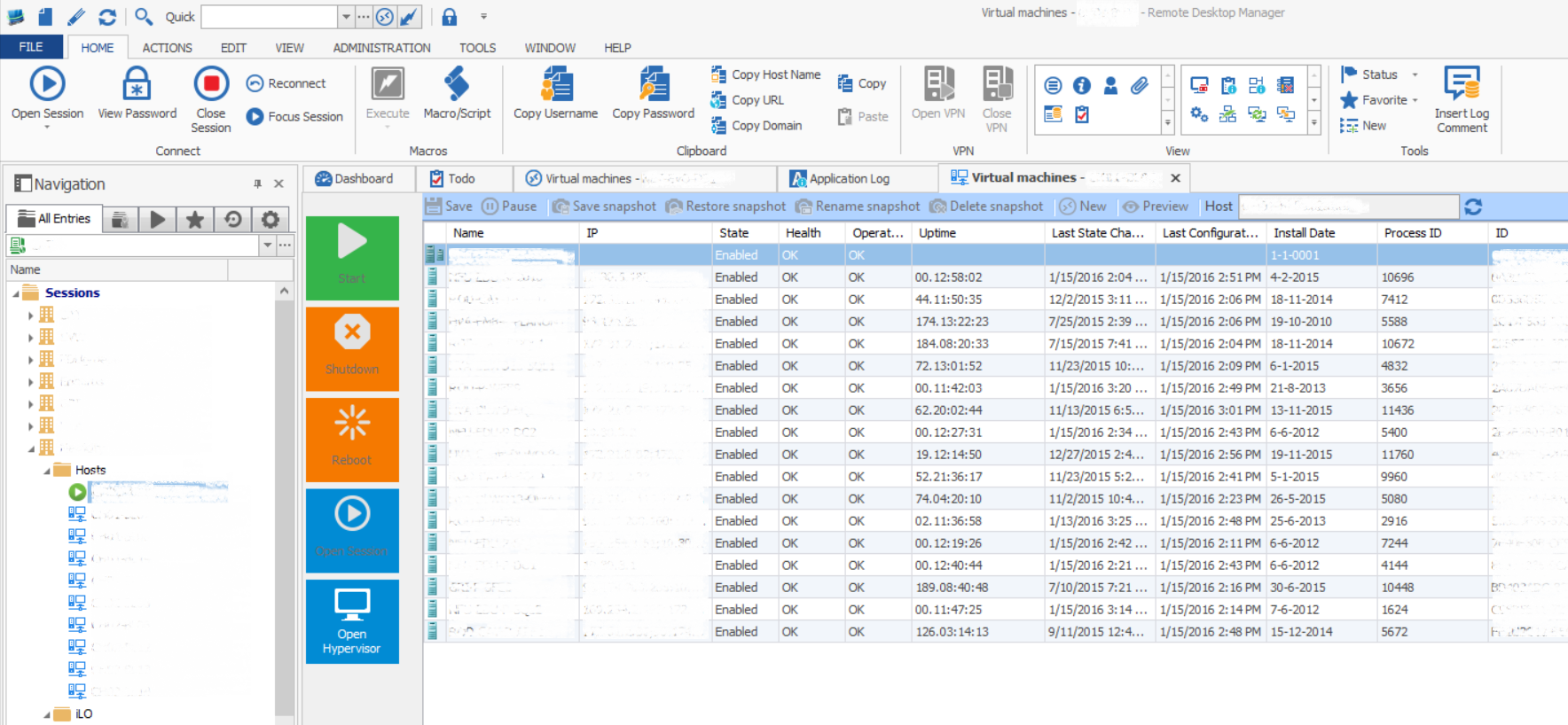
Hyper-V Console working - notice connection type icon is 'Hyper-V console':
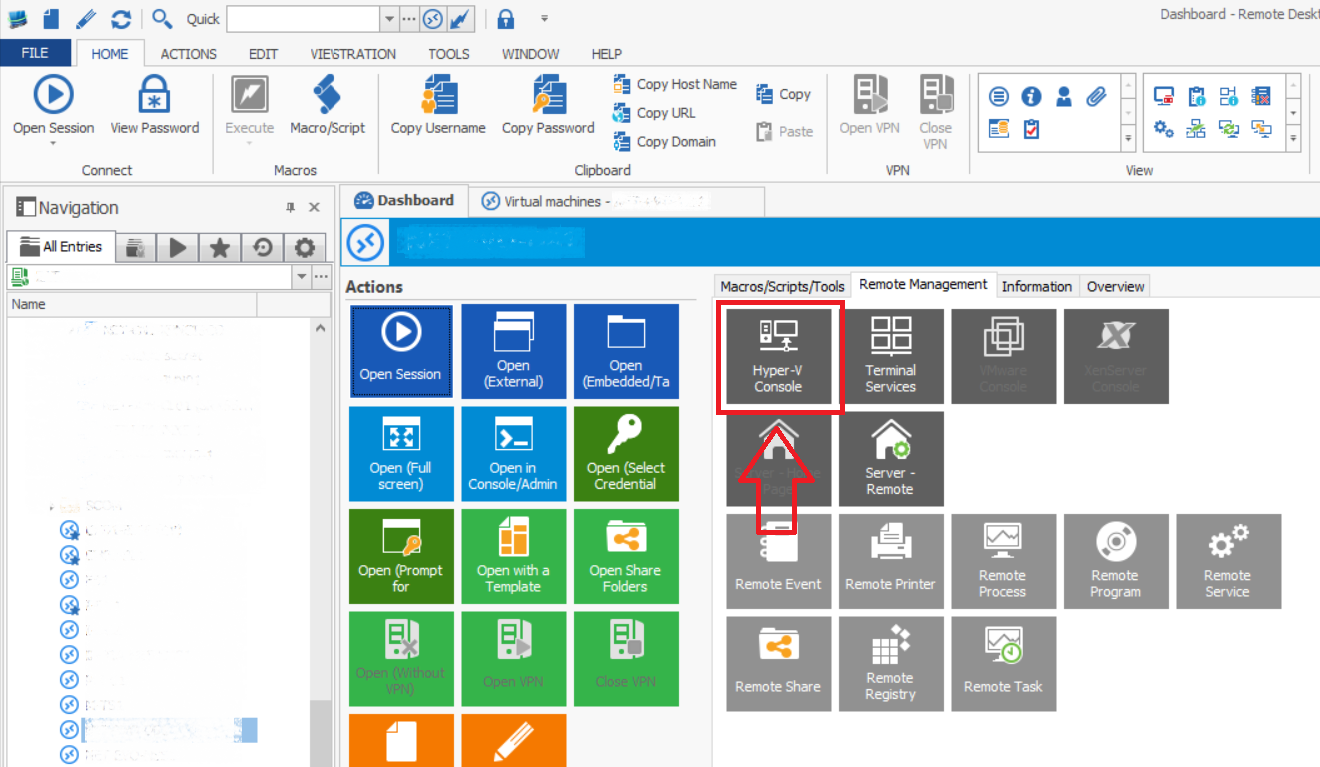
Hyper-V Console not working (1) - notice connection type icon is 'Microsoft Remote Desktop':
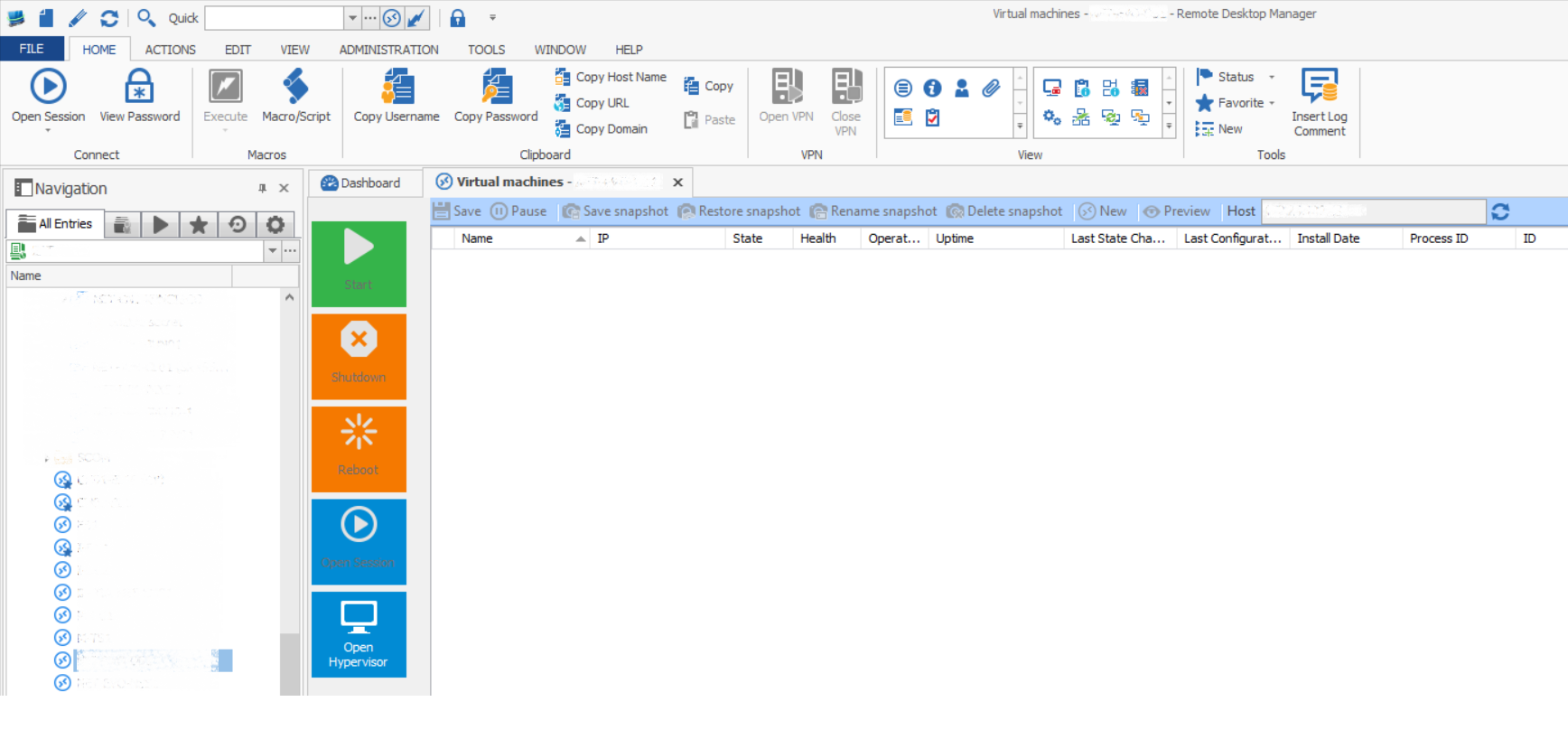
Hyper-V generic footer not working (2):
Hyper-V footer in connection (3) - notice the missing scrollbar or resizing:
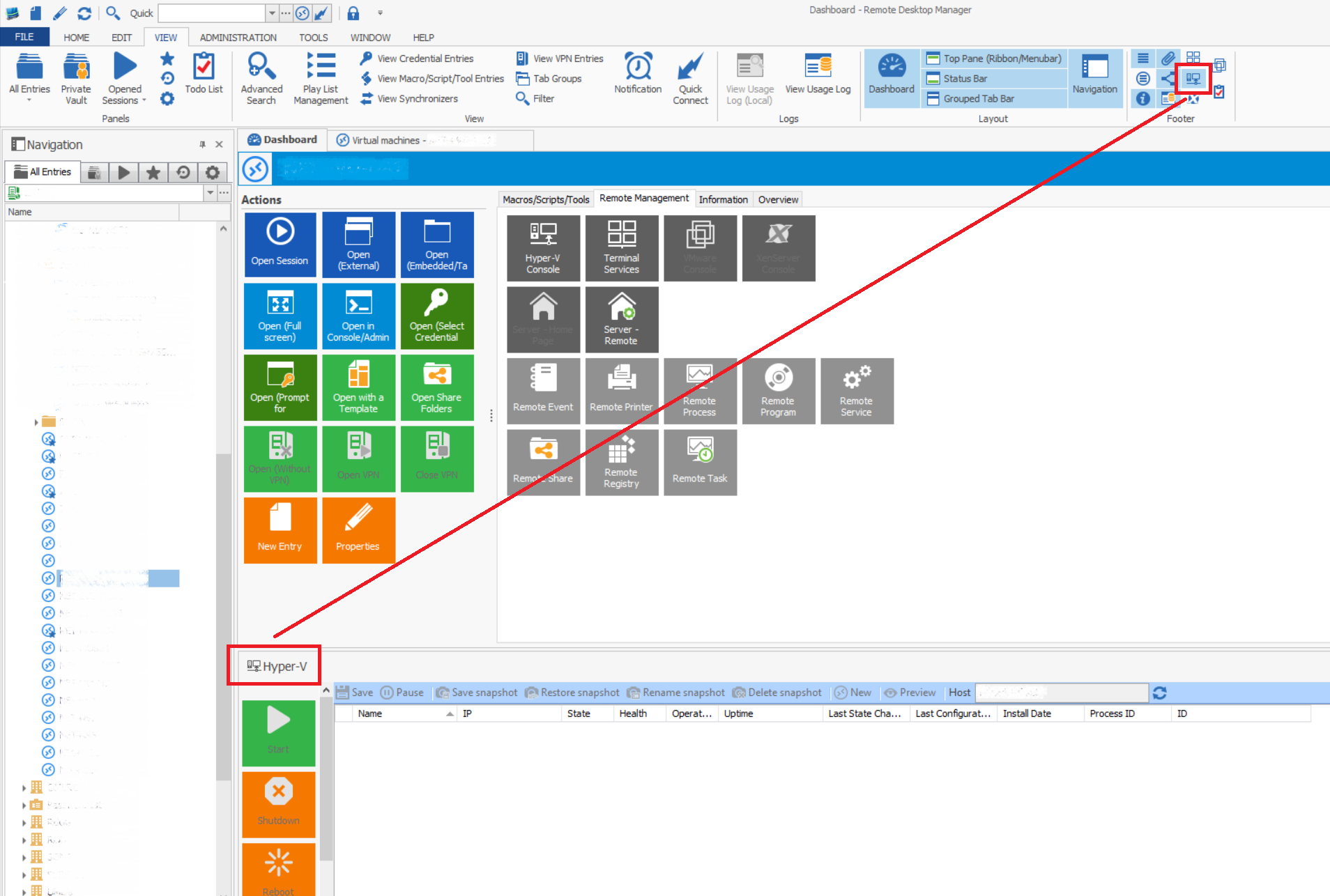
Hyper V footer in connection.png
Hyper-V generic footer.png
Hyper-V Console - list.png
Hyper-V Console - dashboard.png
Hyper-V Host.png
All Comments (3)
As a workaround I've found that we could use the 'Hyper-V console' type connection as a base type and connect to the server itself using the 'Open Hypervisor' button (and we could utilize the iLO settings there as well).
We use the credentials specified in the Tools section when it's not a Hyper-V credentials. By default it does not use the one specified in the connection Could you verify if you set the username/password in Tools if it work better?
David Hervieux
Ok, yes, this works. Great!
If I set the credentials in Tools to 'Use session credentials' (instead of 'Use default credentials') I get results in both the options (1) and (2) failing above.