Hide Tab but not Menu

Hello,
I'm going nuts as I could have sworn that I was able to mimize the tool bar but not the menu bar and i can't seem to find that setting. It seems to me that this changed in the past update, but I'm not 100%
Thanks
Andrew
All Comments (11)
I see the issue, I'm missing the "Minimize Ribbon" icon on the left of the screen that should be next to the Contenet Selector icon.
I'm running Windows 10 and version 10.0.0240.16384
Could you try a Windows->Reset Layout in the ribbon?
Regards
David Hervieux
David,
yup, did that as well as removing all those temp files *.lyt.
Still no icon in the upper right
here is a screenshot of what I'm seeing and an arrow pointing to what I'm not
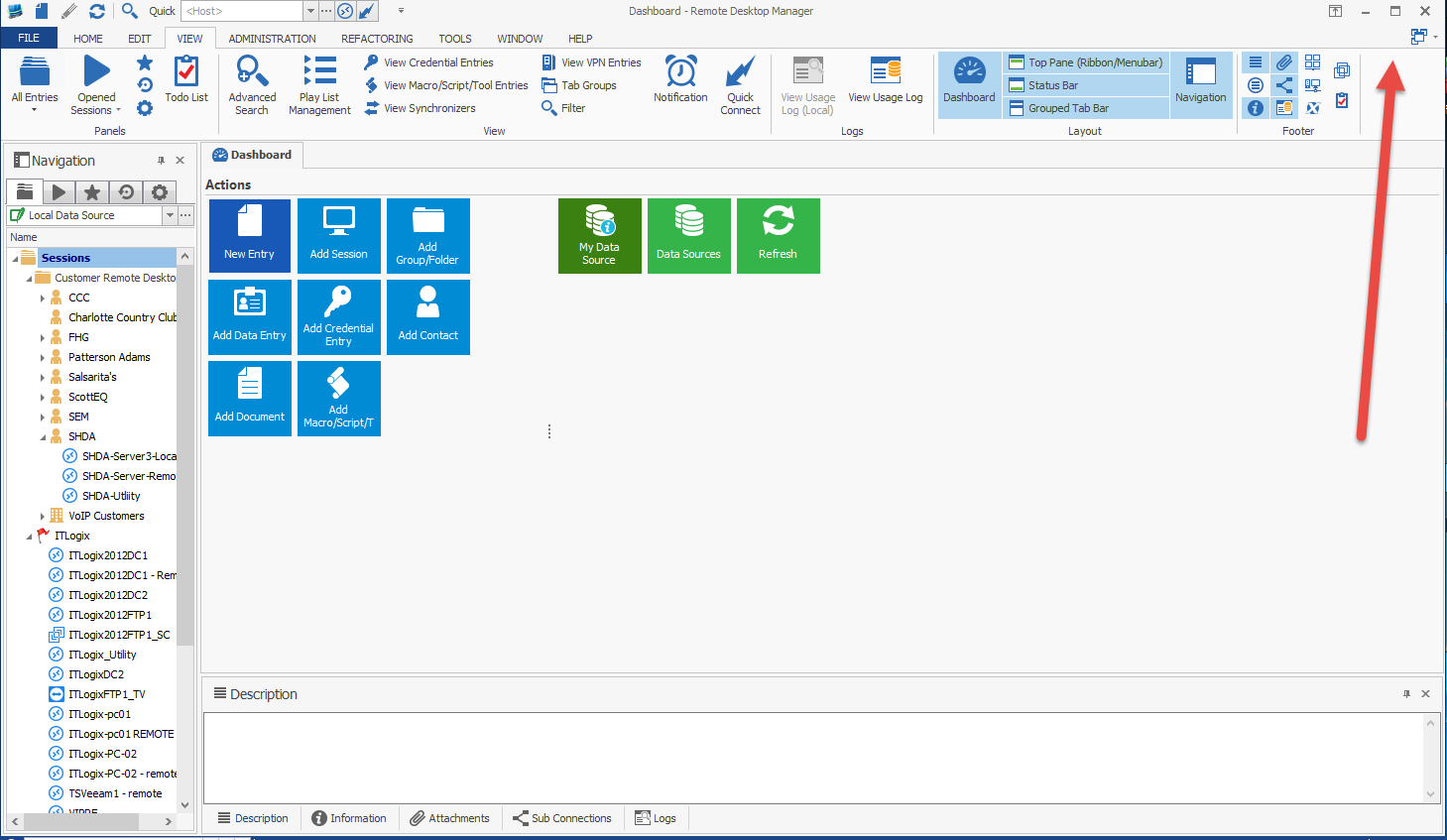
2015-12-28_15-50-41.png
Hi,
My mistake you are right. It seems that the third party we use has removed the button. You can right click on use the minimize menu. I will verify if it's now an option.
David Hervieux
Hey,
yup, the right click and minimize did the trick.
Andrew
I will try to bring back the button now that I know it's not longer here by default
David Hervieux
David,
thanks
This is now fixed internally.
David Hervieux
Man, thanks for this - I was losing my mind!
Hello,
Version 11.0.19.0 Beta is available with the fix.
You can download it here;
http://remotedesktopmanager.com/Home/Download#beta
If there is anything else we can help you with, please let us know.
Best regards,
Marc Beauséjour