Display local share drive when using hper V

Hello,
I have been using the free version of your tool for a month now and I really liked the possibliy to see the local drives.
Today I have installed the trial version of the pro version and I noticed that when I start a machine from the hyperv the local drive are missing and clipboard is not working.
Is there anyway to have those features when using hyper-v ?
/Eric
All Comments (4)
Hello,
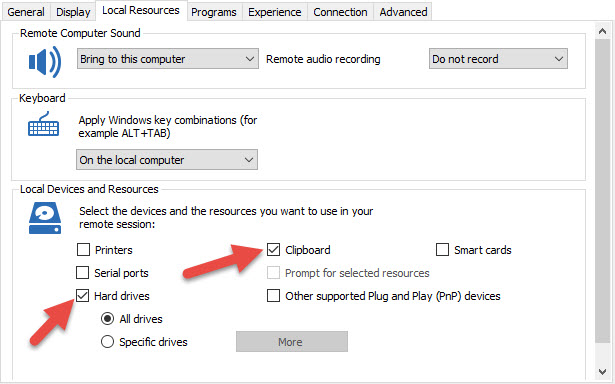
If you have created an RDP session and selected Hyper-V in the RDP type, you can enable the clipboard and the local hard drives by clicking on the Local Resources tab of your session.
Best regards,
Jeff Dagenais
2015-12-03_08-23-38.jpg
Hello,
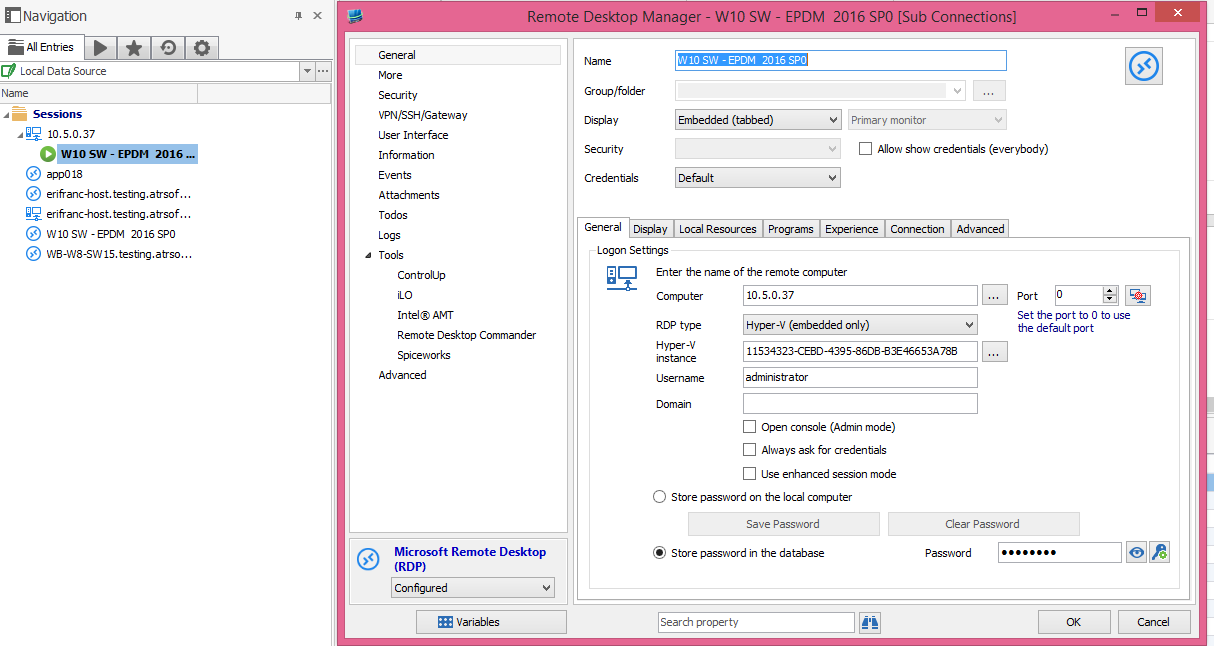
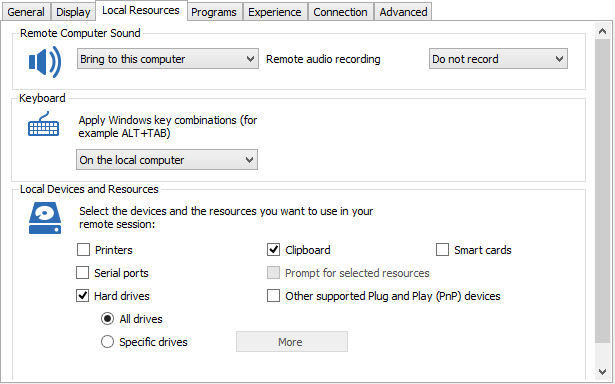
Here are my settings:
If I create the machine as a normal RDP everything works fine.
hyper-v is located on a network server not on my local machine, I don't know if it affect anything ...
Regards,
/Eric
share 2.png
share 1.png
Hello,
It seems that by default the Hyper-V RDP does not have all the virtual channel opened. You need to turn on the enhanced session mode
http://www.eightforums.com/tutorials/42421-hyper-v-enhanced-session-mode-turn-off.html
David Hervieux
Don't forget to check the Enhanced session mode in RDM as well.
David Hervieux