Unable to close footer

I seem to be unable to turn off all of the items in the footer. Turning them all off still leaves whatever the last one was in the bottom. Attempting to close them all via either turning off the option under view or clicking the X for that tab all result in the same outcome.
All Comments (3)
Hello Patrick,
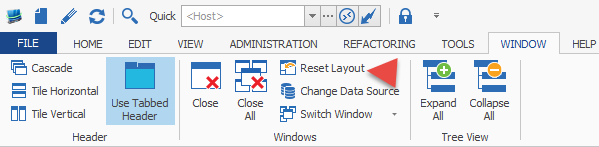
First of, could you please go in Window -> Reset Layout
After that, please go in View and manually remove the footer items.
Best regards,
Marc Beauséjour
2015-12-01_13-30-54.png
This appears to resolve it, not sure why closing them at the bottom would not work as well as toggling them at the top since closing them at the bottom turns off the selection from the top.
Hello,
You can close them at the bottom with the "X". Sometime, we see some ghost panel at the bottom.
A Windows -> Reset Layout is required to remove them completely via the "X" or the View menu.
Best regards,
Jeff Dagenais