Unable to save connection overrides!

When any members on my team try to update their credentials for any of our networks through user specific settings, we receive the following error:
Unable to save connection overrides!
Could not obtain information about Windows NT group/user 'domain\Username', error code 0x5
The domain/username is my own credentials in all cases. If another teammate gets the error, it's still my own personal credentials. I have checked all of our base settings in RDM and each credential is blank as it should be, so I haven't saved them anywhere that I can see. Any advice on how to fix this? It's new as of this week that I'm aware of. We're currently on version 10.6.7.0.
All Comments (7)
Hello,
Who is the owner of the DB, this is available through Sql Mgmt Studio
Best regards,
Maurice
Hi Support,
me too.
is this a bug after upgrade to Version 11.0.3.0?
We did get an backup from the database and put this to an new Server.
After this we connect to the new DB and updated to the new Version (DBupdate)
Boris
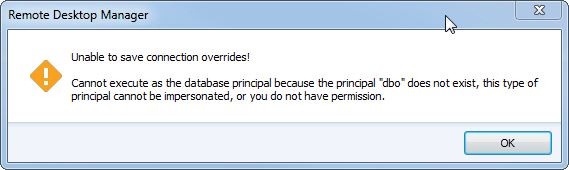
14-41-45-Remote Desktop Manager.jpg
@Boris, who is the owner of the database?
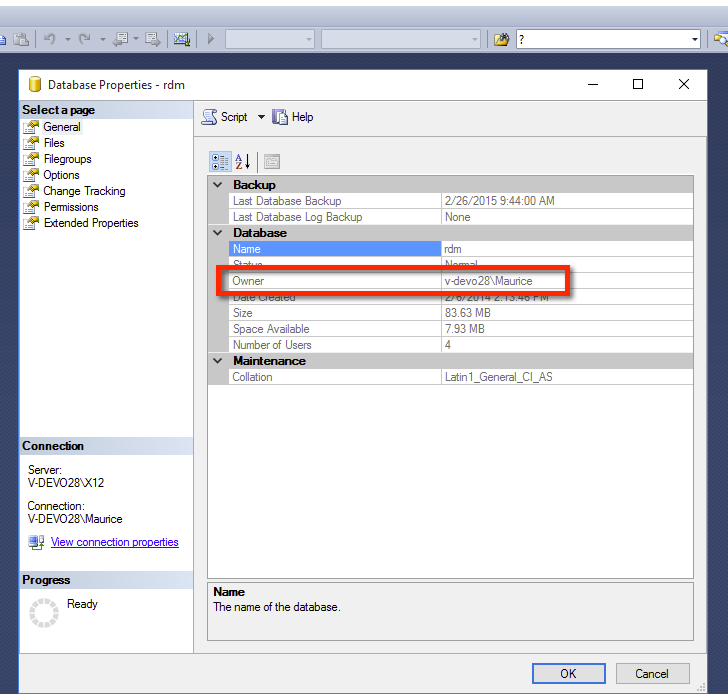
Maurice
2015-10-19_14-38-08.png
@Maurice
Hi, the owner of the DB is one of our CoAdmins. He did restore the DB
What is the best user?
I can not Change the DB owner.
I can create an new RDM entry
I can edit the RDM entrys
but i can not edit the user specific entries in RDM.
Boris
@Robsmi1056 - the domain\username you see, is that the owner of the database?
@all - Has the database owner changed?
@all - I will also send you (via email) a SQL script that I would like you to execute to see if it changes anything.
Best regards,
Stéfane Lavergne
@all - if you have anything in your application logs (Help -> View Application Log) that is related to this error could you please post it, private message or email us the log.
If you are not sure, you can send us all your logs. (Report (tab) -> Send to Support)
Best regards,
Stéfane Lavergne
Hey Stefane,
Changing the owner to SA solved the problem for us. We are all set,
Thank you,
Rob