RDM 11.0.x prompts to update browser

Since installing v11.0.0.0 and now 11.0.1.0, RDM displays a yellow alert when opening a LogMeIn session that says "To get the best experience with LogMeIn Central, please upgrade your browser." The machine is running Windows 7 Pro 64-bit with the latest Internet Explorer, Firefox, and Chrome browsers.
Best I can recall, RDM 10.x did not display this message. Not sure if this is an RDM issue or LogMeIn issue. Is anyone else seeing this?
All Comments (4)
Hi,
Could you post a print screen of the error message please.
Best regards,
Jeff Dagenais
Here's a screenshot of the message.
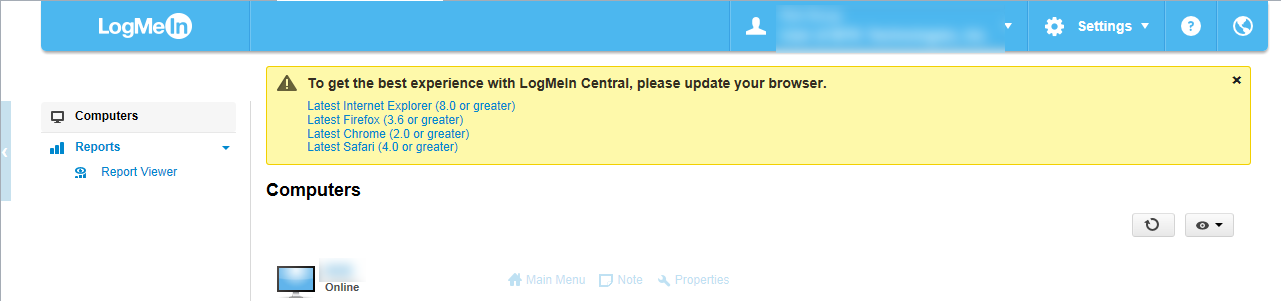
RDM Browser Update Msg.png
Hi,
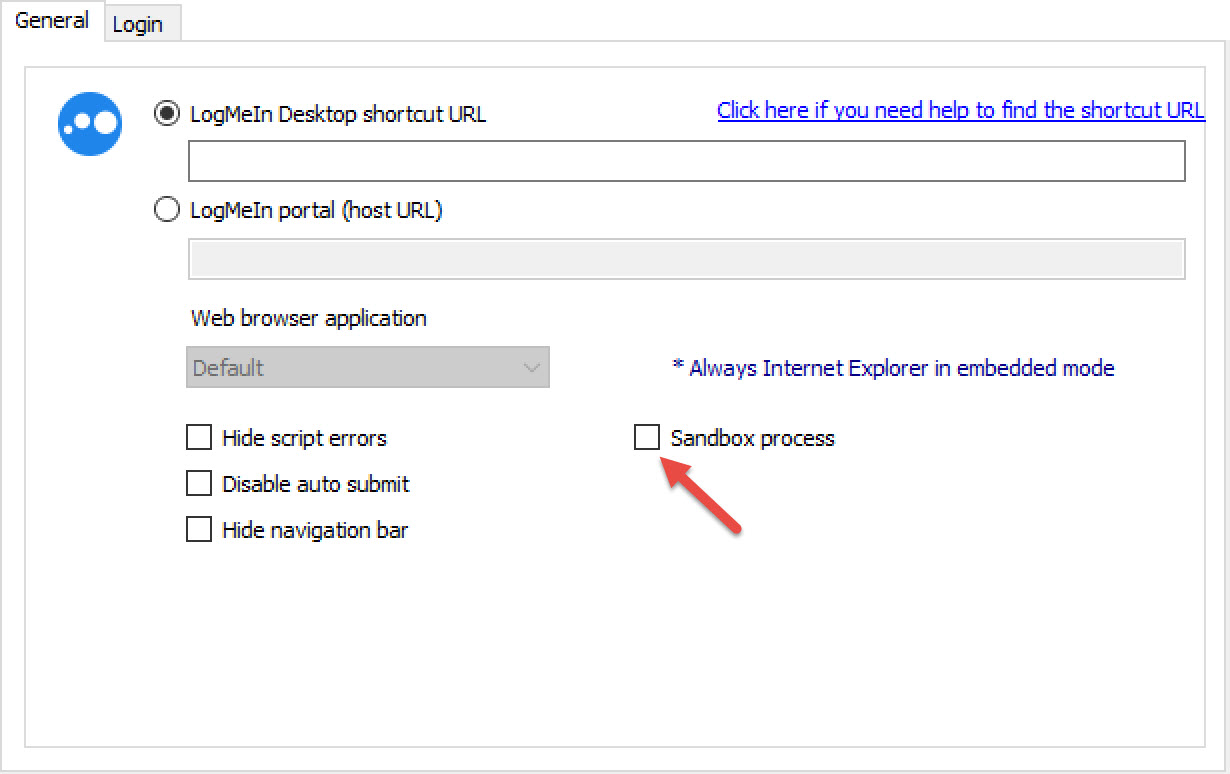
Could you try to uncheck the Sandbox Process option in the properties of your LogMeIn session
Best regards,
Jeff Dagenais
2015-10-08_18-44-27.jpg
> Could you try to uncheck the Sandbox Process option in the properties of your LogMeIn session
That seems to work. The "update your browser" message does not come up when launching a session in embedded display mode with the Sandbox Process option unchecked. Not sure I want to run outside the sandbox, but that's a different question.