Data Source Issue - No Offline / Passphrase not saved

Hello,
i'm using RDP Manager Enterprise 2.5.6.0 under Mac OS 10.11 (GM Candidate). But the issue also was under 10.10.5. So it is not Mac OS Version related.
We have a Microsoft SQL Server, where our Windows Clients get the RDP Manager Enterprise Data for online and offline use.
The connection is secured to a passphrase, which is cached on the Windows client.
On the mac client i am asked 2 times every start to enter the passphrase.
After i entered it one time, the database is syncing and i can quit the second dialog and confirm that it is ok to not connect to the database.
But i am connected already...
Then the other problem is, that even a offline db file is created, i can't use it.
When i start RDP Manager - i have change the settings to ask me every start for offline mode - and i confirm to start in offline mode, the program tells me, that the database cannot be reached and i have no data.
In the log i can see, that the database file is malformed
15.09.2015 07:20:52]INFO Offline file - Database disk image is malformed, trying to delete the file
[15.09.2015 07:21:21]ERROR System.Exception: Unable to initialize the security provider
at A.cbbb560bfd0154564f3a0626f8038689f.cc215c098d9d30db01ad4833019a25cf4 (A.c323b374042cd3040715f1835f9a00a5c c6001ae751a83ae74954d848ad5dee7b4) [0x00000] in <filename unknown>:0
I'm working as a non admin on this workstation. Just in case if the user rights are important.
I like the use of RDP Manager on Mac, so i'm glad if there is anything to solve this issue.
Regards,
Alex
All Comments (8)
Hi Alex,
I know there is an ongoing investigation about a similar bug that happen sometime with the Windows version.
I will see if the Mac version has a similar or worse problem.
Thank you for reporting this
Benoît Sansregret
Hi Benoit,
thanks for the quick feedback.
Feel free to contact me if i can support you with information or logs.
Regards,
Alex
it is frustrating for me it always saying database disk image malformed. no luck so far to resolve. so I could not able to use RDP even if I have licence version on MAC.
I here you, but until we find a fix, you have a few options:
- close RDM, delete the offline.db file, restart RDM. This a temporarily solution, do it again each time you encounter the issue.
or
- disable offline mode and disable caching
Could you please send us you application logs for analysis, they could prove helpful in resolving the issue.
Best regards,
Stéfane Lavergne
@bijay nayak - got your log file for the other thread, looking at it now
Stéfane Lavergne
Hi there,
please have attached my Application log.
Regards,
Alex
ApplicationLog.txt
Hi Alex,
Did you try to delete offline.db file like Stefane suggested?
You will be able to find it in that folder /Users/{your user name}/Library/Application Support/com.devolutions.remotedesktopmanager/{your datasource id}/offline.db
And your datasource id can be found at the bottom of your datasource config
Hope it helps
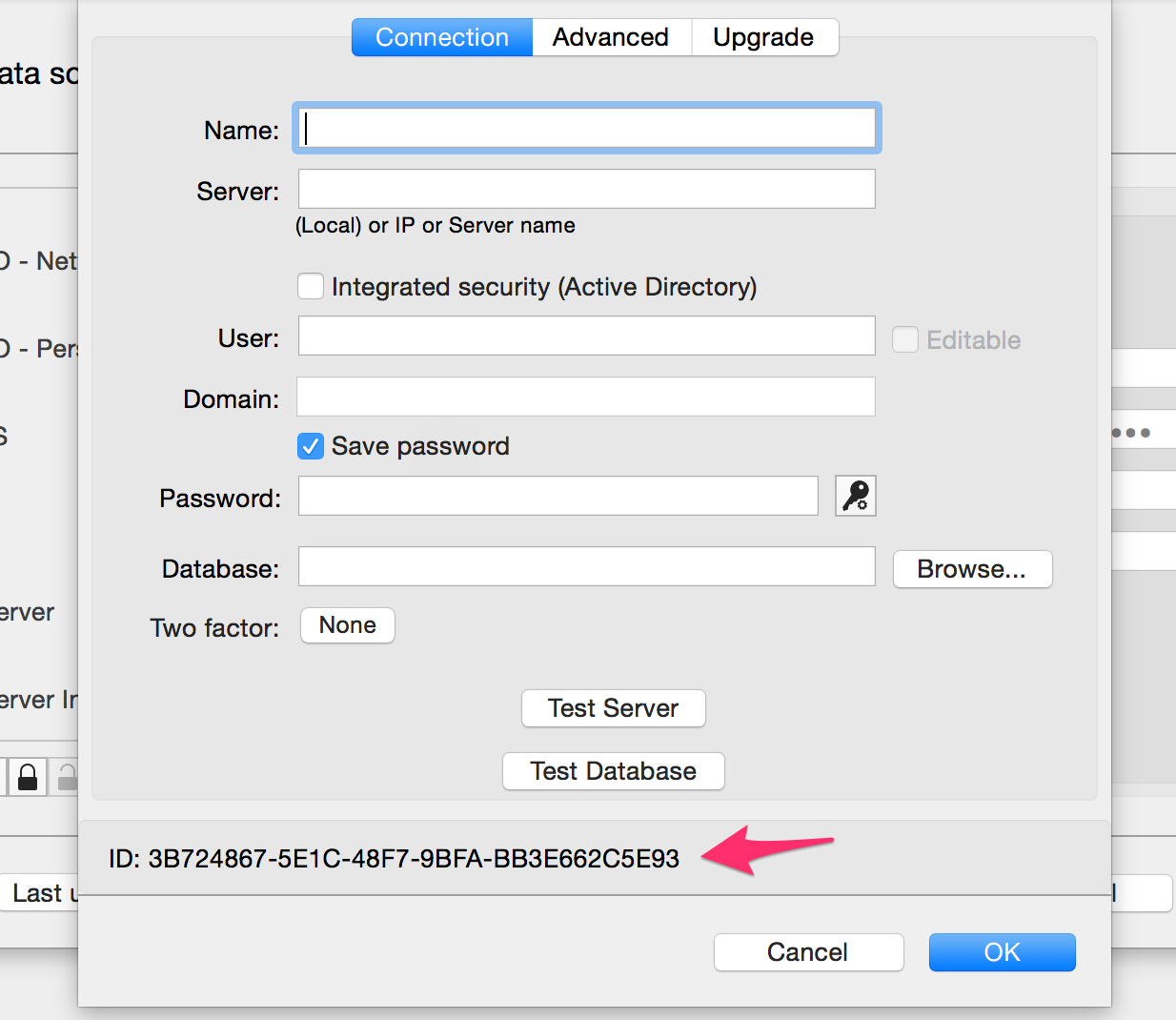
Benoît Sansregret
Datasource ID.png
@Bj11 bijay nayak sent us this link and it helped him http://www.dosomethinghere.com/2013/02/20/fixing-the-sqlite-error-the-database-disk-image-is-malformed/
We are working on integrating something similar in the application. If you feel up for it you can try what is described in the link or you can wait that we are finish.
Best Regards
Benoît Sansregret