Cisco AnyConnect inserts duplicate "n" answer for certificate question into username field
Cisco AnyConnect inserts duplicate "n" answer for certificate question into username field

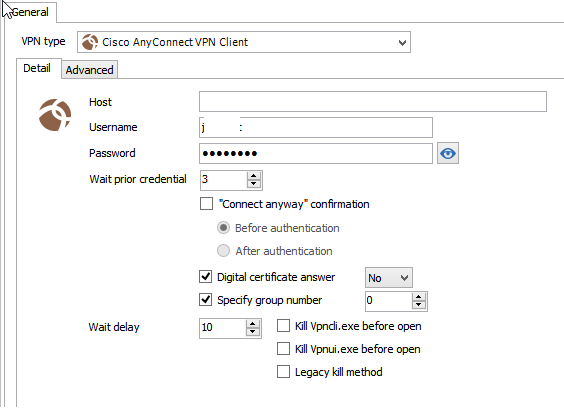
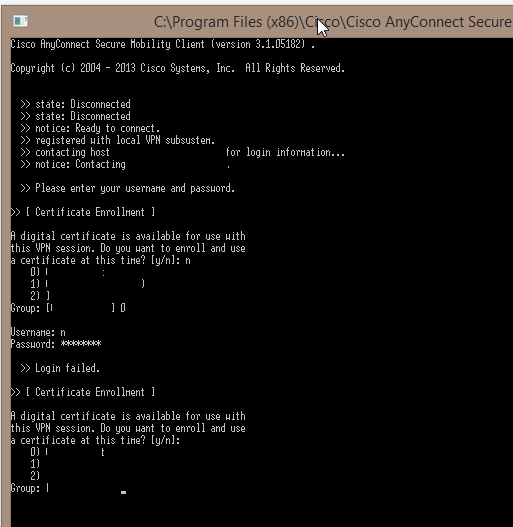
When using Cisco AnyConnect and selecting "No" for the "Digital Certificate Answer" and specifying a group number, the certificate answer is correctly entered, then the group number is correctly entered, but an additional "n" is entered into the usrename field when the logon prompt appears, and then the subsequent answers are out of order - i.e., the password field gets the username entered into it, the logon fails, the group number is prompted again and that's where the password ends up being entered in clear text :)
Is this by design? Is there usually a second prompt for certificate that this client is missing? If so I'm happy to add a feature request instead :)
Regards,
Nate
RDM-AnyConnectConnection.png
RDM-AnyConnectEntry.png
All Comments (6)
Also, I have confirmed that if I enter the information manually into the window it does indeed connect as expected, so the duplicate "n" is definitely the issue.
Hello,
Could you try the latest version of the add-on? It should be 3.0.13.0
Regards,
Hubert Mireault
Hi Hubert,
Thanks for the fast response! I've included a screenshot of the plugin versions I'm using, and that is my current version.
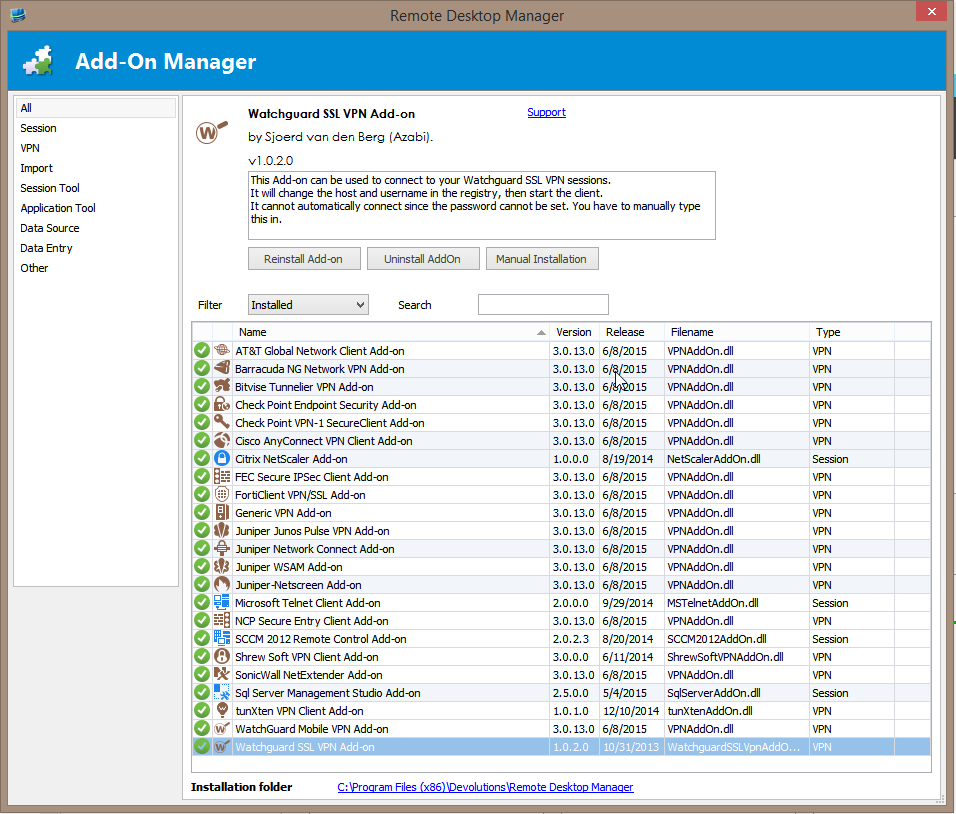
RDM-PlugInVersions.png
This is strange, the user interface for the AnyConnect settings shouldn't look like this in the latest version of the add-on, as we added a few features. I'll take a look at this and get back to you as soon as possible.
Regards,
Hubert Mireault
I just checked my AppData folder, and the version there is 3.0.6.1, so I have a feeling that's the issue. Let me uninstall / remove files / reinstall the VPNAddOn.dll and see if that works.
Actually, I just reinstalled the addon through the addons interface and it replaced the file with a later one. Now I see the relevant options you talked about! I tried connecting and it works, sorry about the false alarm :)