Accessing credentials stored in private vault
0 vote

It is currently possible to create credential objects in the Private Vault, but while it's possible to select those credentials via user-specific override, there is no way to link private vault credential entries by name to global session settings, so I would like to request this as a new feature.
If it were possible, the idea would be that you could set the name of a private vault credential entry globally, and then as long as anyone else using RDM had a private vault credential entry with the exact same name, RDM would use those credentials, otherwise the user would be prompted to enter credentials manually. RoyalTS currently has a similar capability, and I'm trying to get a team that uses RoyalTS to convert to RDM, but would need the ability to link to private vault credentials by name in order to emulate that behavior.
In terms of how this would be implemented, I would suggest adding the "Private Vault credential entry" option found in the user specific settings to the Credentials drop-down list in the global session settings dialog. With this implemented, a new user would only have to create their private credentials entry with the appropriate name, and would not also have to define user-specific credential settings for all their sessions.
All Comments (29)
Hello Bradley,
It's a good idea. RDM could prompt for the credential list if more than one credential entry is found in different folder.
What do you think?
David Hervieux
Hmm, that sounds like an additional tweak to my original suggestion, but yes, if more than one match is found, it would make sense to then prompt for which one to use. Either that, or make an option where if public and private credentials are found with the same name, the private one would automatically override the public one. If multiple private or private entries are found with the same name, there would still need to be a prompt though.
Hi,
my collegue asked for a similar feature.
but plz make a selectable entry like "global define PV credentials" and add a feature to PV-Credentials-Entry to mark it as global useable.
I'm afraid, that there happens a lot of confusion to users if they dont want to user PV-Global-Credentials and have same named entries ....
anyway i think its a great feature-request.
regards,
markus
Kind Regards
Markus
======================
Hello Markus,
You want the entry in the private vault to be marked as global selectable? It could be an opt-out instead of opt-in checkbox?
David Hervieux
hi David,
i think i don't understand what you mean.....
Kind Regards
Markus
======================
So it looks like it me that does not understand what you mean
David Hervieux
ok, i meant that a pv-cred-entry should have a check-box to enable it to be global selectable.
by default it should not be global selectable (because thats why it is in pv ...)
Kind Regards
Markus
======================
But just to be sure even if its global selectable it will still only be usable by you and not by the other users.
David Hervieux
right!
Kind Regards
Markus
======================
maybe the difficult part is, that if you create a entry and use that global-pv-cred
you can't use the database-id of the global-pv-cred-entry because then it would be useless for others.
in case you use a global-pv-cred in a entry you have to only save the entry "name" or "title", so everyone with a global-pv-cred with the same "name" or "title" can use it.
Kind Regards
Markus
======================
Exactly. In this case the name will be used as a tag to apply your own credentials. Eventually it could also be a specific property used to link the global with the private.
David Hervieux
Hello,
You will be able to use this feature for remote sessions. There will be an option in the "credentials" box called "Private vault search" which will allow you to type in a field the name you will look for in the private vault. If it finds it, it will use it to open the session, if it doesn't find it, it will let you choose an available private vault session.
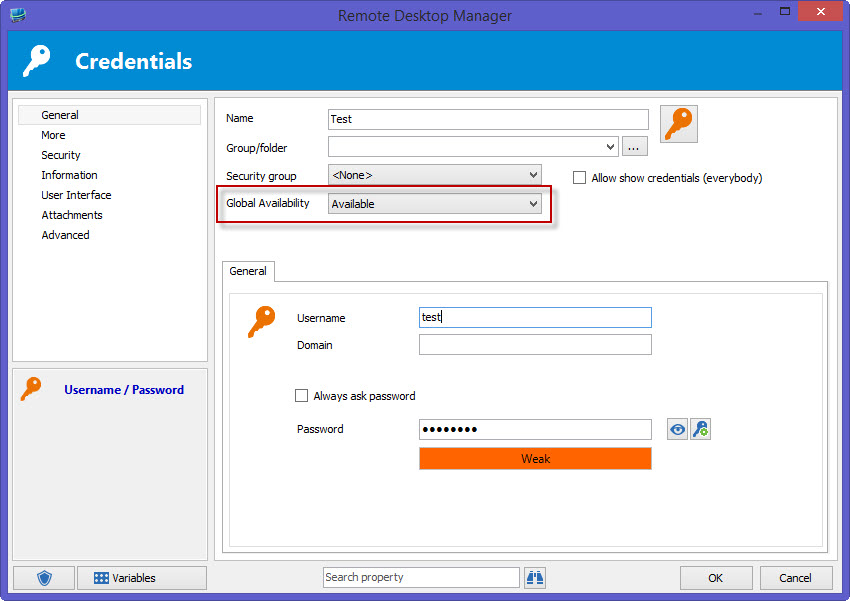
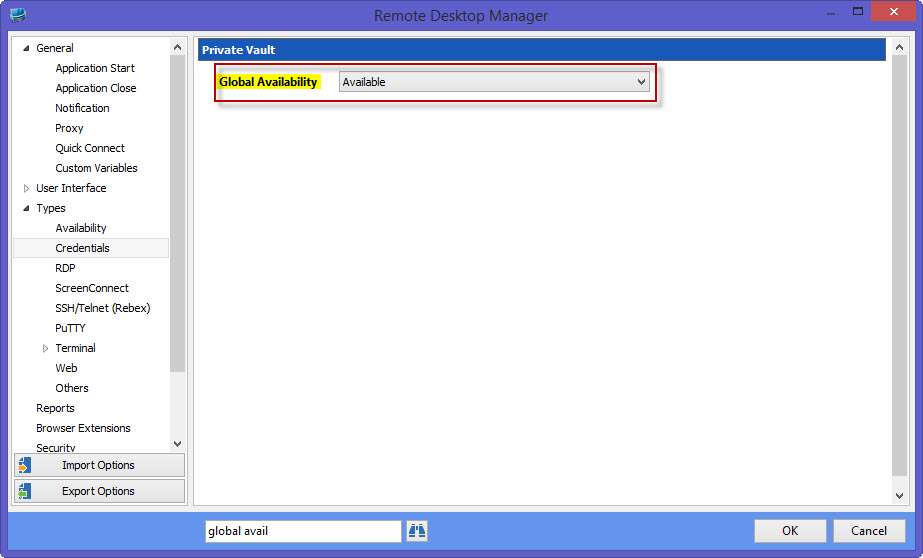
When executing the search, it will only look for credentials marked as available globally. Credentials will have this option when used in the private vault. The default is "unavailable". You can change this for each credential or in File > Options > Types > Credentials
I think both of these changes answer the feature requests. If we misunderstood something, feel free to tell us.
This will be available in the next version of RDM.
Regards,
Hubert Mireault
Thanks Hubert. Looking forward to it!
Hi Hubert,
trying to use that new feature.
plz make "private vault search" also available for batch-edit!
thx
regards,
markus
Kind Regards
Markus
======================
Hello Markus,
That's a good idea, we'll work on a batch edit/batch action for this.
If you wanted another option that could edit a bunch of connections and set them to private vault search with a specified string, you could do the following: Select the entries you want to change > Right click > Edit > Batch edit > Batch Action > Custom powershell command. For the command, enter these commands$connection.CredentialConnectionID = "88E4BE76-4C5B-4694-AA9C-D53B7E0FE0DC"$connection.CredentialPrivateVaultSearchString = "SEARCH_STRING"$RDM.Save();This will change the connection's credential mode to Private Vault Search and change the value of that string to whatever you put instead of "SEARCH_STRING". This is just a workaround until we get to making an easier to use batch edit for this.
Regards,
Hubert Mireault
Just a heads up, the next version of RDM will allow using the private vault search option in a batch edit (change saved credentials).
Regards,
Hubert Mireault
Hello again! I just installed RDM 11 to test this new feature, and while I see the new "Private vault search" option in the Credentials drop-down list on individual sessions, that option appears to be missing from the Credentials drop-down on groups/folders. Is this a technical limitation, or was this just omitted by accident?
Hello Bradley,
I don't think it's a technical limitation. We will add this soon in a minor upgrade if it's possible.
David Hervieux
This feature sounds great, however I can't seem to get it to search within a credential repository for example LastPass. I created a LastPass entry named Test and selected Private Vault Search and put Test in for the name. It was unable to select the appropriate login credential. I can manually navigate and select it so the visibility/login is fine.
Hi,
Could you send few print screen to support at devolutions.net? I will verify what could be wrong.
David Hervieux
Hi,
Could you make sure that in your credential entry, the global availability is set to Available? If you set it to default, could you check in File > Options to see if the default value is available?
With both of these methods, it works in our environment. As David said, if that isn't the issue, screenshots would be appreciated.
Regards,
Hubert Mireault
g2.jpg
g1.jpg
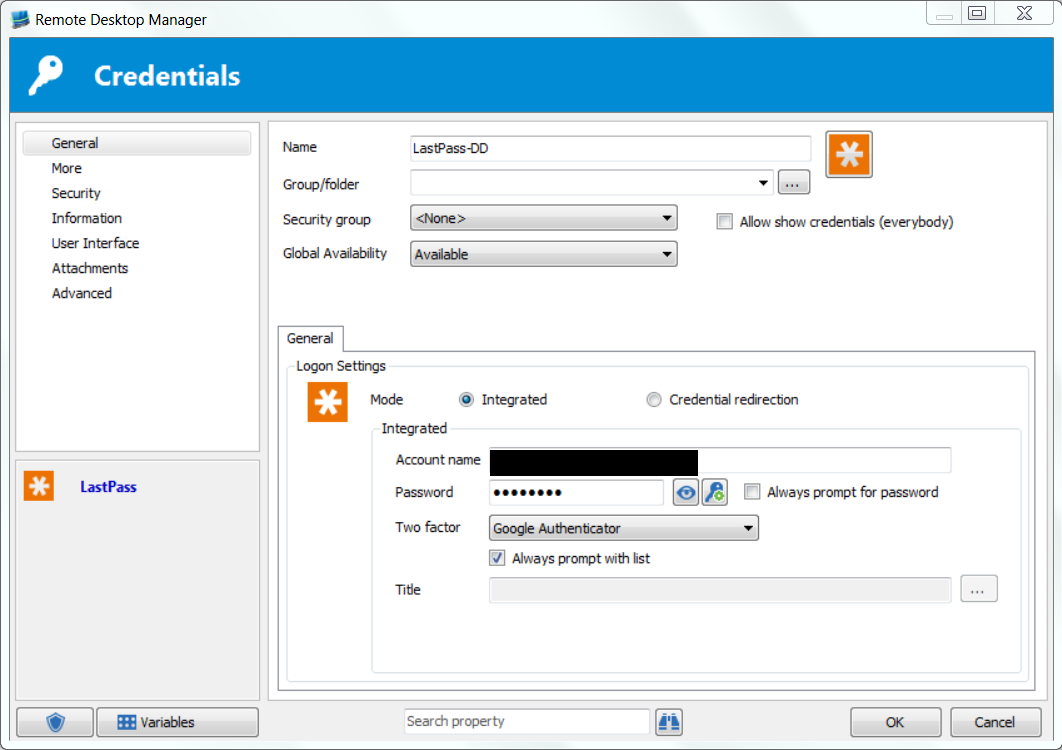
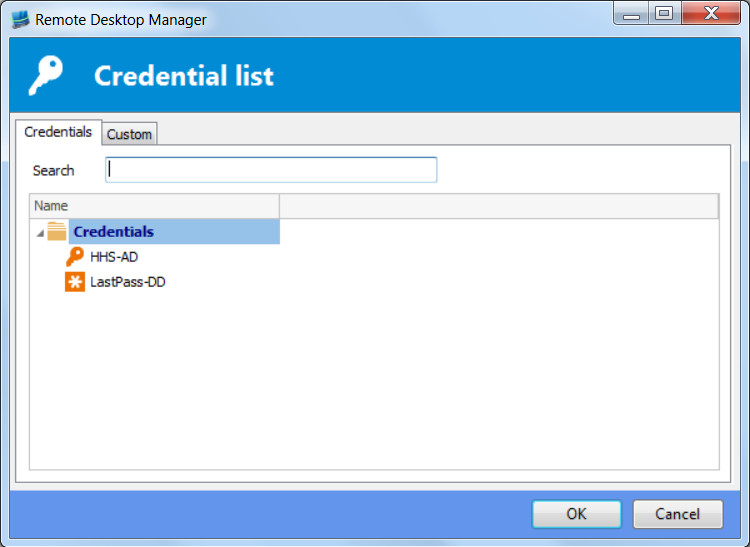
So I have a LastPass account configured as shown:
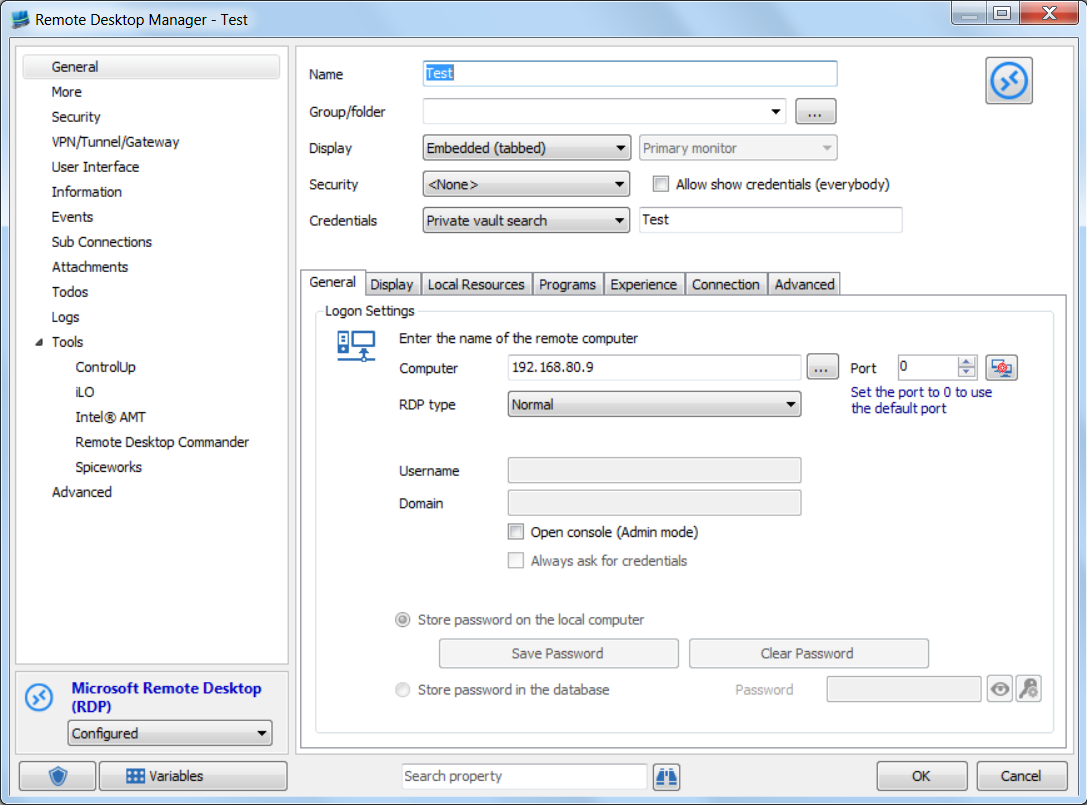
I then created a Test Connection as shown:
When I double click the Test connection I get the following:
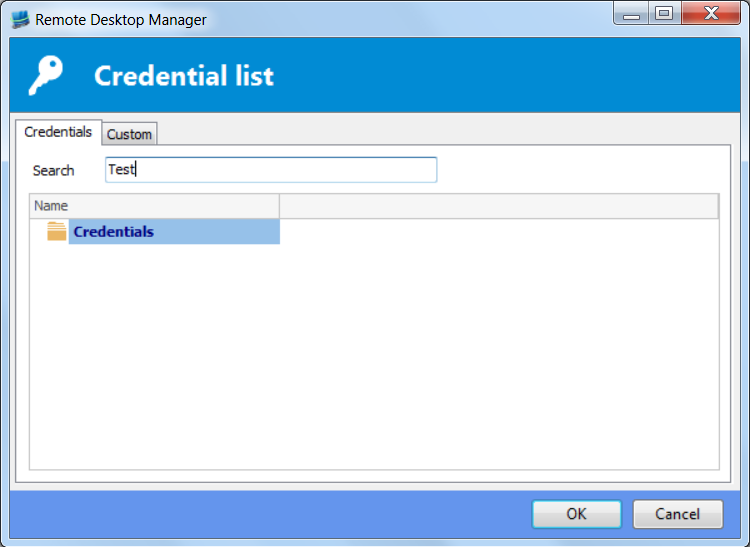
Typing Test into the search field results in this:
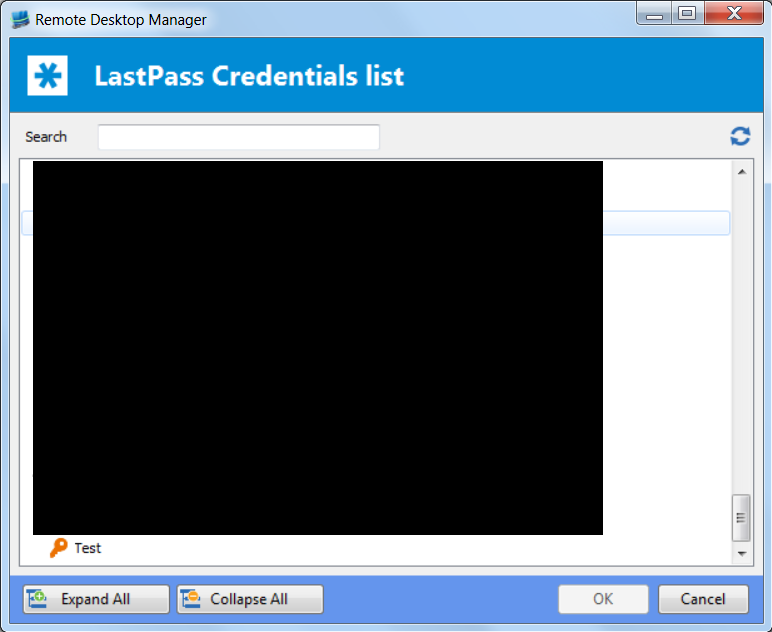
Double clicking the LastPass entry you can see that there is a stored password called Test:
Credentials like Hubert shows works fine, the problem is searching with a LastPass credential repository. Hope this helps!
Connection-Double.PNG
Connection-Search.PNG
Connection-Opened.PNG
LastPass-Setup.PNG
TestConnection.PNG
Hello Patrick,
It might not be related but we have uploaded an updated version (11.0.1.0). It's possible that it contains a fix for your issue. We have fixed a side effect that could be linked.
Regards
David Hervieux
I have downloade and installed 11.0.1.0, however the issue is still as depicted above.
Thank you Patrick,
I will let our team continue the investigation. At least now we know it's not related to the other bug.
Regards
David Hervieux
Hi Patrick,
We discussed this and your specific use case is not supported.
The search string you enter is the name of the LastPass entry itself, for example, but not a credential inside the LastPass vault. Searching deeper in the entries is an interesting feature to add but we'd have to check how to make it work.
Regards,
Hubert Mireault
@Bradley: Support for private vault search for group will be added in the next version.
Regards,
Hubert Mireault
Hi,
I just want to say Thanks for that great feature.
Since introduction we are using PV-Credentials a lot for our sessions.
Can't remember how we did without it.
Regards,
Markus
Kind Regards
Markus
======================
:)
David Hervieux