Lookin' for a little help with RDG cert settings

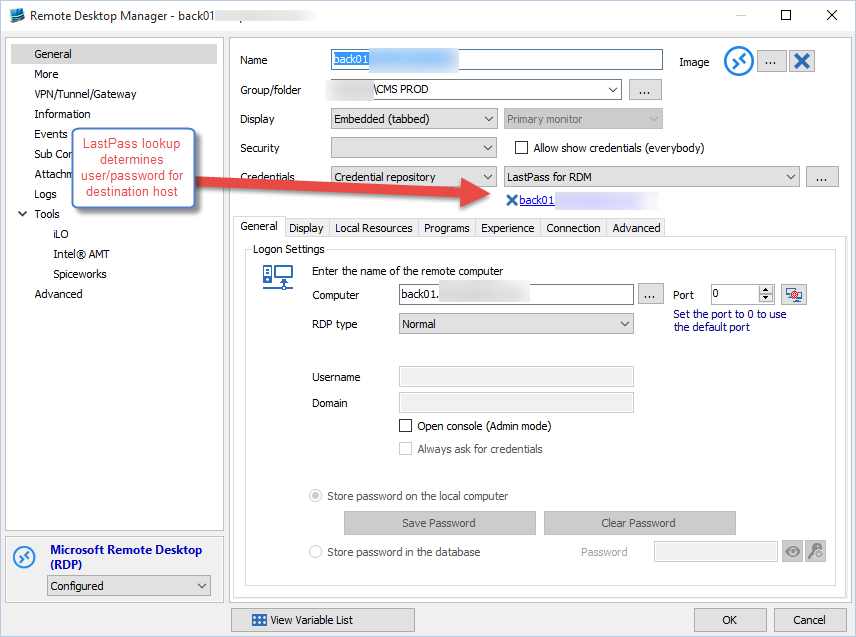
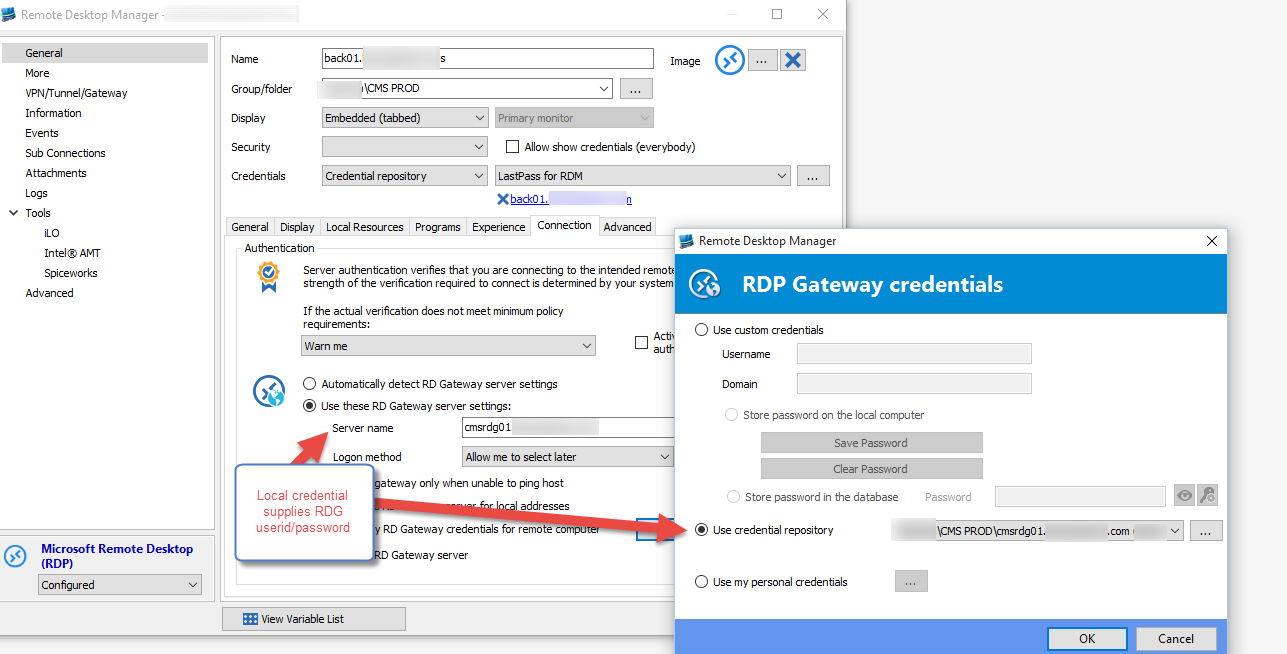
I connect to RDP sessions via an RDG by using a LastPass credential repository lookup for the destination host userid/password and a local credential stored in the local credential respository for the RDG instance. Here's how I have it set up:
This works great on one of my machines.
I exported the relevant entries to a new install of RDM on a different machine and I cannot connect. I get what I am almost certain is a certificate error from the RDG machine (some non-RDM dialog about an "error on the remote machine").
For the life of me, I can't remember (and cannot find in the incoherent RDM UI) where to turn off cert checking from the cert received from the RDG server. It's not where you think it'd be, IIRC, in the Authentication section of the Connection tab as in the screenshot above -- that applies to the destination instance, not the RDG.
I appreciate all hints and suggestions. I just can't find it and don't remember where I turned off self-signed cert checking for the RDG machine.
Thanks.
2.png
1.png
All Comments (3)
Could you verify the Network Level Authentication (NLA) setting in your RDP configuration?
David Hervieux
Is this a group policy? Or some setting in RDM?
Thx.
It's a setting in the RDP session within RDM
http://help.remotedesktopmanager.com/troubleshooting_automaticlogon.htm?zoom_highlightsub=nla
David Hervieux