RDM 2.5.5.0 Running very slowly on Mac OS X 10.10.5 with MySQL Data Source
RDM 2.5.5.0 Running very slowly on Mac OS X 10.10.5 with MySQL Data Source

The UI in RDM is very slow, even after the database completely loads.
All Comments (13)
Hi,
How many sessions do you have in the database?
David Hervieux
We have 5 users total. So 4-5 sessions hitting this schema.
But how many entries in the database?
David Hervieux
between 500 and 600 sessions.
Hi IronMan,
May I ask you witch part of the UI do you find slow?
What are you typically doing that you find is not working as expected?
500-600 entries are not our typical development database your insight would be really helpful to us
Regards
Benoît Sansregret
When we click menus on the taskbar it takes a few seconds for it to respond, especially the "View" menu, which takes 2-3 seconds.
edited by IronMan on 8/25/2015
Screen Shot 2015-08-25 at 4.02.18 PM.png
Hello,
The problem is solved?
My RDM is very slow on OS X.
Hi Christian,
Every slowness situation is unique to an environment and to it's users and I will need more information to help you properly.
What version of Remote Desktop Manager do you use?
What kind of hardware do you have?
How many entry do you have?
Do you find the app globally slow or is it when you perform certain activity.
Best Regards
Benoît Sansregret
Hi Benoit,
Opening RDM is very difficult, often "circle color waiting" or "connection time out".
Application not responding
When RDM is open, create entry is not quickly and move on field is not quickly.
I have 2 sources database, local or sql. the problem is the same in 2 sources.
I have 200 connections on local and a lot on SQL.
I'm use 3.0,3.5,3.5u1, ...
My OS X is 10.11.4 on Macbook pro 13.3 i5 16GB
I use Eset Cyber Security, I try disable real time protection but no success.
Event: hang
Duration: 1.10s (process was unresponsive for 189 seconds before sampling)
Steps: 11 (100ms sampling interval)
Hardware model: MacBookPro11,1
Active cpus: 4
Fan speed: 1311 rpm
Hi Christian,
We had a few users with situation that looks like yours.
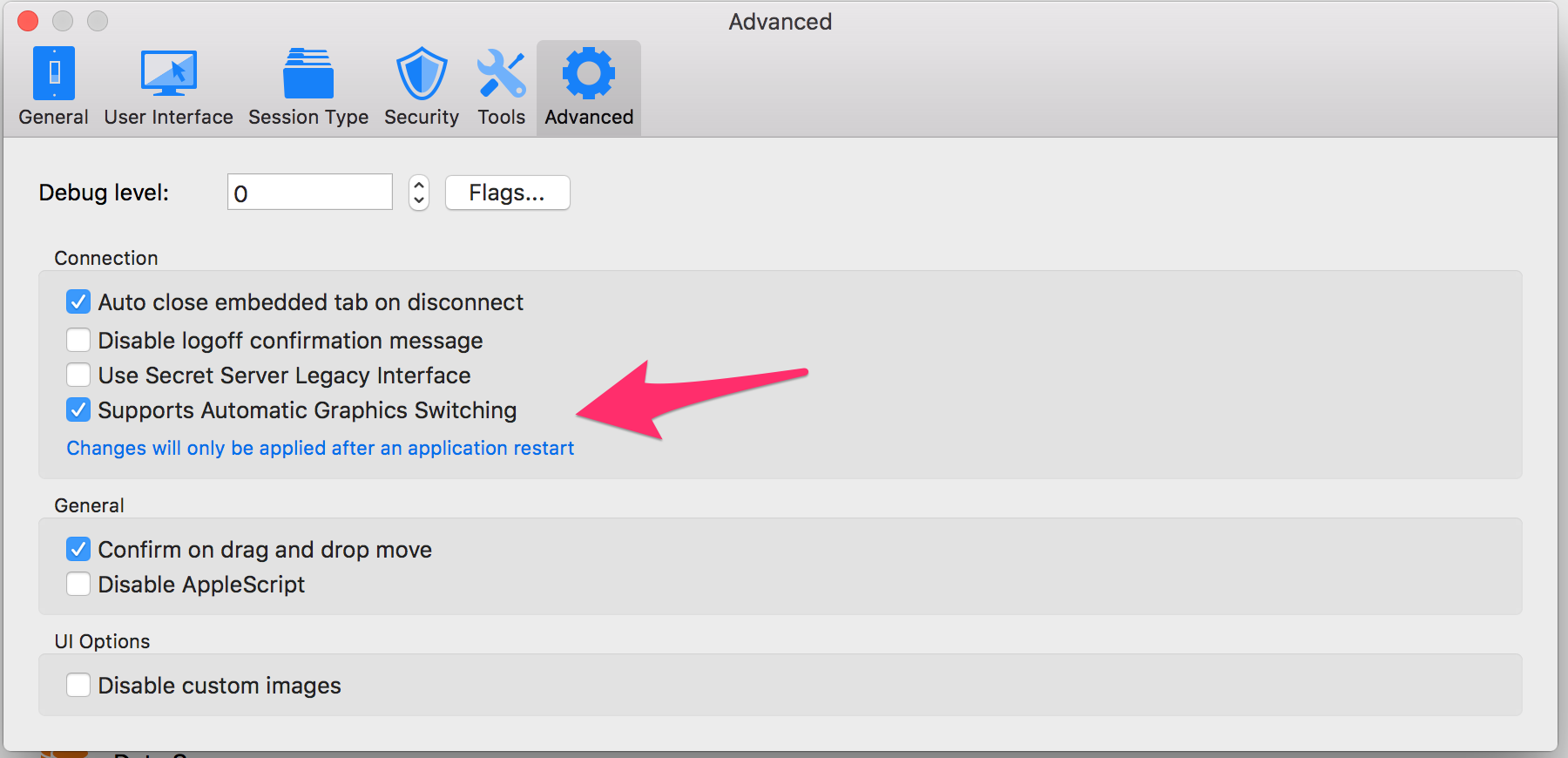
In our latest release we added a preference that helped some of them, do you mind trying it?
You can download the latest version here http://cdn.devolutions.net/download/Mac/Devolutions.RemoteDesktopManager.Mac.3.5.2.0.dmg#_ga=1.241223682.164969219.1392727991
Go to the Application preferences, in the Advanced Tab check the Support Automatic Graphics switching
Tell if it worked for you
Benoît Sansregret
Advanced_and_Dashboard 20160419.png
Hello,
Thanks a lot for your response but it's not a success :(
I have reboot the mac after the upgrade but nothing change.
Dashboard 2016-04-19 19-39-55.jpg
Hi Christian,
Other users had a similar issue (I'm referring to the hang and unresponsiveness at the application launch). Could you follow the instructions in this thread:
https://forum.devolutions.net/topic24891-remote-desktop-manager-mac-hangs-at-startup-since-.aspx?page=1#post92934#post92925
My post with the instructions is the fourth one. You'll need to download the linked custom version of RDM 3.5.2.0 and follow the instructions.
Inform me if it fixes your hang issue.
Best regards,
Xavier Fortin
YESSS! It's works fine now! :-))))
Thanks a lot for your excellent and quickly support!
Christian