Windows 10 - resolution issues with just Remote Desktop Manager
Windows 10 - resolution issues with just Remote Desktop Manager

We just upgraded our Admin notebook to Windows 10 Pro - x64 version.
Upon opening Remote Desktop Manager 10.6.7.0 on the second monitor (HP EliteDisplay E231 – res 1920x1080), The RD Manager text/icons/etc is not sharp and is larger than before. This is the exact same monitor and resolution we had with Windows 8.1 on this same notebook and second monitor.
On the primary screen, same resolution as above, RD Manager is also not sharp either. The notebook is a Lenovo Thinkpad T440S. All other Windows applications, Microsoft Office, etc are sharp and do not have the same display issue.
Anyone else seen this and worked out how to rectify ?
Cheers,
Dale.
All Comments (5)
Hi,
Could you post a print screen? Perhaps you could try a reset layout from the ribbon Windows.
Do you use the Large font?
David Hervieux
Hi David,
For Windows 10 we have text set at 100% - doesn't have small, medium, large, extra large now, just a slider.
Cheers,
Dale.
edited by mcote on 7/31/2015
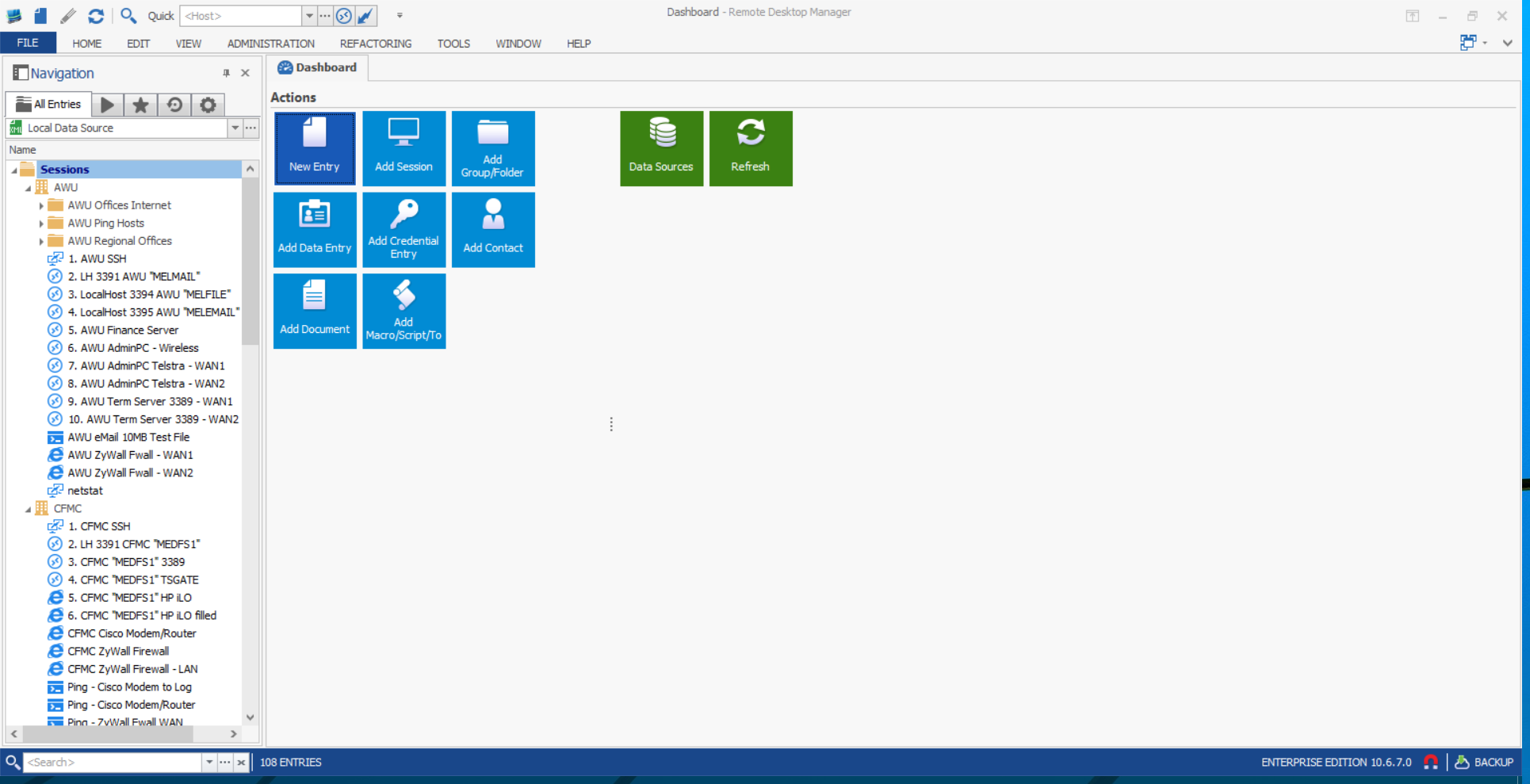
image002.png
David,
Also tried Rest Layout ... same blurry looking fonts and icons for RDM.
Have you tested this on Windows 10 Pro x64 as yet? Would be good to see if you have similar results.
Cheers,
Dale.
Hello,
How about the Compatibility settings?
There's a "Disable display scaling on high DPI settings"
I will attach your screen shot to your post.
Best regards,
PS, every one here that has upgraded to Win10 has a nice crisp interface, so we have to identify what other setting may affect you.
edited by mcote on 7/31/2015
Maurice
David,
As recommended changed properties under Compatibility settings and checked "Disable display scaling on high DPI settings". RDM now displays correctly. Unusual as text set at 100% and did not occur in Windows 8.1
Thank you for fixing this issue.
Cheers,
Dale.