Onedrive (personal) session not connecting

Hi,
I've created a Onedrive entry in RDM 10.6.7.0 to go to my personal Ondrive account.
However it doesn't connect to it ... no errors are showing up.
I created an identical entry for my Dropbox account and that one works perfectly.
Any idea?
thanks
Alex
Capture.PNG
All Comments (9)
Hello Alex,
I have been able to reproduce your issue.
A ticket has been opened to our engineering department. Maybe some changes has been made to their API.
Best regards,
Jeff Dagenais
Hello,
Could you give a try to RDM 10.9.9.0
http://remotedesktopmanager.com/Home/Download#beta
A fix has been implemented in this version for your issue.
Best regards,
Jeff Dagenais
Hi,
Installed 10.9.9.0 and now the session connects, however nothing shows in the file explorer (see screenshots - Dropbox example works).
Thanks
Alex
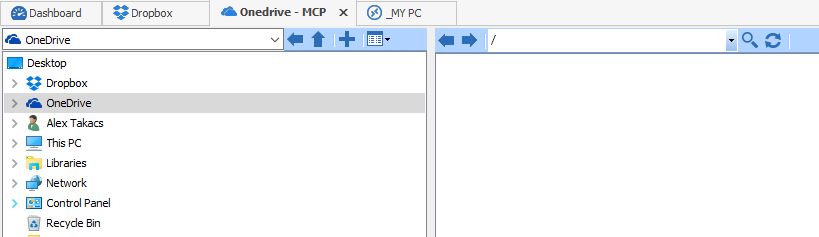
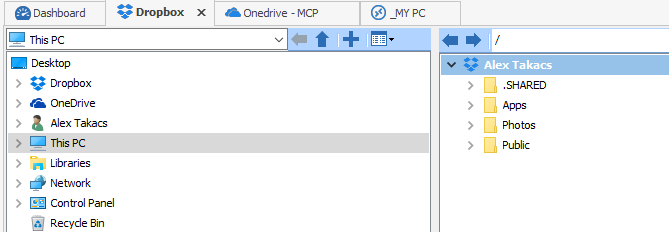
Onedrive.PNG
Dropbox.PNG
Hi,
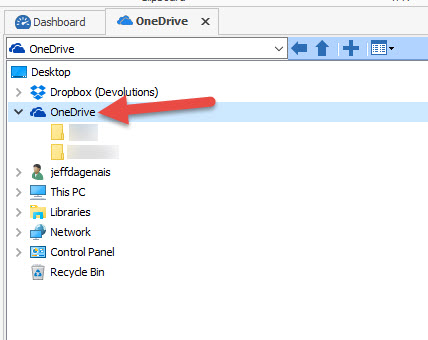
If you expend your OneDrive folder, do you see some of your folders?
Best regards,
Jeff Dagenais
2015-08-26_14-03-40.jpg
Hi,
If I do that I can see the Onedrive folders that are stored locally on my PC.
The problem is that I can't see the online folders on the right hand-side tab.
Thanks
Alex
Hi Alex,
Our engineering department will look at your issue with OneDrive.
Best regards,
Jeff Dagenais
Hi,
Any update on this issue?
It is still not working for me.
Thanks
Alex
Hello Alex,
Sorry for the wait. We're currently working on a fix for this. OneDrive changed a lot about how they function and they unfortunately deprecated the API we used, so we have to switch to a newer one. We're hoping to get this into our next major release or the beta after that.
Regards,
Hubert Mireault
If no issue arises, OneDrive (for consumer) should be back in version 11.5.0.0 of RDM. Look forward to it! :)
Regards,
Hubert Mireault