AddOn Manager is empty

Hello all,
I have at the Moment an strange issue with the RDM. When I'm opening the RDM AddOn-Manager I could not see any AddOn.
Is there any trick to solve this? Proxy is configured in RDM. This Problem was already existing with RDM 10.5.4.0 and still present at 10.6.1.0.
Thanks for checking and help!
Cheers
Christoph
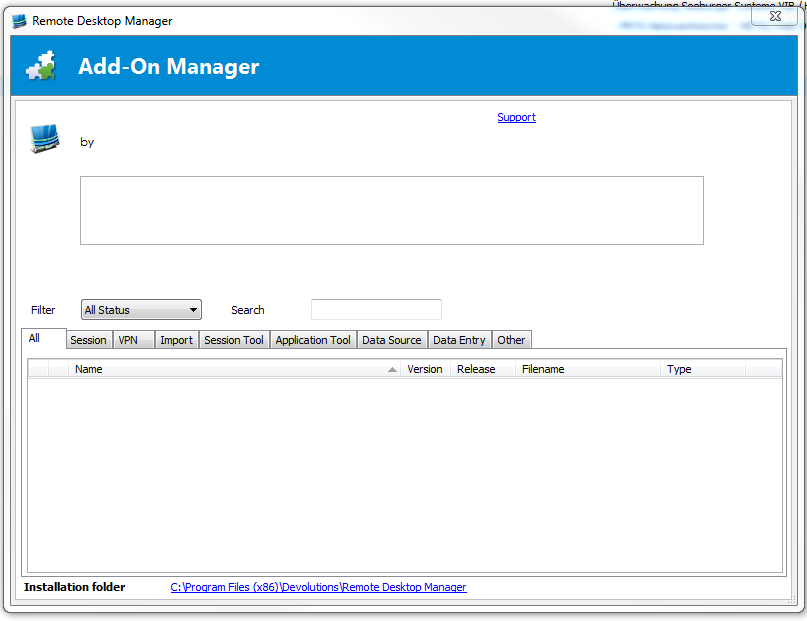
AddOn-Manager.PNG
All Comments (3)
Hello,
We are downloading a file from our web site if the Internet is available. The URL is
http://remotedesktopmanager.com/data/Addoninfo50.zip
If the machine is not connected, we use AddonInfo50.xml deployed with the application. You can find it under %localappdata%\Devolutions\RemoteDesktopManager.
As a temporary workaround you can download the zip and overwrite the xml file in the local config.
What version of RDM are you running?
Do you have anything relevant in Help - View application log?
Best regards,
Maurice
Hello,
first of all thanks for the quick reply!
I'm running the newest Version 10.6.1.0 but I had this issue already on 10.5.4.0 and thought that maybe the new update will solve the isse.
The Message I receive under Application Log is the following:
System.Net.WebException: The server committed a protocol violation. Section=ResponseStatusLine
at System.Net.HttpWebRequest.GetResponse()
at Devolutions.RemoteDesktopManager.Business.WebBrowserManager.GetWebFileSize(String url)
Hope this helps - if you Need further Information just let me know. I'll try in the meantime the Workaround.
Thanks so far.
Cheers
Christoph
Hello,
the Workaround is working - the old XML File has just two lines. Line 1 with XML Version Information and then the Close of the AddOn Info.
I think this was the issue.
Thanks for your help!
Regards
Christoph