RDM Enterprise - a few questions ...

Hi,
We're using RDM Enterprise since a few weeks and I have some question about it.
- after a disconnect of a RDP-Session, RDM jumps to the last used session that is open
I would like to stay at the closed entry, maybe for a fast reconnect or to connect to the next server beneath the last one.
Q: is there an option to deactivate this?
- I like a simple design and deactivate every stuff I don't need, to get a faster overview and make it a bit faster (sometimes RDM freeze and the cpu goes high)
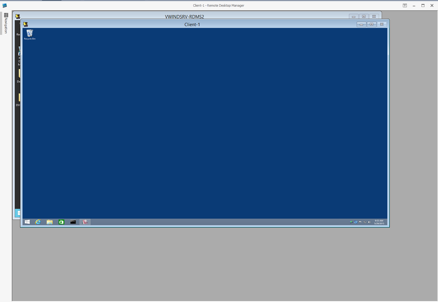
Q: Is it possible to hide the upper quick connect line too? (see attached picture)
- if I want to share my settings and export just these, not everything is exported or imported, I had to set some settings manually after the import.
Q: bug?
- if I want to close all sessions from a sub folder and use "close all" I get a question if I want to disconnect or logoff
if I want to logoff all sessions, I would use the "logoff all" entry in the contex menu
Q: is there an option to disable that?
- after closing RDM with an open session, I get after a restart of RDM the question to restore the sessions
Q: is there an option to disable that?
To every question I looked through every setting in the option menu, but couldn't find anything about these questions.
After all, a very nice tool!
Thanks and best regards,
Tobi
RDM.jpg
All Comments (3)
Hello,
- Properties - More - User Interface, check Keep tab opened on disconnect. This is obviously permanent in nature, but when any session is running embedded, the same option is present in the Ribbon, Actions - Settings.
- You have control of the significant panels using the ribbon,View - Layout. They also have shortcut keys. You have many options also in File - Options - User interface. To disable the quick connect useFile - Options - User interface, in the advanced section you will see disable ribbon quick toolbar.
-File - Options - Export options at the lower left. You can pick and choose but User Interface options are mostly included
- there wouldn't be an option, I will see if we can improve this.
- View - Play list, you can choose No Default, in the dropdown below.
The trick is to use the search for options, when I search for Quick, I see a result called Disable ribbon quick toolbar, but not everything is in the options as you can see.
Best regards,
Maurice
Hi,
Thank you for the detailed answer.
• I don't have a tabbed view, to switch between the connections I use the "Windows List" or the "Navigation Bar".
I guess u misunderstood me, RDM jumps in the Navigation Bar after closing the connection to the last opened connection.
• I hoped to get more space after disabling the quick toolbar, but it's ok.
• If I export the user interface options, not all of my settings are imported to an other pc. That's why I asked if it's normal or a bug.
• Thanks "Play list" was the point!
Didn't notice the search box yet, next time I will use this first!
Thank you!
Best regards,
Tobias
Hello,
- the setting you are looking for is File - Options - User interface - Tree view - Auto select item on tab focus.
- Disabling the quick connect does not free up horizontal space because its contained in the system menu bar, this one always is present. Have you identified all options to make it like this?
- Some user interface settings are in the layout files (*.lyt), you can copy them from %LOCALAPPDATA%\Devolutions\RemoteDesktopManager (default path)
Best regards
Maurice
rdm_min.png