Disable all prompts on RDP connection attempt

Hello,
We are using Remote Desktop Manager in a large environment from a Windows 7 desktop. The prompt we get every time we attempt an RDP connection is crippling the effectiveness of this tool. We cannot store passwords in our environment, and there is always a prompt that comes up requesting username and password before the RDP session opens. If we change to RDP v6.1 and earlier, this prompt goes away and the username and password get entered as part of the RDP session (what we want), however a new security prompt comes up stating "a website is trying to start a remote connection" and asks us to confirm that it can use the clipboard. Oy. We have not yet found a way to disable this clipboard prompt, or disable clipboard functionality in Remote Desktop Manager so it doesn't ask us to allow it.
Any suggestions on how to remove all these prompts in an environment where passwords cannot be saved? We just want to see the welcome screen of the server when we open RDP and enter our credentials there.
Thanks!
All Comments (1)
Hi,
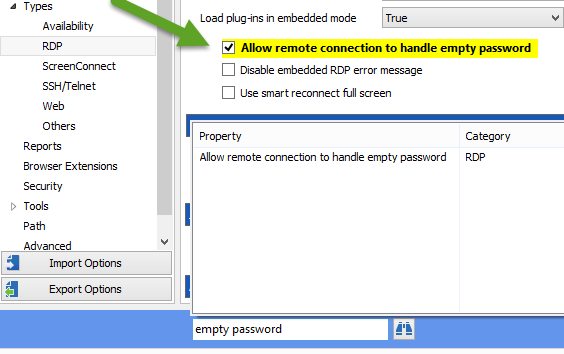
This setting in File-Options should do the trick:
David Hervieux
EmptyPassword.png