Sessions hang with white screen

In v2.0.3.0, then sessions will eventually hang with a white screen, I have to disconnect, then reconnect to get it back. See attached screenshot.
/Jesper
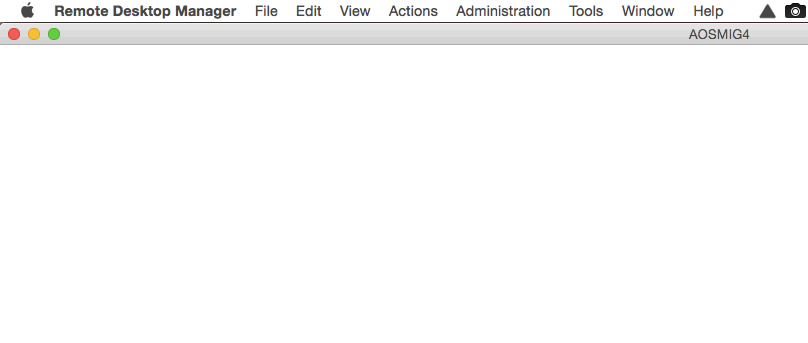
RDM - White Screen.gif
All Comments (52)
Hi Jesper,
May I ask you what you were doing when the session hanged?
Are you using a connection broker or a Gateway?
Regards,
Benoît Sansregret
No connection broker or gateway, it's straight to the server over a VPN connection. It never happened in 1.0.14.0 or earlier.
It happens when I switch to a different session or go to a different application (Outlook, Slack etc.) then come back, it may have gone blank/white.
Sometimes it doesn't for a whole day, other times it happens immediately after I go to the other application (can see it turn white in the background).
Hi Jesper,
Unfortunately I've been unable to reproduce your issue here.
May I ask you to help me by sending me your application log?
You can get it by going to the help menu and clicking View Application log...
Thank you
Benoît Sansregret
Attached is the log.
RDM Appl Log.txt
Hi Jesper,
The good news is that your application log contained information about an issue that I was able to fix.
The bad news is that I am almost certain that it's not your white screen issue it was about a crash you had earlier.
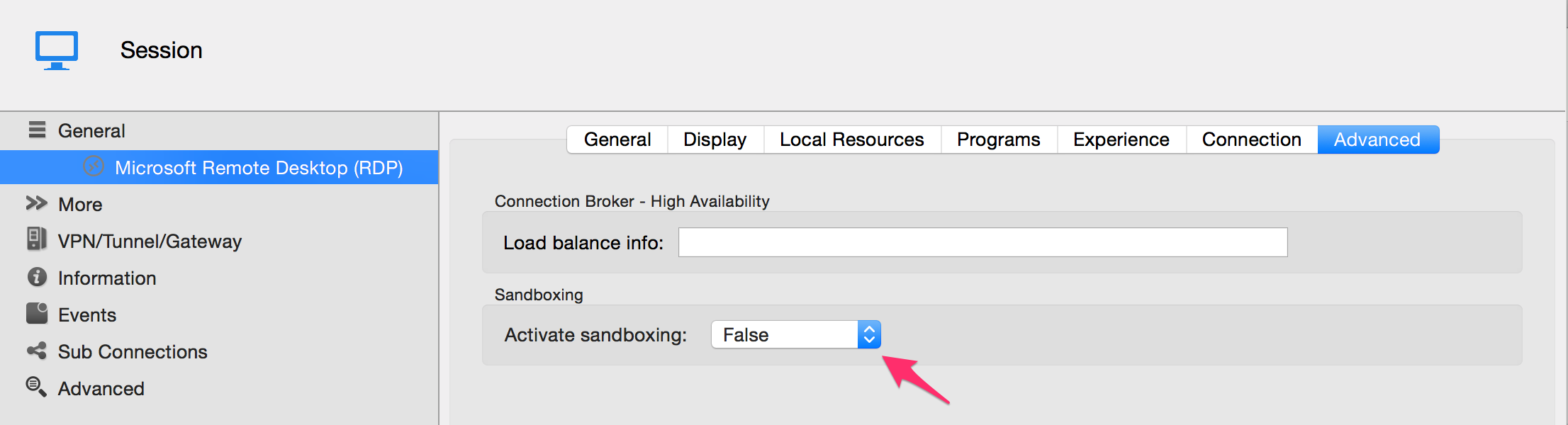
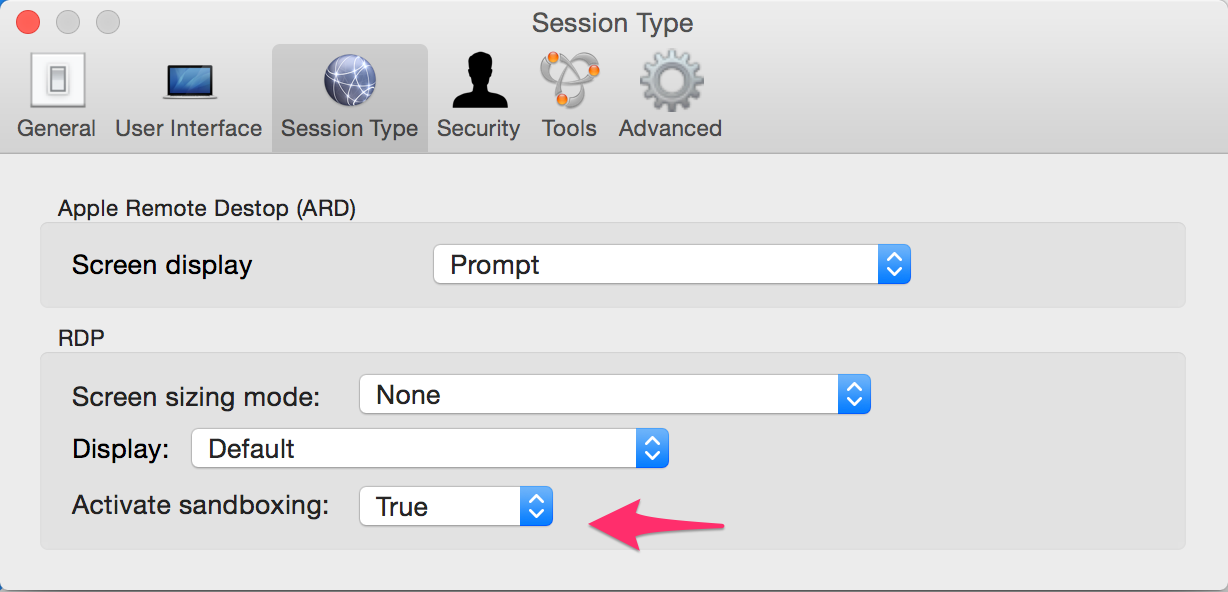
May I ask you if your are using the sandbox mode?
You can check this by going to the Advanced tab of your RDP session.
If the value reads Default you can see what it means by going to the Session Type tab in the Preferences window
Thank you
edited by Benoit Sansregret on 4/24/2015
edited by Benoit Sansregret on 4/24/2015
edited by Benoit Sansregret on 4/24/2015
Benoît Sansregret
PrefSandboxing.png
Sandboxed.png
Benoit, yes, sandboxing was turned on. I have now turned it off and will monitor it.
But what does sandboxing actually do?
Sandboxing isolate the RDP session process from the rest of the application.
This prevent the app from crashing when a RDP session crash.
To achieve that we had to make a few changes to the original non-sandboxed version, especially in the drawing part.
I suspect that there maybe a problem there.
Benoît Sansregret
Benoit, the sandboxing fixed it, HOWEVER when I turned that off, the old issue with RD Gateway disconnections came back. So... What now?
/Jesper
Hi Jesper,
Unfortunately it might be the same issue except that when the sandboxing is on for some reason you don't get disconnected completely. I will try to see if there are known issues about the Gateway.
May I ask you to describe your setup with the gateway?
Are you using separate credentials for the Gateway and the remote session?
What version of windows are you connecting to?
Are you suing any certificate?
Thank you
Benoît Sansregret
It happens even when not using a gateway, but the gateway that we use internally is Windows Server 2012 R2.
But again, happens both with and without.
What version of windows are you connecting to?
This will help us determine what version of the RDP protocol is used.
Are you still working over a VPN?
If you are working over a VPN what kind of VPN it is?
Thank you
edited by Benoit Sansregret on 4/28/2015
Benoît Sansregret
Benoit, I am sorry for the late reply, it slipped through the cracks (I actually thought I replied), but here goes:
- Windows connecting to is both Windows Server 2008 R2, Windows Server 2012 and Windows Server 2012 R2.
- Some connections are over a Cisco VPN (IPSec, but I tried the SSL client and same result), some connections are through a RD Gateway. Some connections are on local network.
One more piece of info: It seems to happen more often if latency is higher or connection is more "unstable", i.e. on local network it doesn't happen as often, on good connections (from our office to a client) less often, from Europe to US more often, from airport connections very often etc.
So perhaps it is a network issue in the handling of the protocol?
Hi,
We are currently working with Awake Coding to see what we can do about high latency issue.
What we know is the more stuff(VPN, Gateway, etc.) you put between you and your remote session the more often you get disconnected.
Thank you for your help and time
Benoît Sansregret
Benoit, any update on this?
Hi,
We will release a new version shortly and there are many fixes that might improve your situation.
Unfortunately, I can't confirm that we reproduced and fixed your issue.
Regards,
Benoît Sansregret
I just want to add that I am having the same issue where my RDP sessions will just turn white, but using the 2.0.4.0 release. I reconnect always fixes it. I regularly connect to Windows 7, Server 2008R2 and 2012R2 servers.
Hi,
We just released a new version that might fix the issue but I can't guarantee it.
You can download it here http://mac.remotedesktopmanager.com/Home/Download
From what we know the issue seems to be related to the latency between your computer and the remote computer.
That means the network, the gateway or a VPN could be the cause. We are working on making FreeRDP more resistant to the latency so it won't lose the connection.
Regards,
Benoît Sansregret
Sorry, Benoit. Just got a white screen again on my home 150Mbps connection through Bright House Network in Indiana to a customer with a fiber connection in New Jersey, latency is really low. Is there something we can do to plug in a debugger?
Hi Jesper,
Sorry about the white screen again. Right now, we don't have much from FreeRDP to debug what is going on.
I will need to add some debug feature for this issue.
I will come back to you as soon as possible
Thank you for your continued feedback
Benoît Sansregret
I'm still getting the white screen too, and I'm wired on our gigabit network with our servers on site.
Bad news, Benoit... 2.5.0.0 made the RD Gateway based connections flakey, giving me the "Peer connection" disconnect error. Back to 2.0.4.0... Want me to open a different request for this?
Hi Jesper,
It's ok you're issues are separated internally.
Thank you
Benoît Sansregret
I am having the white screen issue as well. Running the Mac Enterprise version 2.5.1.0. GB network, no gateway or VPN involved.
I have noticed this bug as well. I will try to explain how to reproduce.
- Connect random rdp session
- Connect another rdp session, now you have two sessions open
- Choose to logout from one of the sessions, ie. start -> log off
- Client will logout and some grey text appears saying the session disconnected
- Here's the bug: if you change to the second rdp session before the first one has "auto-closed", ie. straight after you choose log off, the now active rdp session window will turn white just at the moment rdm closes the first rdp window. Right-click and reconnect and you're back to normal.
This is all with embedded (tabbed) rdp.
Maybe this isn't exactly the same bug as you guys experience though, but it sure as hell is annoying.
/Stefan
Hi,
We just released a new version that might help you with the sessions issues but it also contain 2 new really nice features.
You can download it here http://mac.remotedesktopmanager.com/Home/Download.
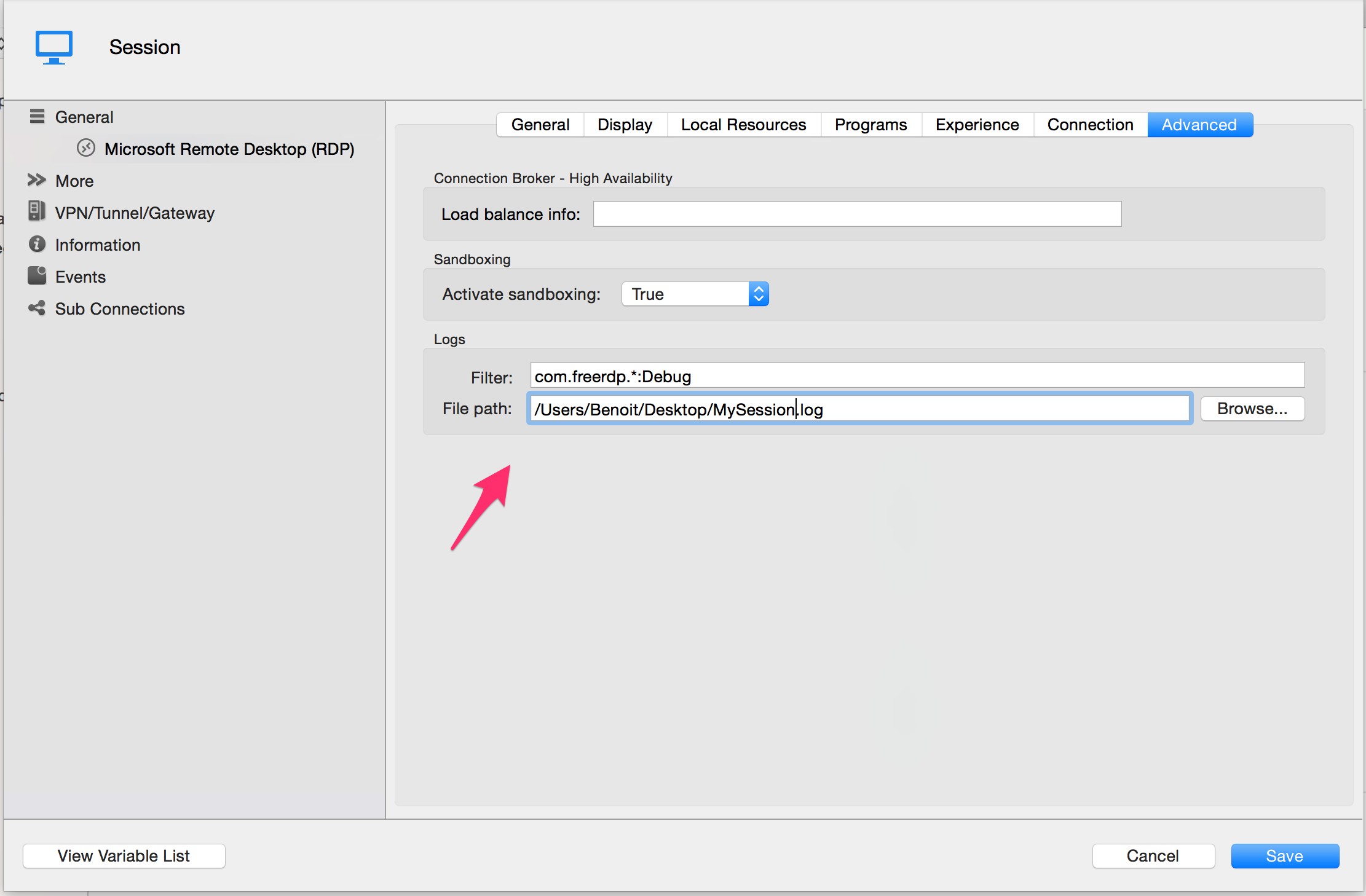
The first feature is RDP session logging. This will allow your Embedded RDP session to log everything it does behind the scene in a file.
Just set the filter like the screen shot and set the file to a unique file for your session like this:
You can then send the file to us so we can analyse what is going on. Careful this file will contain sensitive data so you might want to check it first and you certainly don't want to post it on the forum.
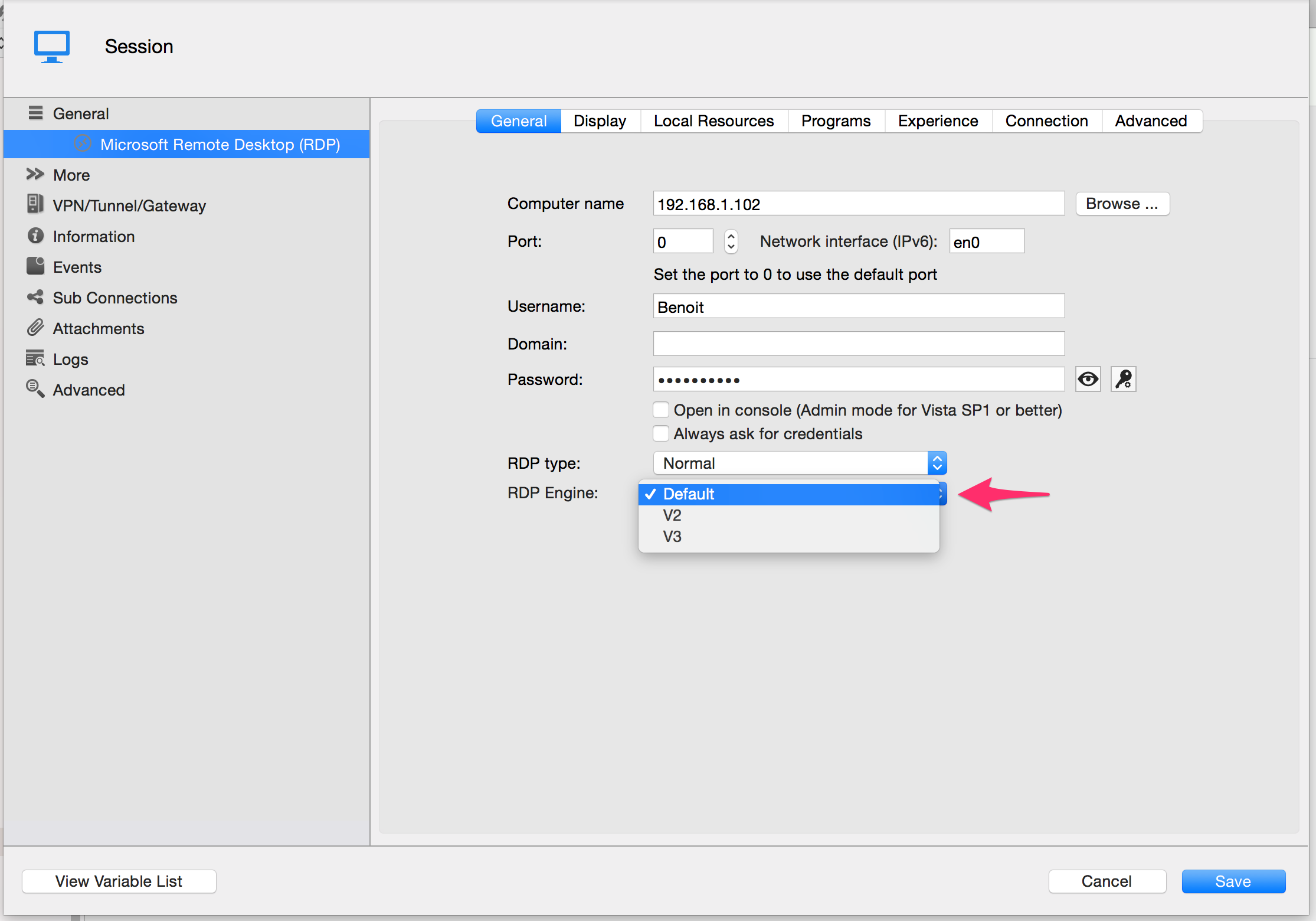
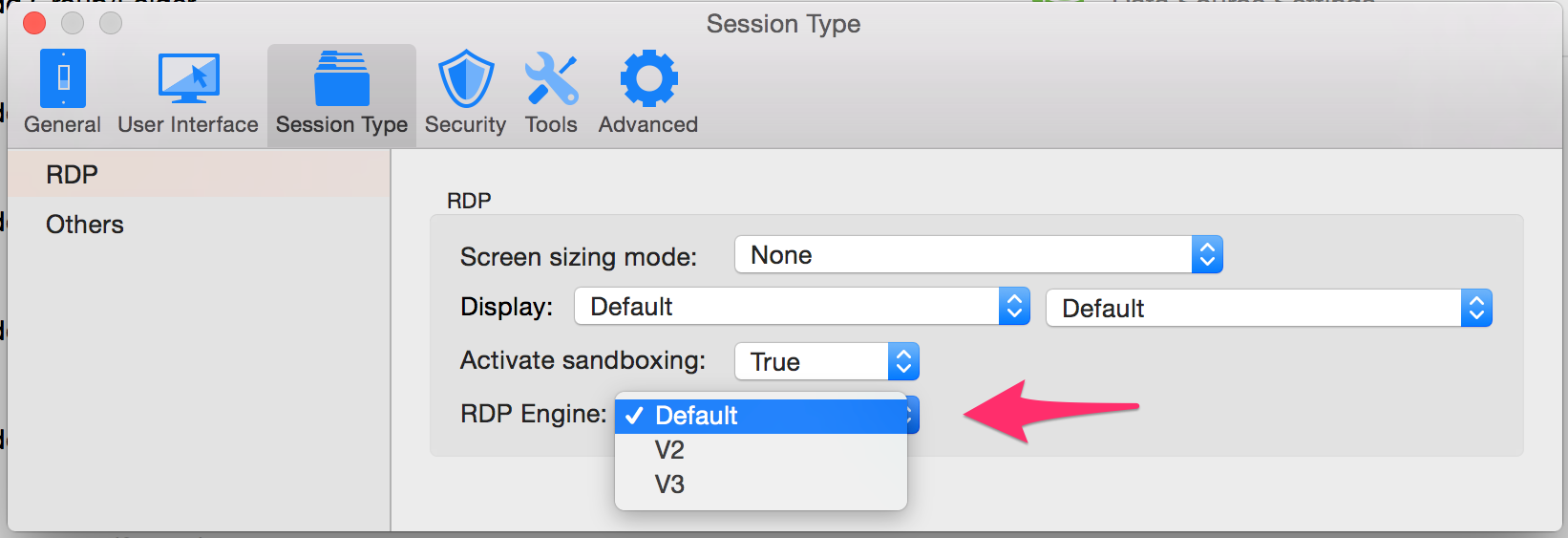
The second feature is the option to rollback to previous version of the RDP Engine without having to download the previous version entirely.
You can do this for an individual entry in the session configuration:
Default means it will take the value from the preferences (see below).
V2 is the stable version from previous version
V3 is the latest version with fixes and instability
Or you can change it for all session with the preferences:
Default is the Latest version (V3 right now)
V2 is the stable version from previous version
V3 is the latest version with fixes and instability
Try it and tell us what you get.
Benoît Sansregret
RDPEngineMac-Pref.png
RDPEngine - Session.png
Session FreeRDPLogging.png
Benoit, the latest (V3) connect/reconnects 2-3 times before opening up the window with "Peer connection was lost" before it finally connects. The white screen is also still there.
I will activate the session logs and send it to you, but since it's sensitive information, how do I get it to you?
Hi Jesper,
Send it to my email bsansregret@devolutions.net
Benoît Sansregret
Benoit, I am running my sessions undocked, could that be why I don't get any log files?
Hi Jesper,
That shouldn't be a problem.
On the other hand logging will only work with V3 and preferably with the sandboxing on.
Benoît Sansregret
Hi Jesper,
I just realized that the Browse button might be a little confusing. You are supposed to select a file name. Il you select a folder that already exists the log won't be created.
Sorry for the inconvenience. It will be fixed on the next release.
Benoît Sansregret
Benoît, I'm sorry, but even the latest client v2.5.5.0 hangs with white screens... Let me know what you need to troubleshoot it again.
Hi Jesper,
What you sent us helped us a lot on understanding what is going on and what is causing the white screen.
The bad news is that we have a hard time reproducing it consistently.
We are working our best to find a solution and thank you for your time and effort.
Benoît Sansregret
I know you've got a tricky one on your hands and I'll be patient.
If it helps, it seems to relate to line quality/latency. It gets worse in some hotel rooms and on ISPs with more routers between myself and the servers.
Hi Jesper,
I think we found a solution for your issue.
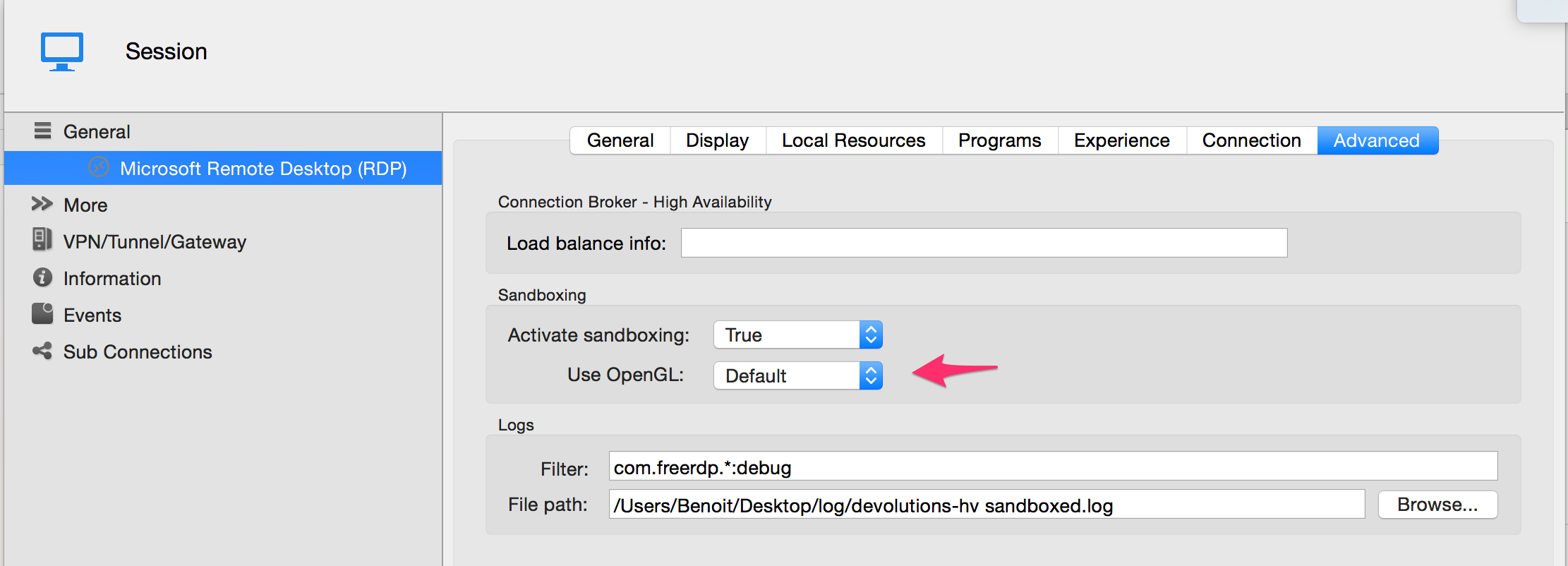
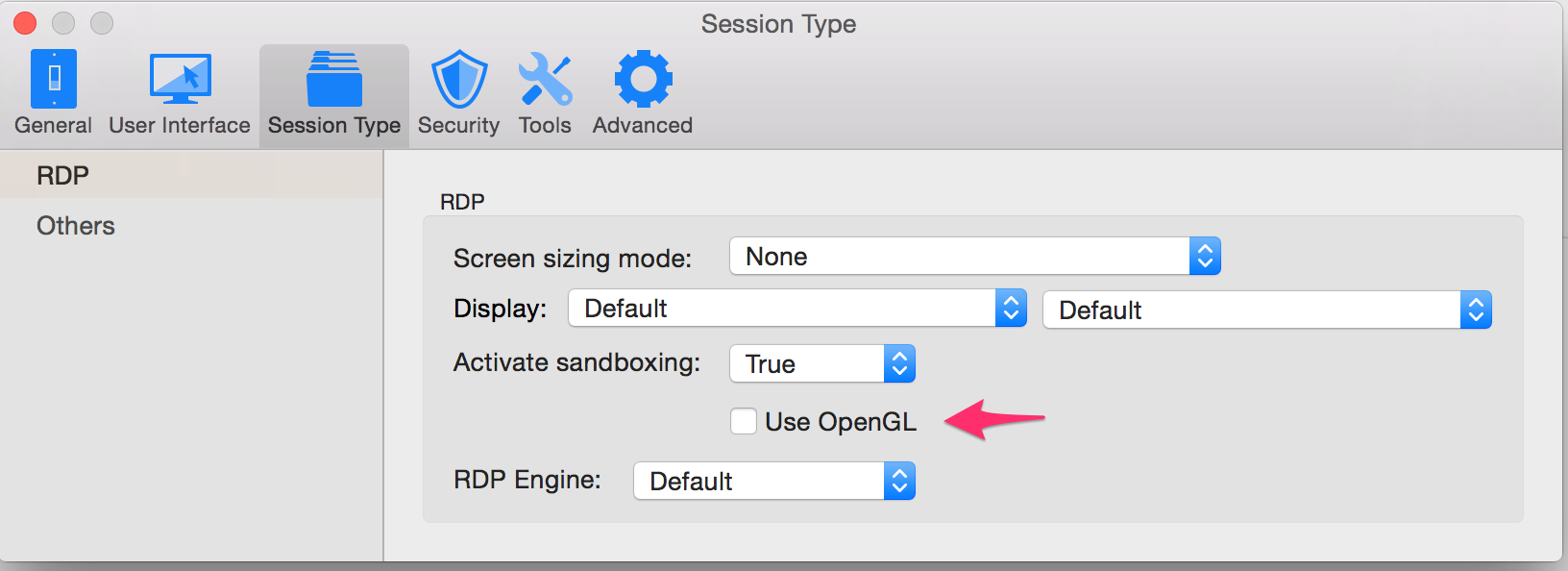
It seems to be related with OpenGL that we were using for the sessions.
In the latest version we released we added options to deactivate OpenGL for a session or for all session with the default setting.
You can download it here http://mac.remotedesktopmanager.com/Home/Download
Best Regards,
Benoît Sansregret
SessionOpenGL.png
AppOpenGL.png
I just tried it, and it connects WAY faster to the Windows Server 2012 images now. Not sure why, but it seems that it connects quicker through RD Gateway based connections, too.
Anyway, I will let you know in a day or 2 if get (or do NOT get) the white-outs...
Thanks, Benoît!!!
No white screen yet, BUT the initial connection will still fail most times with a "Connecting to host..." 
This is V3, OpenGL turned off.
User logged on.png
Connecting.png
Hi Jesper,
Just to make sure we are talking about the same situation, you are talking about when you connect through a Gateway server right?
If it's the case, can you tell me which version of Windows your Gateway and Remote Computer are running?
Are you using any certificate?
Are you using the same credentials for the Gateway and Remote Computer?
Best Regards,
Benoît Sansregret
Windows Server 2012 R2 for the Gateway and the remote computer both.
Certificate is an SSL certificate issued by GoDaddy - you can browse to https://remote.curogens.com and check it out if you wish.
Yes, I am using the same credentials.
If you need access for troubleshooting, I have no problems setting you up with an account, just let me know.
I'll take your offer.
You can send me the details by email.
Thank you
Benoît Sansregret
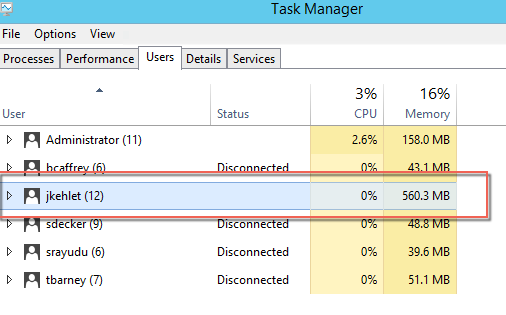
Sorry, Benoît, it is still happening - the RD Gateway stuff is fixed, BUT the initial white screen isn't - and when checking from a different account, it shows that the user is logged on, so there is still a rendering issue going on.
What do you need to troubleshoot?
Hi Jesper,
Sorry to here that you still have the issue. Could you send me a new log file of a session with the issue.
With all the changes that we made I think the content will be different.
Thank you
Benoît Sansregret
I have emailed you the log file, let me know what you find.
Thank you I'm looking at it right now trying to find what is going on.
Benoît Sansregret
This is still an issue in 3.0.10.0, and **ONLY** with Windows Server 2012, not with Windows Server 2008.
Sometimes a resize of the window (double-click window title bar) fixes it, sometimes not.
Thoughts?
Hi,
Benoit is on vacation and I'm not aware if he made any progress in his investigation.
Could you set up the RDP log, reproduce the issue and then send me the log?
Best regards,
Xavier Fortin
Ok, I got it reproduced when I got to the office today. Is there something about the info in there being sensitive/unsecure, or can I just attach it to this post?
Hi,
I'd recommend you sending it to me through private message.
Xavier Fortin
Hi Jesper,
I just wanna try to make sure we are on the same page here because I'm a little bit confuse about what is not working.
You currently have a sand boxed session that gives you a white screen.
When you resize that window the white screen disappear and you can use the connection again.
Is this session using a Gateway?
Is OpenGL on?
Are the white screen still happening randomly when you connect or are they appearing after a little bit of time?
Do you have many open sessions when it happens?
Best Regards
Benoît Sansregret
Correct, it's a sandboxed session.
It opens up with just a white screen, if I resize, it renders.
Sessions with or without gateway is doing the same.
It's ONLY for Windows Server 2012, I do not get it for Windows Server 2008.
Open GL is not on.
White screen is not coming back after the resize, it's a first-time connect issue only.
It happens even when it is the only open session.
I'm currently not able to reproduce your issue.
Could you export your session and send it to me that way I will see if i'm missing a setting?
You can do that by Right-clicking your sessions and click Export Selection (.rdm)... under Export.
Best Regards,
Benoît Sansregret
Just sent it via Private Message.
Hi Jesper,
Unfortunately, even with settings really close to yours i'm still not able to reproduce your problem.
I'm trying to look for difference between the first time rendering setup and what the resize might change to it but I'm not finding much right now.
Is it possible for you to setup a remote computer that reproduce the issue that we can access?
If you can just send me the details through a private message.
Best Regards,
Benoît Sansregret