Fortigate & Chrome Engine

Hello guys
When we use the chrome web engine on a fortigate firewall, we can't use the Soucre Filter drop down, shown here:
Everything else seems working. (Firefox and IE (java-errors) is not working at all).
Would be great if this would work also.
Best regards.
Patrick
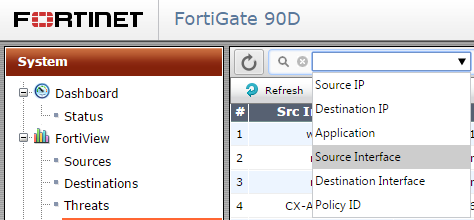
RDM-Fortigate-Filter.png
All Comments (20)
i think it's not rdm-related,
we have display-issues too with chrome if it is opened external w/o rdm
it happens since we updated our forti to latest 5.2.x-OS
regards,
markus
Kind Regards
Markus
======================
Can you reproduce it in external mode?
David Hervieux
When we open it directly in chrome, we don't have the problem. The screenshot was taken in chrome...
I will verify if the third party that we use has a more recent version.
Regards
David Hervieux
Great, thanks. Perhaps there are also a new versions for firefox (not working at all) and IE (lots of Java errors, also not working at all). Thanks!
For IE and Firefox it's more complicated.
David Hervieux
Another thing is, when we save configurations of fortigates, it does NOT save the files anymore. But does not give any error message:
As there is no error, it's a very bad problem, as we thought everything is saved and it's not.
With the normal Chrome it's working without problems.
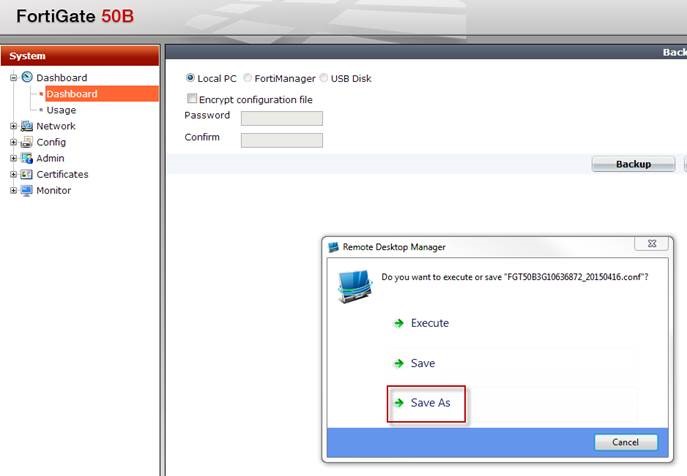

chrome2.jpg
crhome1.jpg
Hi Patrick,
Is it only with this web site or with any save as?
David Hervieux
Hi David,
It works on other sites.
Best regards.
Patrick
Hi Patrick,
Did you try with "Save"? It should save the file in "C:\Users\Devolutions\AppData\Local\Temp".
Did you try to change the name of the file when you "Save As"?
Do you get a download form like that?
Is it possible to us to test the site on our own?
Best regards,
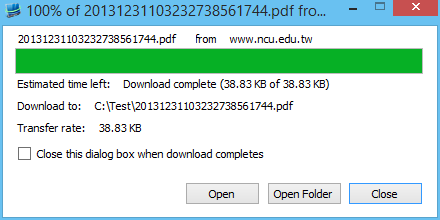
Olivier Désalliers
RDMChromeEngineForm.PNG
Hi Olivier
I tried with Save, but I don't have a folder: "C:\Users\Devolutions\AppData\Local\Temp". I think the path should be different, as normally after C:\Users\"username" there should be a username here. I only found: C:\Users\pf\AppData\Local\Temp but no file in there after save.
No I don't get this form.
Yes I will send you some access credentials via personal message, so you can test it directly. Also the original problem above.
Best regards.
Patrick
Hi Patrick,
I've been able to fix the download issue but the drop down problem seems a problem with the third party we use and Javascript/JQuery/RequireJS and I am not able to fix it right now.
The fix for the download should be available in the next release.
Best regards,
Olivier Désalliers
Hi Olivier
Thanks a lot. So we look forward for the next release. Is there a thread I can monitor, to be informed when a new release is released?
Have a good time!
Cheers
Patrick
Hi,
In RDM you can go in File --> Options --> "General" Tab --> "Application Start" tab then check "Check for update at startup" and select in the combo box "All updates including beta".
You will be informed in RDM itself when a new release is released.
Best regards,
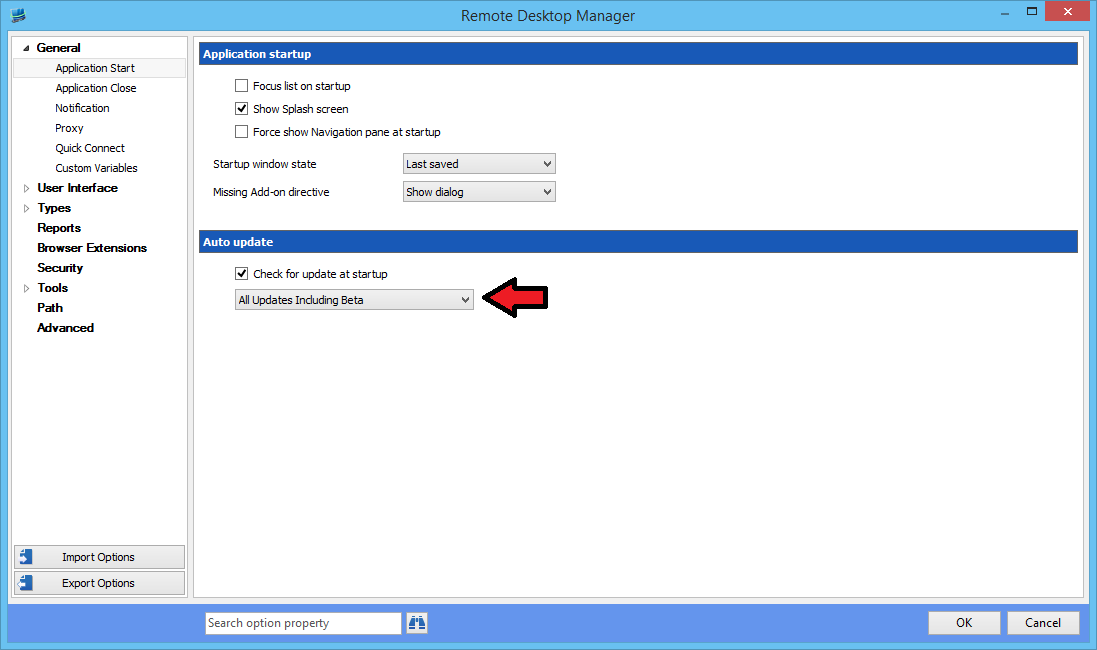
Olivier Désalliers
RDMCheckUpdate.png
Great, thanks!
Hallo,
we have the same problem with the download of a file with the embedded google chrome accessing the Citrix Director Website.
We need the new fixed release very fast !
THX
This is now available as a beta in the download page.
David Hervieux
How long will it take for the final release?
Save as is fixed, thanks. Filters (enginge problem) is still there.
This is the beginning of the beta. We don't have a release date yet.
Regards
David Hervieux