List Selection missing from Dynamic Credentials

If you use the User Specific settings to link to a credential repository that supports dynamic linking there is no option to choose an item from the repo. You are prompted with a List each time you open a connection. The user override should support the same dynamic list selection ability that the entries themselves do.http://help.remotedesktopmanager.com/index.html?credentials_dynamiccredentiallinking.htm
All Comments (18)
Hi,
What version do you use? I remember that we did many improvements for that recently.
David Hervieux
I'm using 10.4.1.0
Thank you for the information. I will enter a bug request for that.
David Hervieux
Hello Patrick,
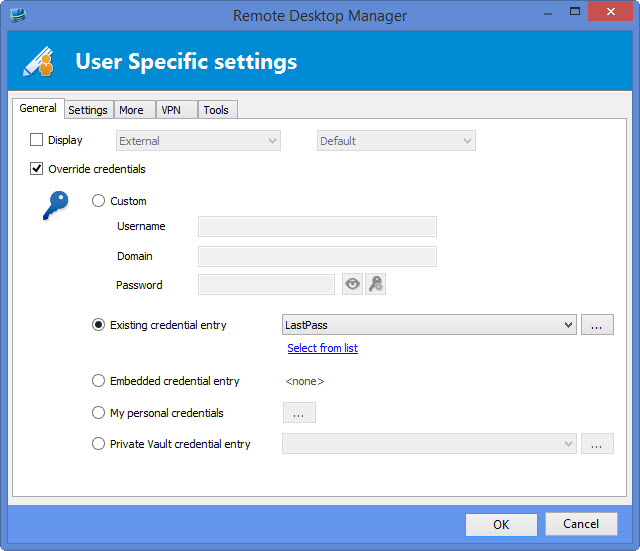
What type of credentials are you using? I'm unable to reproduce your issue with LastPass or PVM which both support dynamic credentials. I get the "Select from list" button like normal and it works with the connection.
Regards,
Hubert Mireault
s1.jpg
Select Private Vault credential entry instead of Existing credential entry. The existing credential entry is only for shared credentials. I'm attempting to use my own LastPass account.
edited by Patrick.Kish@nexusis.com on 3/30/2015
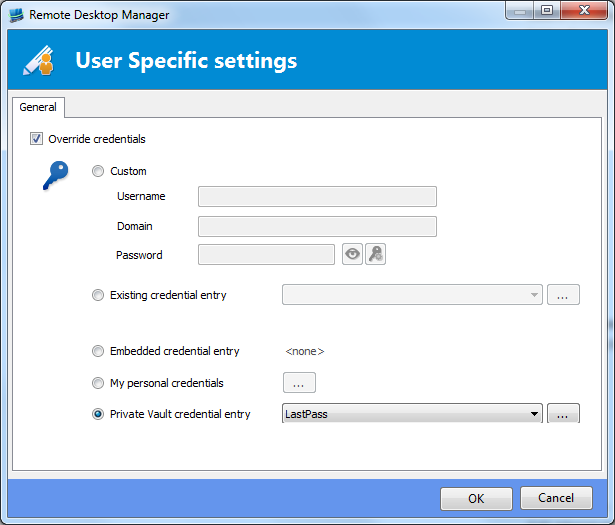
UserOverride.PNG
Thank you for the information. I can reproduce the issue and will work on a fix for it. I will keep you updated.
Regards,
Hubert Mireault
It looks like the dialog might be sized incorrectly, its possible that the "Select from list" option is actually below it but not being shown. If you notice the bottom of the dropdown and the button are slightly cut off.
Hello Patrick,
The sizing was indeed problematic, but this wasn't the issue in this case. Both the issue and the sizing problem will be fixed in the next version of RDM.
Regards,
Hubert Mireault
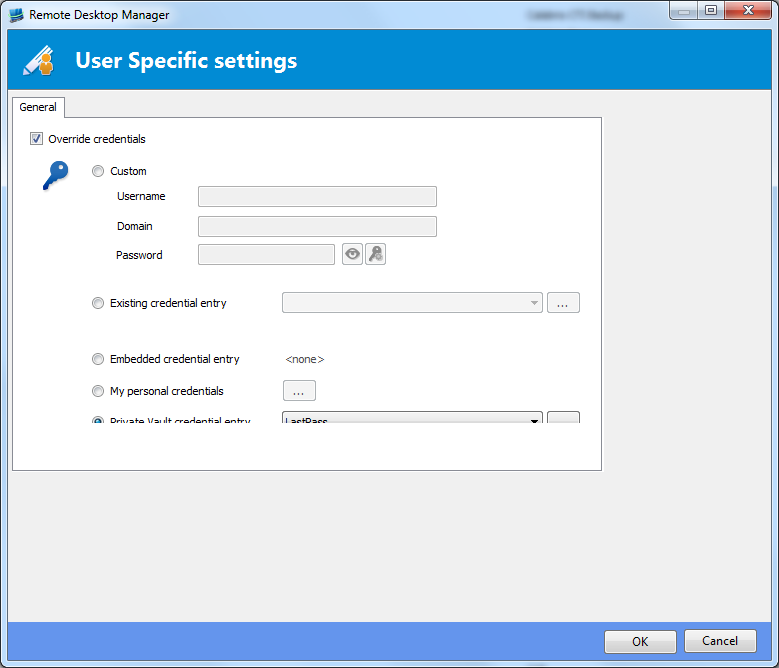
The new version 10.5.1.0 that supposedly resolves this issue actually has a worse sizing issue:
I suggest pinning the lower and right edge relative to the edge of the dialogue, this is currently not the case as can be seen in this image:
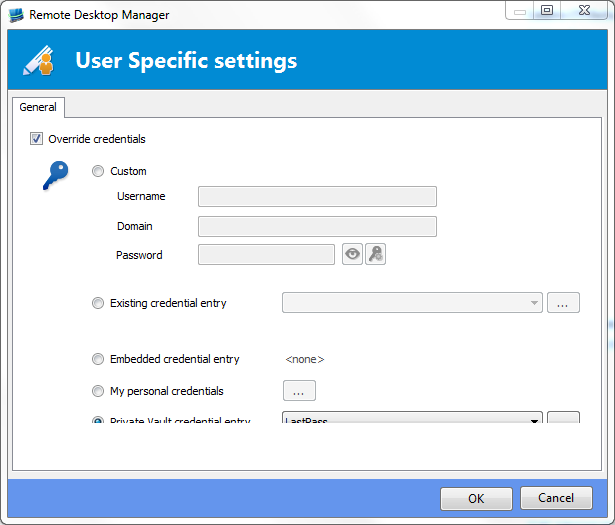
SizingIssue.PNG
NewUser.PNG
Sorry this was not the expected behaviour. This will be fixed soon.
David Hervieux
Hello Patrick,
This will be fixed in the next version for sure.
Regards,
Hubert Mireault
This functionality appears to be completely missing from the Mac version also. You cannot select credential repositories from your private vault. In addition the select from list for hosts appears to be missing as well. (v2.0 02.04.15 for the Mac version)
edited by Patrick.Kish@nexusis.com on 4/3/2015
Hi,
It's not included yet but this is something we will add for the next major update.
David Hervieux
The dialog is still not visible correctly and I cannot select from List in version 10.5.2.0 as an FYI
Hello Patrick,
Could you describe a few things:
- How do you access this window? (For example, right click on a RDP session > User specific settings)
- What type of connection are you overriding?
Regards,
Hubert Mireault
Perhaps a little video if you can.
David Hervieux
I've sent a video via PM to David Hervieux.
You are coorect, the method is right click RDP session, user specific settings
Thank you for the video, it helped pinpoint the problem. What you're actually overriding is the group's credentials and not an actual connection's credentials. The sizing issue for this particular case will be fixed in the next version.
Regards,
Hubert Mireault