pop up windows in websites

is there a way to have pop up windows in browser connections (chrome) pop up in a tab or as windows? a lot of administration tools still use pop up windows, unfortunately.
All Comments (44)
Hi,
I will verify what we can do but it's definitively something we want.
Regards
David Hervieux
And please allow basic hotkeys (like ctrl-r for reload page..)
Hi,
I will check what we can do for the shortcut. It's not always easy to add a shortcut with all the different application that we integrate.
David Hervieux
Hi,
Pop up window will popup in a tab and you will be able to reload page with the shortcut ctrl-r by checking the "Enable keyboard shortcuts" option in the session settings in the next release.
Best regards,
Olivier Désalliers
nice :)
ok, but there are still a lot of problems with webmin. I wish you would install a copy of virtualmin on a test server and give it a run. it's quickly done, run http://software.virtualmin.com/gpl/scripts/install.sh on a virgin ubunut/debian system.
try: filling in creentials (results in a security error)
try: show a users password, edit virtual server, configurable setting, show password. (a tab opens, but you get the error below, and the setting inside webmin is set correctly, so I think the browser component doesn't send the refferrer?)
Warning! Webmin has detected that the program https://server:10000/virtual-server/showpass.cgi?dom=128868416532028&mode=&user=test&user was linked to from an unknown URL, which appears to be outside the Webmin server. This may be an attempt to trick your server into executing a dangerous command.
Make sure your browser is configured to send referrer information so that it can be verified by Webmin.
Alternately, you can configure Webmin to allow links from unknown referers by :
Login as root, and edit the /etc/webmin/config file.
Find the line referers_none=1 and change it to referers_none=0.
Save the file.
)
Hi,
The other workaround is to use the Web browser extension and open the connection in external mode.
http://remotedesktopmanager.com/Home/ExternalAddOns
David Hervieux
not cool ;/
Why not cool?
This is just an alternate solution when we are unable to make it work integrated. Unfortunately we don't have full control over the web browser.
David Hervieux
coolness is a feeling and hard to explain ;-)
problem with external plugins is, that it is not truly portable, I cannot just start my RDM on another machine if I am dependent of external plugins.
please keep this issue in your bugtracker, in case you switch the browser component in the future.
I see what you mean :)
We updated it very often. I will do my best to find a real solution
David Hervieux
Agreed.
I run RDM as portable as well. And it's really annoying to have to depend on external plugins.
And often I find myself running RDM on PC where I only have User rights.
I'm keeping an eye out on this thread :)
P.S. RDM should have an option when asking if I really want to close it, if it should clean-up after itself(everything it wrote to local PC harddrive and registry). Maybe an advanced option.
Well, have a great weekend ;)
//Brandur
Hello.
Sorry to pulling up such an old thread.
Where i can find settings for pop-up windows in chrome?
When i work on some website in embedded window mode, there is a pop-up windows that i need to access. New tab opens, but it seems to be blocked, because there is a plain white window with "about:blank#blocked" in address bar.
Can't find corresponding settings in options.
Thanks!
Hello,
Is it possible for you to give us the URL of a site that has this issue, or are they internal websites? It would help us to see what can be done about this. I don't think there is an option for that kind of setting in RDM right now.
Regards,
Hubert Mireault
It is an internal website, Cisco Unified Contact Manager Administration.
Hello,
From looking at the code and checking the third party's documentation, we don't explicitely block any popups in the Chrome integration, so without being able to test I'm not sure if it will be possible to fix. It might be something different causing this issue.
Regards,
Hubert Mireault
continua o mesmo problema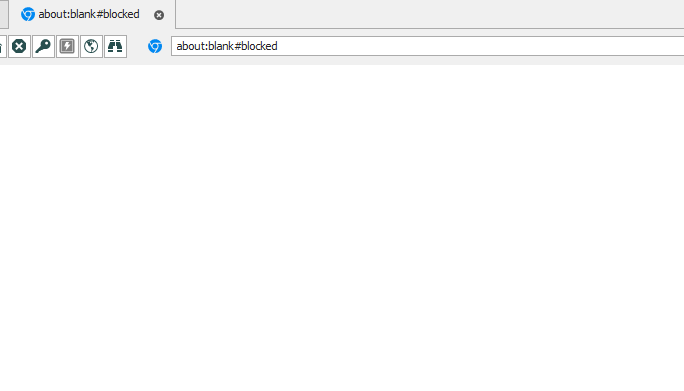
Screenshot_1pio.png
If it helps, Sophos XG (which has a trial if you want to test and runs as a VM) has the same issue when using "import" in the authentication > servers page to import active directory groups.
First step in this KB:
https://support.sophos.com/support/s/article/KB-000035736?language=en_US
Thanks for the information. We'll look into configuring it in our environment to see about reproducing and finding a fix.
Regards,
Hubert Mireault
Hello,
We have opened an internal ticket (ISD-3555) to see if it's possible to have a test environment for this.
We will keep you post.
Best regards,
Jeff Dagenais
@bard,
We have been able to reproduce the issue.
A ticket has been opened to our engineering department (RDMW-6646).
Best regards,
Jeff Dagenais
Glad to be of help. It's not a big issue for me but I noticed this thread while I was looking for a solution and I'm happy it helped.
Cheers!
Hello,
Good news, we were able to find a solution to the issue, at least the one that we could reproduce using Sophos XG. I'm hopeful that it will fix the problem for our other customers as well.
This change will be available starting with RDM 2021.1, which is going to be in beta early this year. I would appreciate feedback once it's available.
Regards,
Hubert Mireault
Actually, since we're making 2020.3.24.0 to fix a few other issues, it will be available in this version as well, later today or tomorrow.
Regards,
Hubert Mireault
Hi, I am sorry to pulling up such an old thread. We have the same problem in our organisation. In the past we used most times the external browser option for website entries. Now we are switching to do open website embedded. But within the Sophos WebAdmin we have the problem that we can not open windows like the log viewer, because it is an popup windows and it is forbidden. Is there any option to allow this? I can not find in the settings. I am using version 2022.3.25.0.
Thanks for any answer.
Regards,
Hello,
No worries ! Have you tried getting this to work with the entry set to Edge and/or Chrome ?
If you tried only one but not the other, could you do so in order to confirm if it will not work in both browser types ?
Best Regards,
Hi,
With Chrome it is working. But the new standard is Edge. Is there any option to use it in Edge too?
Best regards,
Hello,
I will tell our engineers about the results you gave me and see what they have to say regarding your issue.
With that said, for the time being, I would suggest switching to Chrome while we look for a solution.
Best Regards,
Sounds great. Thanks for your efforts.
Hello,
Thank you for your continued patience,
We're currently in the process of waiting for a test environment in order to attempt to reproduce the issue you mentioned with the Website entry set to "Edge" in RDM.
As of now, we don't have the means to reproduce the issue, and unfortunately have not had any other user report the same behaviour you're describing.
This may take time, so for now I'd like to know, has the embedded Chrome browser in RDM been meeting your needs ?
Have you managed to batch edit all of your website entries to use Chrome in order to workaround the issue ?
I ask this because as of now I personally believe that this would be the best solution while we test to see if the issue can be reproduced.
Best regards,
ok, right now I think everything is fine or at least not terrible (I don't extepct every web session to work perfectly). batch editing is no problem, works great. from my POV we can close this ticket.
With Chrome embedded or also external all websites are working fine. With Edge external there are no worries. Only when using Edge embedded with Sophos WebAdmin and want to use the log window it does not work. So for me it is ok to wait for a solution.
With Chrome embedded or also external all websites are working fine. With Edge external there are no worries. Only when using Edge embedded with Sophos WebAdmin and want to use the log window it does not work. So for me it is ok to wait for a solution.
Hello,
Understood, in that case, I will get back to you with news once my tests regarding your case are concluded.
Best regards,
I just want to add to this, currently edge embedded is not allowing vmrc to pop on the new venter 8.0.2. This also doesn't work for chrome or Mozilla embedded.
I just want to add to this, currently edge embedded is not allowing vmrc to pop on the new venter 8.0.2. This also doesn't work for chrome or Mozilla embedded.
Hello,
Have you tried using the VMRC entry in RDM instead of a Website entry ?
Best regards,
For me the Chrome embedded Version is also having problems opening a external Website. In this Case I tried to open the Log viewer for a Sophos XGS Firewall, which another user in this thread mentioned as well. But the workaround switching to another browser didn't work for me. I tested both Google Chrome and Microsoft Edge.
Hello Lukas,
Thank you for contacting us on that matter!
Could you provide screenshots of the issue in Google Chrome and Microsoft Edge?
Also, do you have the "about:blank#blocked" error showing?
Thank you for letting us know. If you have any other questions, feel free to let us know.
Best regards,
Maxim Robert
Hey Maxim,
Thanks for your reply.
Ofc so here are the screenshots for Microsoft Edge: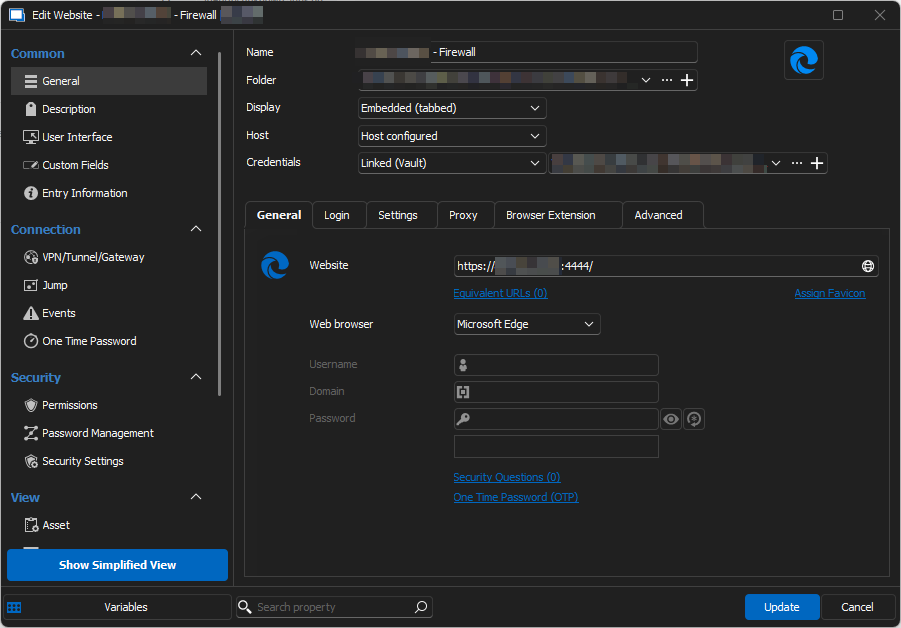
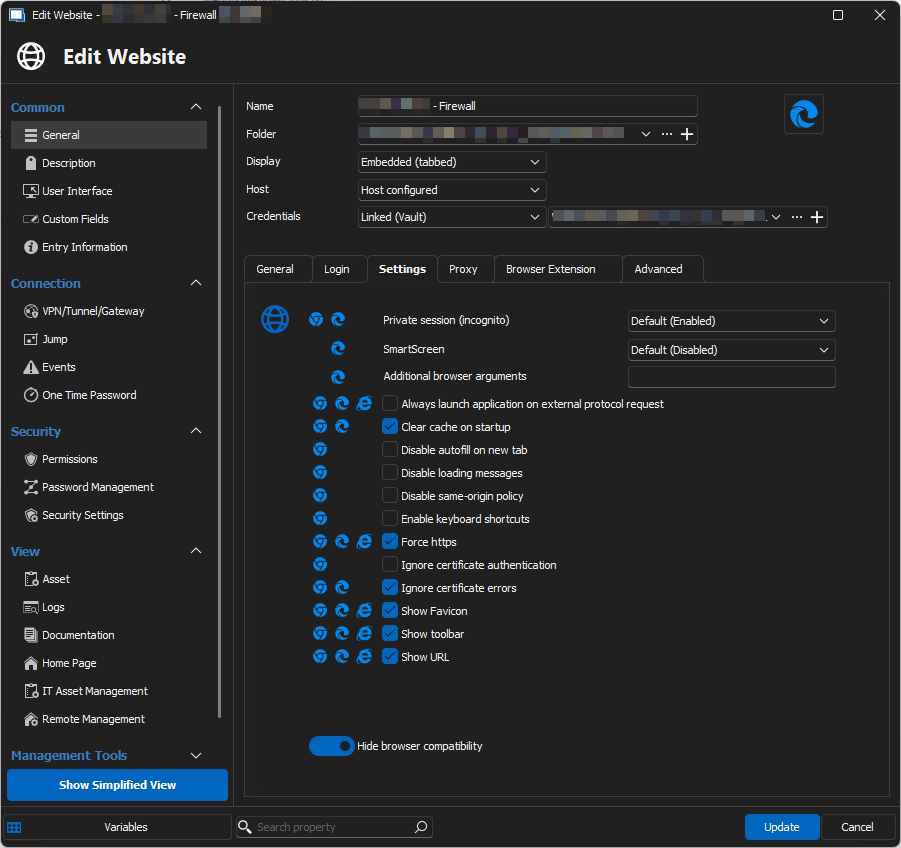
Once I open the log viewer from our Sophos Firewall, a new tap opens, which immediately displays the following page: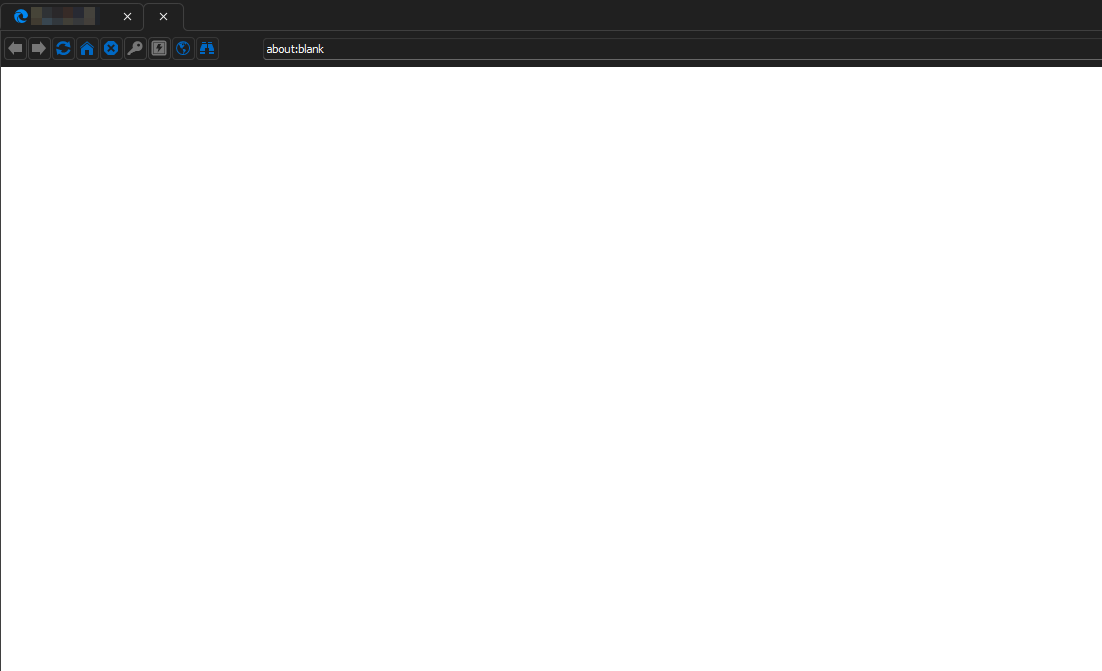
The Chrome Session is configured the same, other than the browser selection: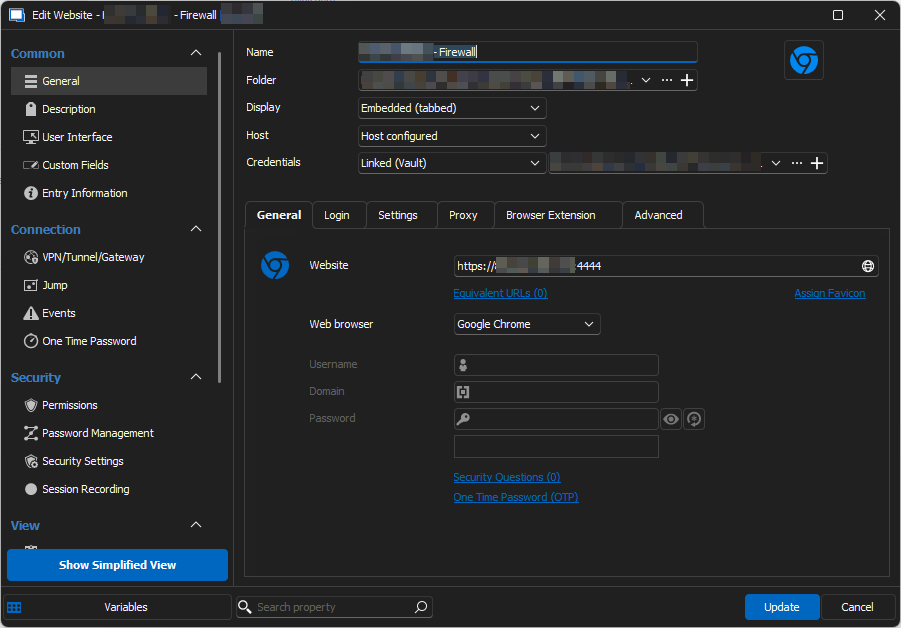
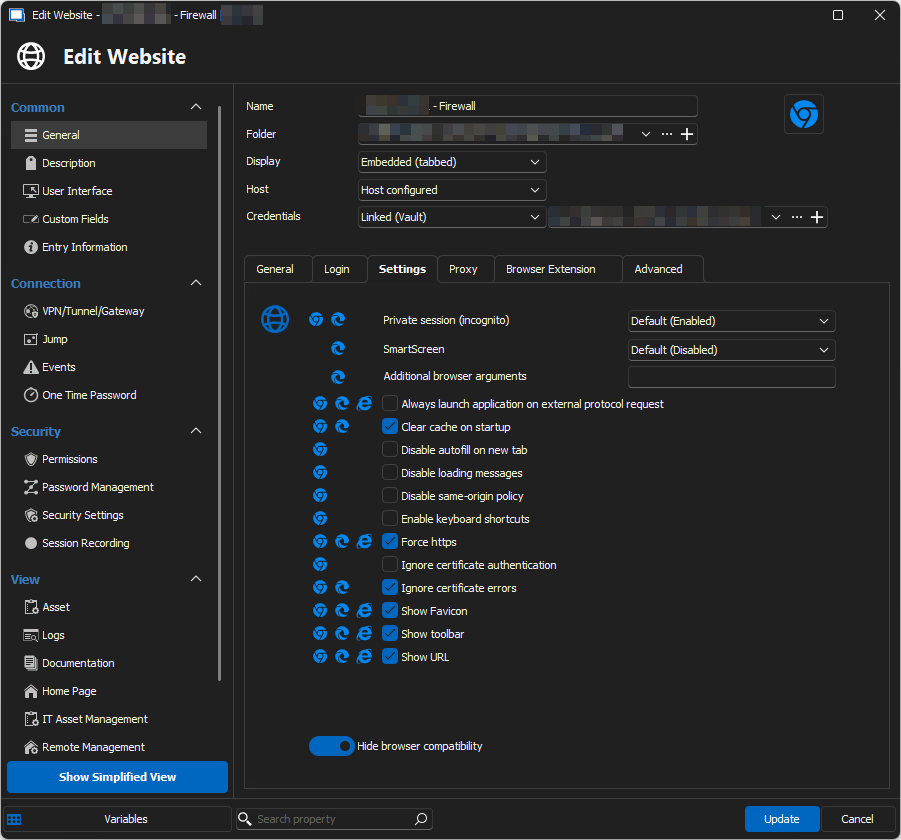
Also here the same result. Once I open the Sophos Firewall log viewer I get a blank page: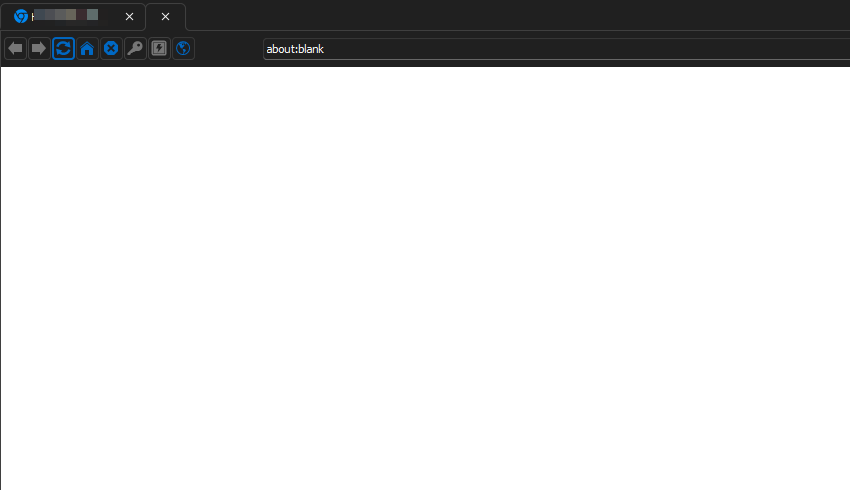
Something that is different for the embedded Chrome browser, that this URL "about:blank" is only showing about a second, after which the URL is empty.
Kind regards,
b64b9cbc-2fd2-4db6-877e-3c4dbcfe96b0.png
94a9d454-bcfe-457f-b6ef-13c59ef33e2f.png
a701e9de-045d-4e9d-88e4-7174fb0a88c7.png
6be0c872-dbe8-4d2b-bc24-2473c2ba39c4.png
edbdac68-7502-4096-b7a0-d6b7c502fb09.png
60d05053-d773-4fcd-a3de-b503fab62f3d.png
Ah glad to see I'm not the only one with Sophos XG(S) Log Viewer problems from within RDM.
I see it's been 5 months since te last reply... just resurrecting this thread to see if there is a status update about this issue.
It's very annoying and from all the devices only Sophos XGS has the issue.
Hello,
Unfortunately the ticket is still opened with Microsoft, as that is an issue with the WebView2 control we use. There's a potential workaround you can use documented here but please note that it will not be accurate starting with 2024.3 due to changing the Chrome integration to WebView2 as well for security reasons.
Regards,
Hubert Mireault
I'm also running into this same issue with Microsoft Graph Explorer (https://developer.microsoft.com/en-us/graph/graph-explorer). Its sign-in process requires a popup, and right now that popup is just opening as a new tab in the embedded browser with "about:blank" in the address bar. Also, I'm still on 2024.2.x, and the Chrome workaround still does not work for this either.
I would REALLY like to be able to use that site in the embedded browser, if at all possible, but I assume it's the same issue as everyone else is having with Sophos and other sites. And just to note, for various reasons, using external mode with the browser extension for credentials autofill is not feasible for me at this time.
Hello,
As you said, it's unfortunately the same issue. I've added this information to our reported issue with Microsoft. I'm hoping they may look at this earlier, as that is one of their own websites, so it should be easier for them to reproduce.
Regards,
Hubert Mireault
Hello,
Running version 2024.3.x and the pop-up blocker issue is still there. We used to run the HPE IP Console (Avocent) in an embedded web session, but it is now impossible to use it as the KVM HTML5 sessions (which open another tab in the browser) cannot be started due to the above.
I understand there isn't a way to "enable" the pop-ups right now, is it true?
Regards.
Hello,
Are you running version 2024.3.19.0 specifically? The fix for the issue regarding blank windows is only available starting from that specific version.
Otherwise, we will have to see if we're able to reproduce. We don't have any code that tries to actively block popups as far as I know.
Regards,
Hubert Mireault