PuTTY window not fully maximized

[Latest RDM Beta but the issue was existing since I started using RDM in April]
Hi,
when I start a SSH session with PuTTY, the window is not fully maximized within RDM. This is not recognizable until the prompt gets to the last row of the PuTTY window (see screenshot "PuTTY before.png"). The last row shows the command "dir test.txt" but the "." (dot) is almost not visible because the last row is partially truncated. When I "Restore Down" and then "Maximize" PuTTY again (see screenshot "PuTTY after.png") the last row shows untruncated.
Particularly annoying is that you are not able to see the cursor (before "Restore Down" and then "Maximize")
edited by thorsten on 6/6/2012
PuTTY before.png
PuTTY after.png
All Comments (13)
Hi,
Do you use a large font or something like that? I will try to reproduce it on my side.
David Hervieux
DejaVu Sans Mono 11
I mean in Windows
David Hervieux
yes, sure on Windows. I use DejaVu for almost anything on Windows: http://dejavu.sourceforge.net
I'm also experiencing this issue and other related display problems running putty or kitty in maximised or full screen within an embedded (tabbed display)
I can recreate this above problem by "Restoring Down" the putty window and then Maximizing the putty Window.
Additionally
When using "full screen" in kitty around 5 lines from the bottom missing /not displayed.
When using "full screen" in putty nothing is displayed just a grey background
I'm using Consolas Bold 11 Point as the font.
Do you use tool to modify the title bar?
David Hervieux
Do you mean the "Window Title" settings in putty/kitty or are you referring to some other tool ?
The "Window Title" settings in putty/kitty are as per default.
I mean, at tool that add a button in the title bar. For example Team Viewer can do that.
David Hervieux
Hi,
Could you verify the Classic UI mode? Does it happen in this mode as well? It's in File->Options
David Hervieux
Using KiTTY instead of PuTTY (portable) solved the issue for me
Appears to happen in Classic and Default.
The initial window is sized correctly, but when entering full screen mode (alt + enter within putty/kitty) the putty/kitty tab doesn't appear to resize correctly and the bottom 4 or 5 lines are being drawn off screen.
If I restore and then maximize RDM then the screen then resizes itself correctly.
I think I know why it does that. RDM resize the window when his size is changed but the application is unable to detect when it's the opposite. I'm not sure what I can do except maybe add a refresh button to force the resize.
David Hervieux
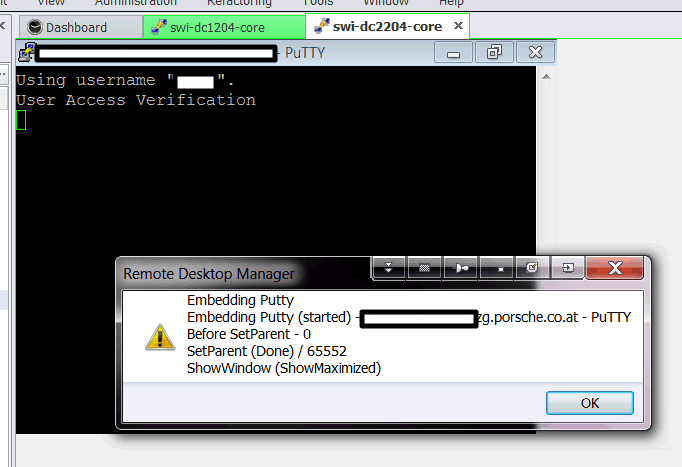
Same problem here:
the initial window is created with a small size:
After RDM resizes to full embedded size the "virtual" window size (that putty uses) is still the small one. Meaning that all the lines are shortened.
we use the builtin ssh connection for now.
RDM-Putty01.png