ctrl key comb in rdp window

Hello,
sorry if this is a stupid question, I search on the mac forum here and the documentation. Can anyone give me a tip where I can find the keyboard configuration of a undocked freerdp session to a windows 7 system ?
In my rdp session I cannot use the CTRL + TAB keys - ALT + TAB works fine.
Regards,
Jochen
All Comments (3)
Hi,
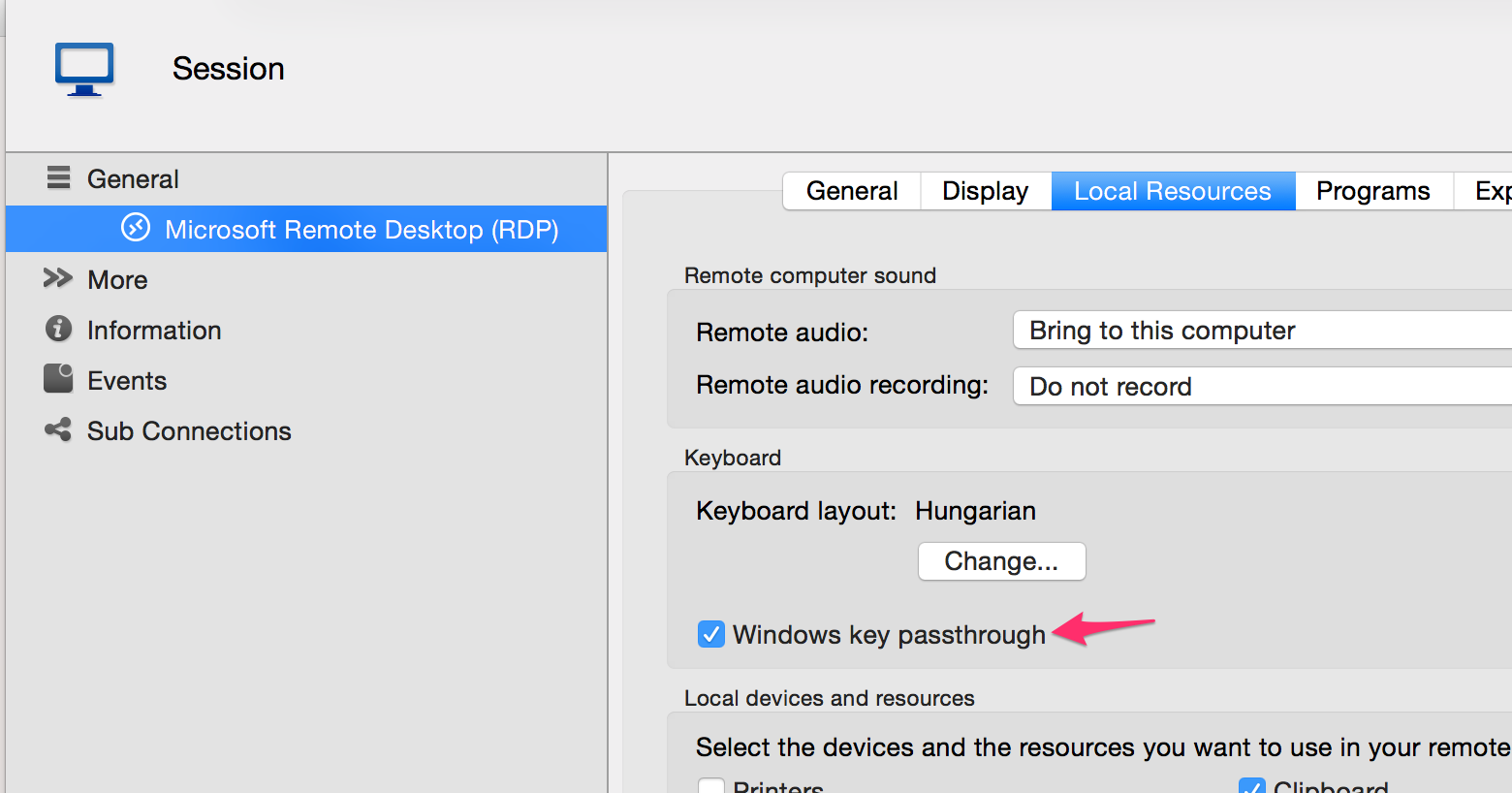
The Mac version only support configuration of the Windows Key.
In the RDP session configuration, in the local resources tab you can or uncheck the Windows key passthrough.
If it's checked the CMD key will work like your Windows key otherwise it won't do anything.
I'm sorry we don't have any documentation on this but I will make a request for it.
I tested Ctrl+Tab and I confirm that it's broken. We will investigate and fix this as soon as possible.
Thank you for your feedback
Benoît Sansregret
WindowsKey.png
Actually, the Command key does NOT work like the Windows key. This is unfortunate.
If you press Command, sure, it will toggle between the desktop and the Start screen.
But common Windows key combination keys do not work, most notably Win-X which brings up the Power User menu.
Especially in Win8 and Windows Server 2012 (not 8.1 or R2), this menu is crucially important.
Will you be able to support "Command + key" as "Windows + key" soon?
Hi,
We just released a new version with a fix for your shortcut issue.
You can download it here http://mac.remotedesktopmanager.com/Home/Download
Regards,
Benoît Sansregret